POSFactura
System portfolio · POSFactura

Your whole business in one system

Point of sale, electronic invoicing with Hacienda, inventory, WhatsApp, an online store and the modules for each line of business, in the cloud and in several languages.

23modules and features
5languages, Arabic included
🧾Costa Rica e-invoicing (Hacienda) included
24/7in the cloud, on your phone and on your computer

https://posfacturacr.com/portafolio/en · October 2026
Your whole business in one system

Who it is for

For any business that sells: a store, a tire shop, a restaurant, a beauty salon, a phone repair shop or a pharmacy. Each business turns on the modules it needs, and the menu shows it only what belongs to it.

The essentials

  • Sell fast, with or without an electronic invoice, from a computer, a tablet or a phone.
  • Up to date with Hacienda (Costa Rica's tax authority): electronic invoices, tickets, credit and debit notes, purchases and payment receipts, with each branch's own certificate.
  • Accurate inventory at every branch, with kardex, transfers and physical counts.
  • Your customers on WhatsApp, with a shared inbox for the whole team.
  • Multiple branches, multiple registers and multiple users, each with their own permissions.
  • In five languages: Spanish, English, Portuguese, Chinese and Arabic.

How it works

The system lives in the cloud: there are no servers to install and no manual backups. You sign in from the browser, from the mobile app or from the desktop app for Windows.

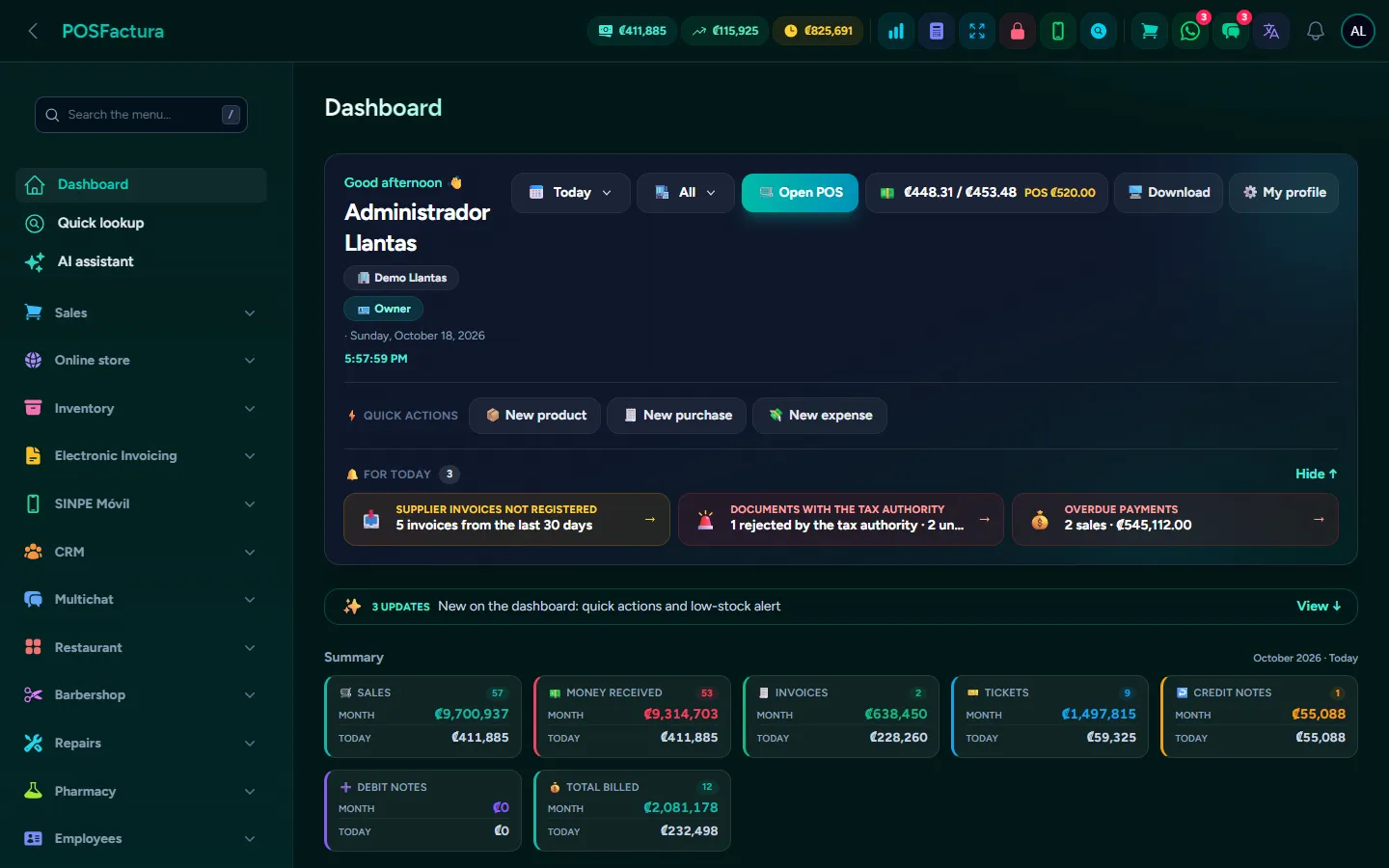
The panel home: today's sales, the register and what needs attention

Everything it includes

Each business turns on the modules it needs. Tap one to see what it does, with its screens.

🛒 Point of saleA fast register to sell with a scanner, keyboard or touch screen, take several payment methods in the same sale and close the day with a cash count, at one or many branches. With quotes, layaways, credit and returns on the same screen. 🧾 Electronic invoicingEvery electronic document required by Hacienda in Costa Rica, issued from the register with no extra steps, with each branch's own certificate. And on the other side, your suppliers' invoices received, answered and ready for the accountant. 📦 InventoryExact stock at every branch, with kardex, transfers, physical counts by scanner or Excel, labels, price lists and alerts. And consignment merchandise tracked separately, all the way to paying the supplier. 🚚 Purchases and suppliersYour suppliers' invoices arrive by email on their own and become purchases without retyping them, with each supplier's codes learned, merchandise received in parts and by branch, and what you owe each one always up to date. 🚢 ImportsThe container followed from the pro forma until it reaches each branch, with freight, insurance and customs spread out so you know the real landed cost in the warehouse and the true margin. 💳 Collections and creditFor the business that sells on credit: installment plans, payments recorded under whoever collected them, who paid and who didn't this pay period, and late customers in the order you need to go collect. With SINPE Móvil reconciled automatically and collection routes per collector. 📝 Sales ordersThe customer places an order and it is put in writing what they are getting, at what price and for when, without moving inventory or the register until delivery. On that day it is invoiced from the same order, with the delivery driver's route sheet on their phone. 📊 ReportsAll of the business's numbers in one place: sales, profit, cash, customers, collections, inventory, purchases and Hacienda, by period and by branch. Each report can be downloaded in Excel or PDF or sent by email or WhatsApp. 🌐 Online storeYour catalog published online with the same products, prices and stock as the system, with orders, sales, coupons and reviews, ready to show up on Google and to close the sale through WhatsApp. 💬 WhatsApp for the whole teamA shared inbox to handle the business's WhatsApp among several people, with automatic service that answers like your business using real inventory, campaigns sent in batches and social media that publishes itself. 🍽️ RestaurantTables, tickets to each station, kitchen display, checks split by diner, mandatory service charge, home delivery and orders from delivery apps, all connected to the register and electronic invoicing. 💈 Salon, barbershop and spaYour team's appointment calendar, online booking from your own page, deposits via SINPE Móvil, WhatsApp reminders, a technical record for each client, and commissions and tips calculated automatically. 🔧 Repair shopCheck in devices with everything recorded, follow each repair by stage, deduct parts from inventory, request estimate approval by WhatsApp and charge at the same point of sale. The customer checks on their device on their own, with a code. 💊 PharmacyA point of sale built for a pharmacy counter, with generics by active ingredient, prescriptions and controlled drugs, batches dispensed by expiration, sales by box, blister or unit, patient allergies and refill reminders. 📞 Voice agentA virtual assistant that answers your business's phone when nobody can, checks real inventory, places layaways, sends information by WhatsApp, takes messages and transfers the call to a person when needed. Works with any SIP phone system. 🕒 Attendance and payrollA time clock on the phone or on a tablet at the store that makes it hard to clock in for someone else, and a payroll that builds itself from the punches, with overtime, holidays, advances, CCSS, income tax, Christmas bonus, vacations and PDF pay slips. ⏱️ Time rental and advertisingFor businesses that sell minutes of use —tracks, courts, pool tables or rooms—: a board with each spot's clock, charging by block or open time, and every free minute given away recorded by name. Plus control of the advertising spaces rented to other businesses. ⭐ Customer sign-up by QR and Google reviewsThe customer leaves their details for the electronic invoice by scanning a QR code at the counter, without the cashier typing anything. And after the sale, they get a WhatsApp with the link to rate their branch on Google. 🔐 PasswordsThe business's passwords, accounts, cards and equipment stored encrypted inside the system, each visible only to whoever should see it, with its own PIN, audit log and expiration alerts. Plus each branch's utilities with their payments and invoices. 📱 Apps for phone and computerThe desktop app for Windows sells and invoices even when the internet goes down and connects several registers at the same location over the network. The iPhone and Android app puts the system in your pocket. ✨ AI assistant and team chatAn assistant that answers with your business's real data —how much you sold, what's running low, how much you're owed— and teaches you how to use the system with a button that takes you to the screen. And an internal chat so the team can talk across branches without using personal WhatsApp. 🔌 Connections with what you already useThe system connects with what your business already uses —WhatsApp, your email, Gmail, Hacienda, Google, Facebook and Instagram, delivery apps and bank notifications— so information flows in and out on its own, without copying and pasting. 🛡️ Security and business administrationWhat the whole system includes, regardless of modules: branches, users with roles and permissions, audit log, two-factor authentication, backups, five languages and several countries, your brand, expenses, memberships and points, gift cards, sales tracking, salesperson commissions and the accountant portal. 🆕 AnnouncementsThe latest additions to the system.
🛒

Point of sale

A fast register to sell with a scanner, keyboard or touch screen, take several payment methods in the same sale and close the day with a cash count, at one or many branches. With quotes, layaways, credit and returns on the same screen.

Point of sale
Point of sale Point of sale

Money slips away at the counter in many ways: customers who leave because checkout is slow, discounts nobody authorized, wrong change, registers that don't balance and invoices that have to be written up by hand later. The point of sale covers the cashier's entire day: search or scan the product, choose the document, take whatever the customer pays with (even three different payment methods), deliver the receipt on paper, by email or by WhatsApp, and at the end close the register by counting the cash. Whatever is sold comes out of inventory and, if your business invoices with Hacienda (Costa Rica's tax authority), the electronic document is issued automatically.

The sales screen: search, cart and catalog with photos

The essentials

  • Sell in seconds. Scan the barcode, search by name or code, or tap the product in the catalog with photos and category filters. F1 charges everything in cash with one click, F2 opens the payment window and F3 returns to the search box; every action can have its own key.
  • Ticket, invoice or internal sale. A selector above the cart decides the document. With the electronic invoicing module, the system signs and sends to Hacienda in the background: checkout never waits.
  • Internal sale, without Hacienda. For internal consumption, samples or your own control there is a non-fiscal document, off by default and enabled per company. Its receipt always states that it is not an invoice, it is not reported to Hacienda, it does not go to the accountant and reports show it separately.
  • Any payment method, combined. Cash, card, SINPE (Costa Rica's instant bank transfer), bank transfer, deposit, check, gift card or credit, several in the same sale. The system tells you how much is left and calculates the change. You can also charge in a second currency at the exchange rate the business sets.
  • The customer in the sale. Search for them or create them right there; when you type the cédula (national ID), the system checks Hacienda and fills in the name. When selected, you see their outstanding balance, points and membership, and if they have a price list, prices change automatically.
  • Quotes (pro forma). The cart is saved as a quote with one button: it does not reduce inventory, touch the register or go to Hacienda. It comes out as a PDF to send by email or WhatsApp, and when the customer accepts, it is charged from the list without retyping anything.
  • Layaways. Merchandise is held for the customer against a deposit and stops being available from day one. Deposits go into the register, and the electronic document is issued on delivery.
  • Credit sales with an installment plan. Term, weekly, biweekly or monthly payments, number of installments or installment amount, and interest by term if the business charges it. The plan is printed on the receipt, installment by installment.
  • Returns in a single step. Full or partial: it restocks inventory, issues the credit note if the sale was electronic, reduces the balance if it was on credit and refunds the money the same way it was paid.
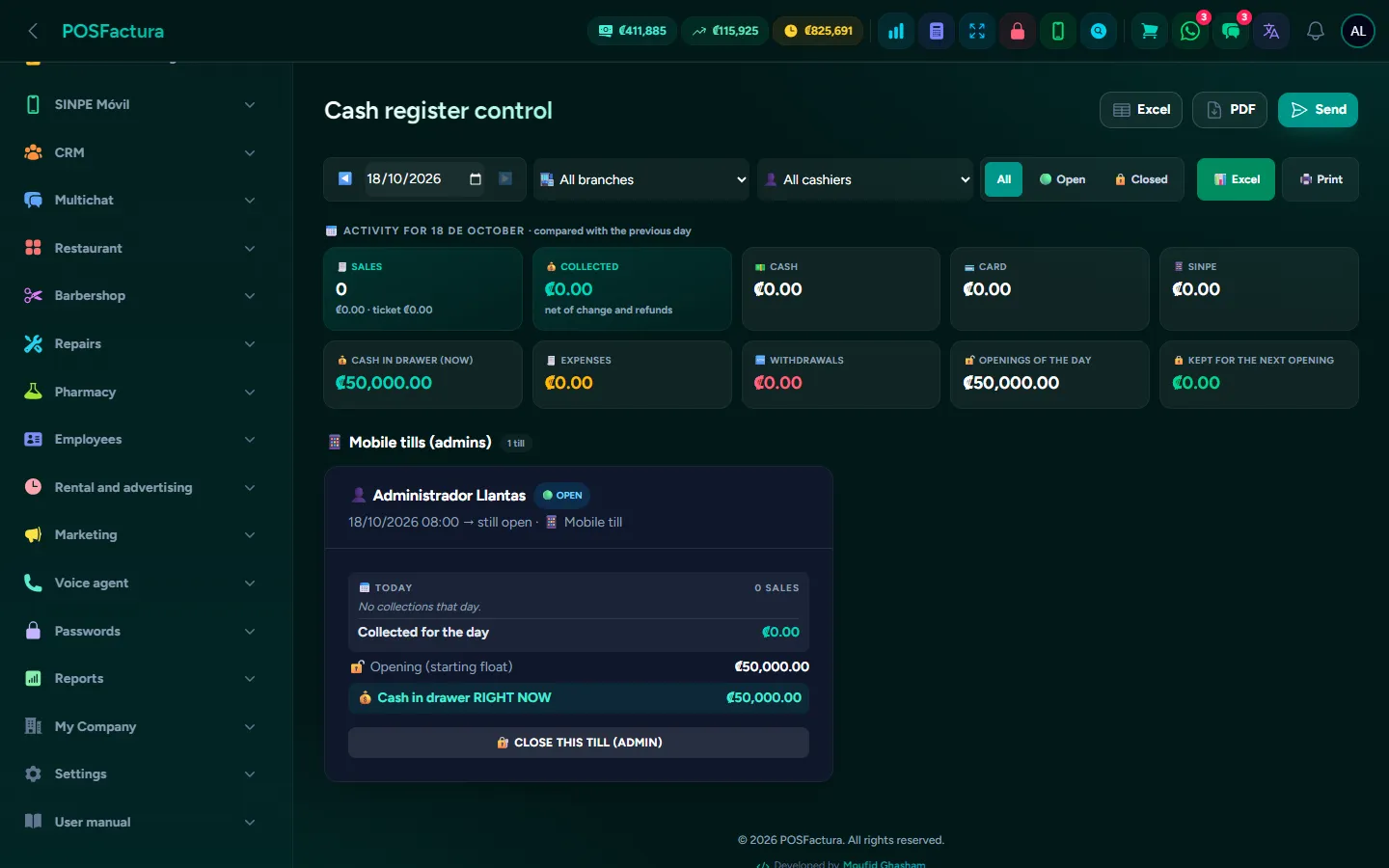
  • Registers and shifts with cash counts. Each cashier opens with a float, records expenses, withdrawals and deposits, and closes by counting. The system compares what was expected with what was counted and shows any overage or shortage.
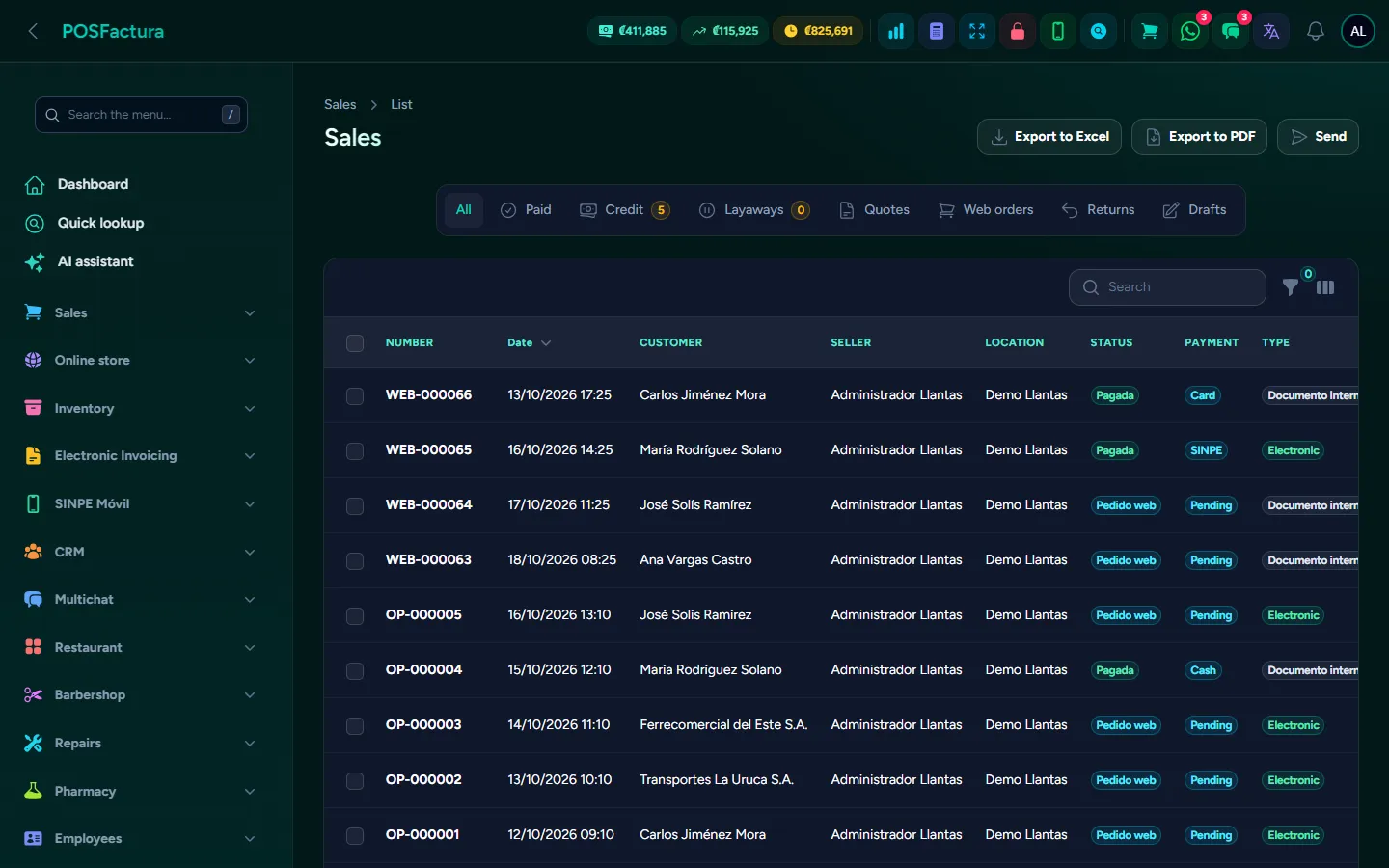
Today's sales with their status, customer and payment method
  • Receipts on paper or on the phone. 80 mm or 58 mm thermal, or an A4 invoice; each branch can have its own paper. The receipt is printed, downloaded as a PDF or sent by email and WhatsApp.
  • Complete sales history. Filters by date, status, type, salesperson and branch; each sale's record with products, payments, balance, installment plan and status with Hacienda, plus resending the receipt to one or several recipients.
  • Keeps selling without internet. If the connection drops, the browser point of sale keeps charging and issues a provisional receipt; sales are sent automatically when it comes back. With the desktop app for Windows (add-on), the register sells and invoices without internet, and several registers at the same location share inventory and sales instantly over the local network.

The details that make the difference

  • Prices aren't changed without permission. A cashier without permission cannot change the price or apply discounts, not even by tampering with the screen; the total discount respects the cap the business sets.
  • The administrator's password when needed. It can be required for returns and for canceling a sale, and with it the cashier briefly unlocks discounts, price editing, the register or the day's benefit, without the manager having to sit down and do it.
  • Discounts your way. Per line or on the total, as an amount or a percentage; the business can require that it always be one type.
  • Blind close. When closing, the cashier enters what they take out and what they leave for the next opening; the next shift starts with that amount and only an administrator can change it.
  • Dollars balance separately. Dollar bills are expected and counted in dollars; change is given in local currency, and the closing message says whether each currency balanced.
  • The close arrives by WhatsApp. With sales, payment methods and the difference, for the owner who isn't at the store.
  • Opening the drawer without a sale is logged. In the audit log and, if enabled, with an alert to the owner.
  • No repeated vouchers. The card terminal voucher digits can be required, and the same recent voucher is not accepted twice at the same branch; when the sale is returned, it becomes free again.
  • The refund comes out of the right register. Cash refunded comes out of a register at the branch where the sale was made; if none is open, it stays pending and is applied when the next shift opens.
  • Correct the payment method without voiding. If it was paid by SINPE and marked as cash, an administrator changes it and can link the actual payment received; the cash count adjusts itself and it is recorded in the audit log.
  • Drafts and suspended sales. The cart is saved to continue later, without charging or moving inventory.
  • Buttons tailored to the business. Draft, quote, layaway and credit are shown on the bar, in a menu or hidden, depending on what the business uses.
  • Configurable rules. Minimum deposit and layaway validity, what happens to deposits if it is canceled, default credit term, blocking customers with overdue credit and a credit limit per customer.
  • Scale and touch screen. Scanning the scale's label adds the product with its weight, and there is an on-screen keyboard for registers without a physical keyboard.
  • Cashiers who only see the register. A user can be limited to the point of sale: they go straight in and do not see the rest of the system.
  • Prices with tax included. If labels already include VAT, the system breaks it out without charging it twice. It also adds shipping and packaging, and rounds the total if the business asks for it.
  • The right paper at every register. It is decided by sale, then by branch and then by business, and a test page confirms that the ticket fits the printer.
  • Emails that didn't go out, in one click. If the business's email failed, the history marks each pending receipt and one button sends them all.
  • Supervising multiple registers. Cash register control shows the day's money by branch and by cashier, warns about shifts left open and lets you close them right there.
The shift close: float, sales, expected cash, counted and difference

For your customer

  • Their receipt right away, printed, as a PDF, by email (to every email on their record) or by WhatsApp.
  • The quote in writing, on a formal page that reads well on a phone.
  • Clear installments: a credit sale receipt shows the balance, the due date and each installment with its date.

↑ Back to the index

🧾

Electronic invoicing

Every electronic document required by Hacienda in Costa Rica, issued from the register with no extra steps, with each branch's own certificate. And on the other side, your suppliers' invoices received, answered and ready for the accountant.
Electronic invoicing

Invoicing with Hacienda (Costa Rica's tax authority) shouldn't slow down the register or take up the owner's time. Today many businesses lose hours on rejected documents nobody reviews, colliding sequence numbers, tickets the customer later wants in their name and an accountant asking for the XML files at the end of the month. This module issues each document automatically at checkout, sends it to Hacienda in the background, tells you what needs fixing when something goes wrong, receives your suppliers' invoices and sends the accountant the month's package without anyone having to remember.

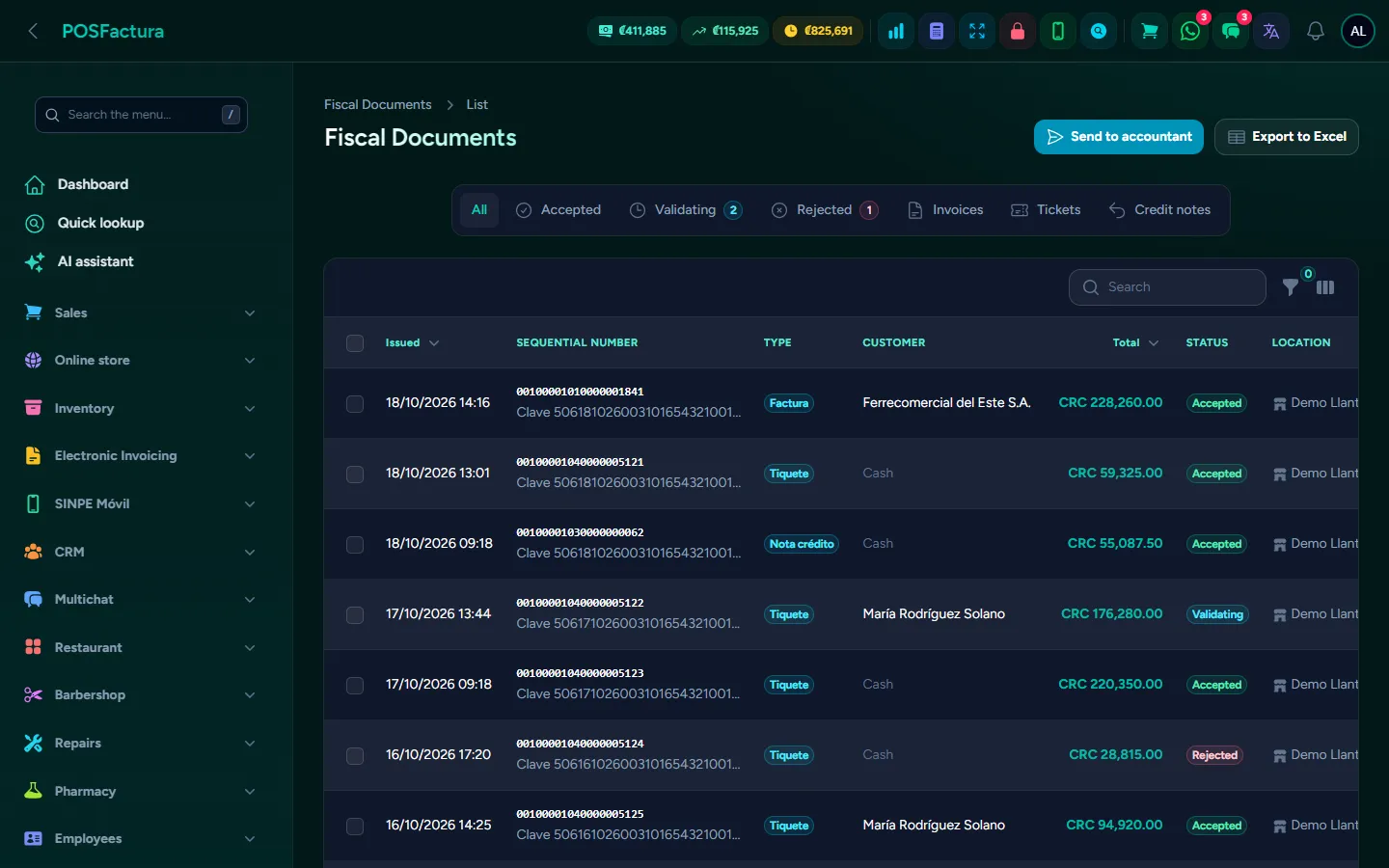
Issued documents with their status with Hacienda

The essentials

  • Every document type. Electronic invoice, electronic ticket, credit note, debit note, electronic purchase invoice and electronic payment receipt, each with its key, its sequence number and its signed XML.
  • From the register, with no extra steps. You charge at the point of sale and the system signs, sends and delivers the document to the customer. If Hacienda is slow or down, the sale is already done and the document goes out automatically as soon as it responds.
  • One certificate per branch. Each branch has its own certificate, PIN, credentials and economic activity. Two checks before selling: that the certificate opens and when it expires, and that the connection with Hacienda works.
  • Everything in view. In Fiscal documents you see each document with its status (accepted, processing, pending or rejected), the PDF, the XML and Hacienda's exact message, with actions to send or query one by one or in bulk.
  • Turn a ticket into an invoice. If the customer comes back asking for the invoice in their name, it is issued from the ticket with their details, without charging again or moving inventory.
  • Credit and debit notes. A return issues the credit note automatically; it can also be issued to void a document or correct the amount. The debit note charges an extra amount on an invoice already issued and, if desired, adds it to the customer's account.
  • Electronic purchase invoice. It backs up what you buy from someone who doesn't issue electronic invoices (a producer, a special regime or a foreign supplier), with the supplier as issuer. It does not count as a sale in reports.
  • Electronic payment receipt. For credit sales whose VAT is declared on collection: each payment issues its own receipt automatically, referencing the invoice.
  • Your suppliers' invoices. The system reads the mailbox where they arrive, extracts the XML files automatically (or they are uploaded by hand), and from there they are accepted, partially accepted or rejected before Hacienda with the signed message. Emails are kept with their attachments, even if they don't contain an invoice.
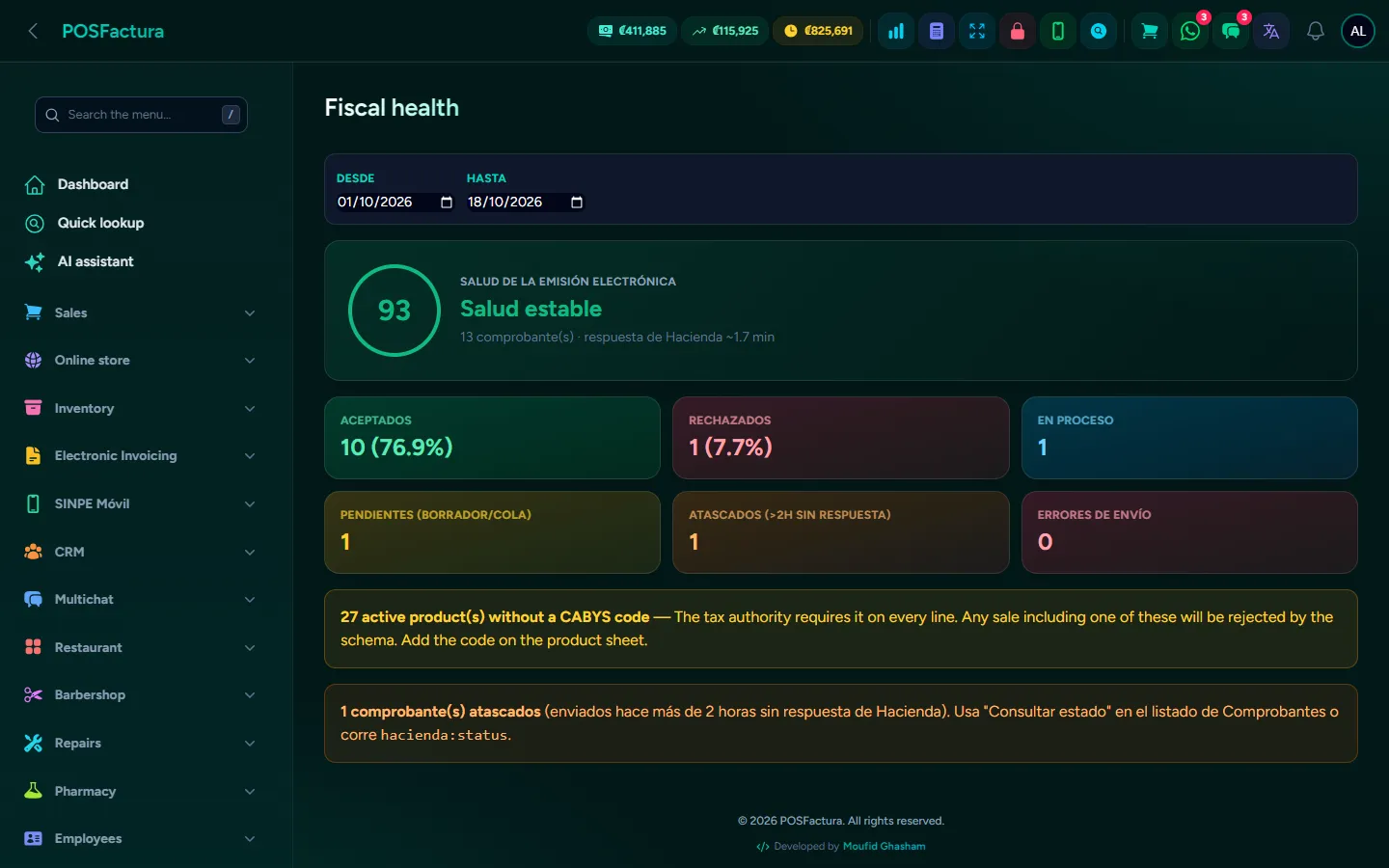
  • Fiscal health. A daily view of how many documents are accepted, rejected and pending, to resolve them before they become an end-of-month problem.
Fiscal health: accepted, rejected and pending for the period
  • Tax reports. VAT collected on sales, VAT on accepted purchases and the difference to pay, with electronic sales separated from internal ones.
  • The accountant receives everything automatically. You register one or several accountants, each with their email and their day of the month: on that day they receive the full previous month, with the sales and purchase books in Excel and the documents. The accountant also has their own panel to look things up.
  • CABYS without headaches. The CABYS code (Costa Rica's goods and services catalog) is searched by name when creating the product. The CABYS Report shows which products are missing it or have it wrong, fills it in from the category and checks it against Hacienda.
  • VAT audit. Compares the VAT each product is sold with against the rate Hacienda assigns to its CABYS, and separates what is undercharged from what is overcharged to the customer.
  • Official exemptions. With Hacienda's catalogs and verification of the authorization from the register.

The details that make the difference

  • A repeated sequence number fixes itself. If Hacienda says that number already exists, the system takes the next free one in the series and resends it, up to three times. Documents older than three days are not revived automatically: that is for the business to decide with its accountant.
  • Reissue with care. The window shows the reason for the rejection and asks you to confirm the cause has been fixed, so as not to burn another sequence number.
  • The sale that never reached Hacienda. A report gathers the sales that were charged but whose document didn't go out, how much money they represent and what needs to be fixed (almost always a product without CABYS): once the data is fixed, they go out automatically. It includes old sales, even if the range is today.
  • A mistyped cédula (national ID) doesn't get through. The invoice stops and says how many digits are missing; a ticket still goes out.
  • Coming from another system without restarting the numbering. You set the next sequence number for each document type, and if the series gets out of order, a button restores the one Hacienda accepts.
  • A free terminal. If the same certificate is used in another program, the system suggests a terminal that doesn't collide. Each desktop register gets its own, so sequence numbers never repeat.
  • Credit notes with no tricks. You can't credit more than the invoice had, nor issue a credit note on another credit note.
  • Notes subtract in the books. In the sales book the accountant receives, they appear as negatives with their detail, and in the summary they are subtracted from sales and VAT.
  • Hacienda's data on paper. Key, sequence number, status ("Accepted by Hacienda") and QR code; on the A4 page they go in the header, so they never end up on a second page.
  • The customer receives the accepted document. The email includes the PDF and both XML files; if the document is still processing, sending waits and goes out once it is accepted.
  • Rejections are not retried blindly. What Hacienda firmly rejected is not resent automatically, and what stayed in processing without a response is closed so it doesn't wait forever.
  • Automatic acceptance of supplier invoices. The platform team enables it for your company if you request it, with a waiting period: it only touches invoices addressed to your cédula, not tickets or what has already been answered by hand.
  • A received invoice doesn't come in twice, even if it arrives in several emails.
  • Files that can't be guessed. Documents and reports that are sent are stored with an impossible-to-guess name, and the accountant's package carries the company name and the dates.
  • Each accountant with their companies. An accountant who handles several businesses chooses in their panel which one they are reviewing and never sees the data of a client that isn't theirs.

For your customer

  • Their document by email or WhatsApp, with the PDF and the XML files, to back up their expense.
  • Verification with the QR code. Scanning it shows the document on a public page where they can download the XML files.
  • The invoice in their name even if they left with a ticket, without paying again.

↑ Back to the index

📦

Inventory

Exact stock at every branch, with kardex, transfers, physical counts by scanner or Excel, labels, price lists and alerts. And consignment merchandise tracked separately, all the way to paying the supplier.
Inventory
Inventory Inventory

An inventory that doesn't balance costs you twice: you lose the sale of the product the system said you had, and you overbuy what was already sitting in the warehouse. This module tracks the stock of every product at every branch and leaves a trail of every movement: who sold, who adjusted, who transferred and why. With a scanner, counting the warehouse takes minutes, and the reports tell you how much money is on the shelves and how much is sitting idle.

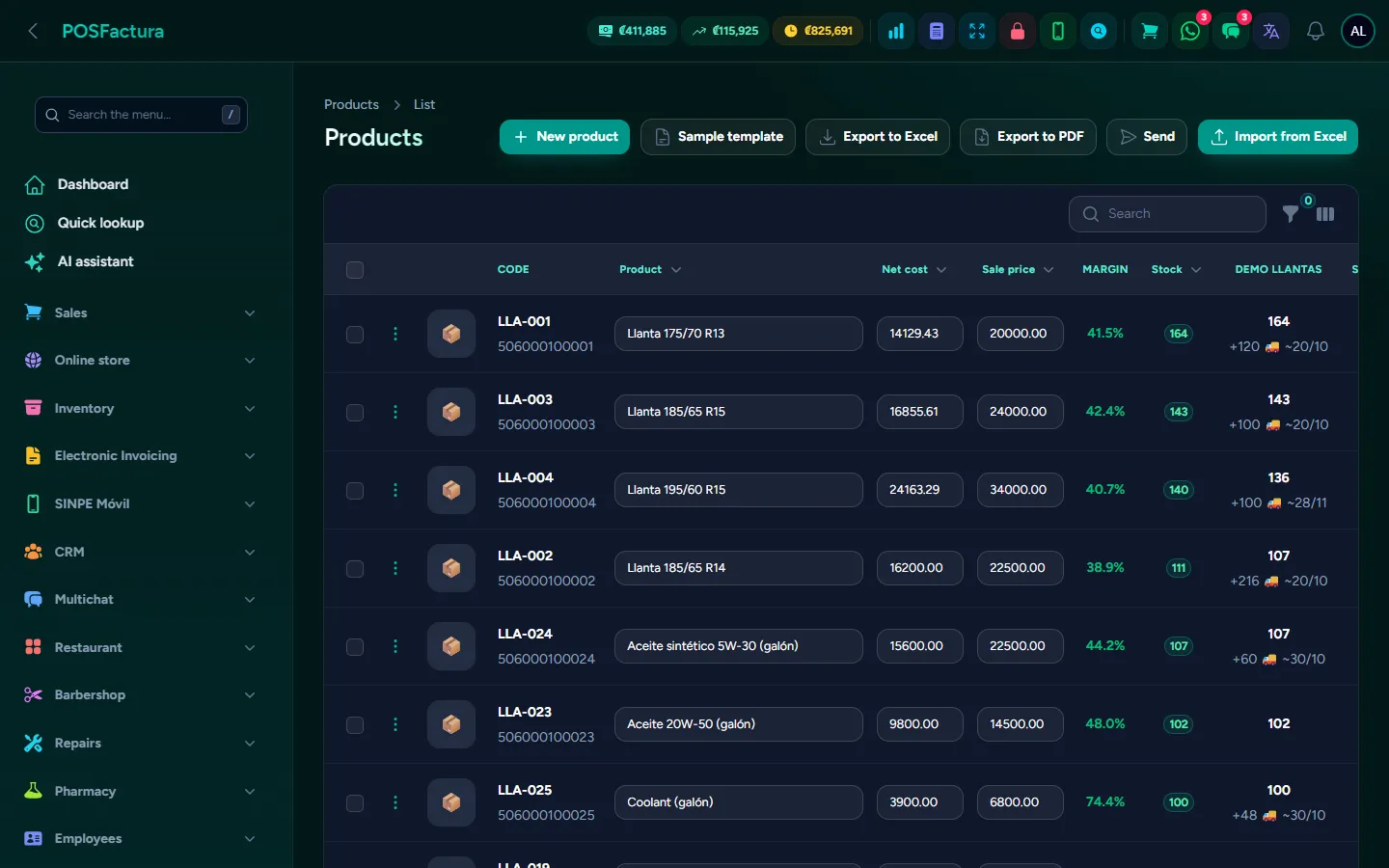
The product catalog with price and stock per branch

The essentials

  • A complete record for each product. Category, brand, internal code, barcode, unit of measure, cost, price, price in dollars, VAT rate, CABYS (Costa Rica's goods and services code), photo and which branches sell it. A product can be turned off without deleting it.
  • Stock per branch. The same product can have 8 at one store and 0 at another. The quick lookup, from any screen, tells you how many there are, at which branch, at what price and what is on the way.
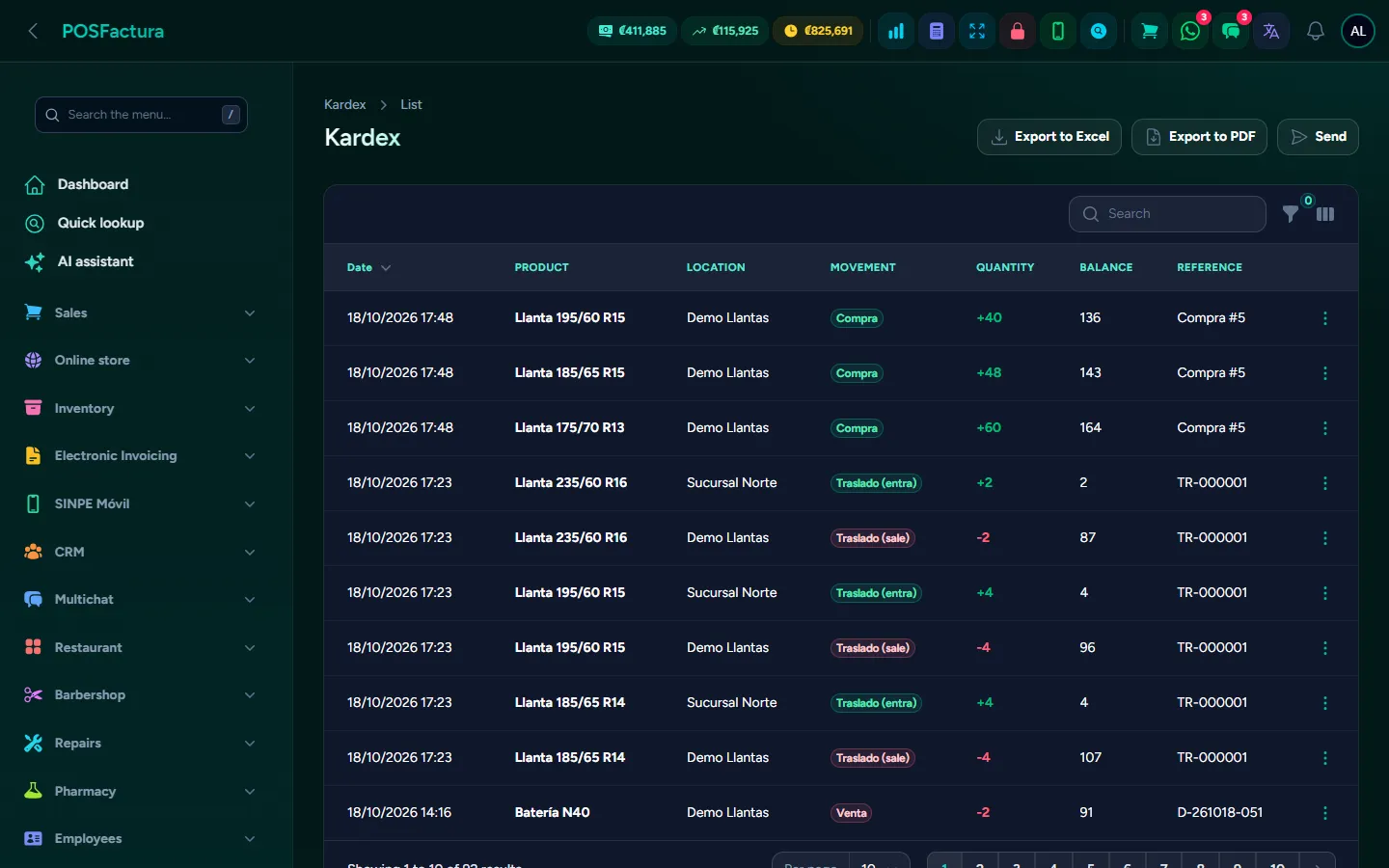
  • Kardex for each product. Every entry and exit with date, type, quantity, user and the document that originated it. When someone asks why there are 3 and not 5, the answer is there.
  • Adjustments with a reason. Shrinkage, breakage, expirations or the opening load: you enter what was counted, the system calculates the difference and each line carries its reason.
  • Transfers between branches. Stock goes down at the origin and up at the destination in the same movement, with its note and its history.
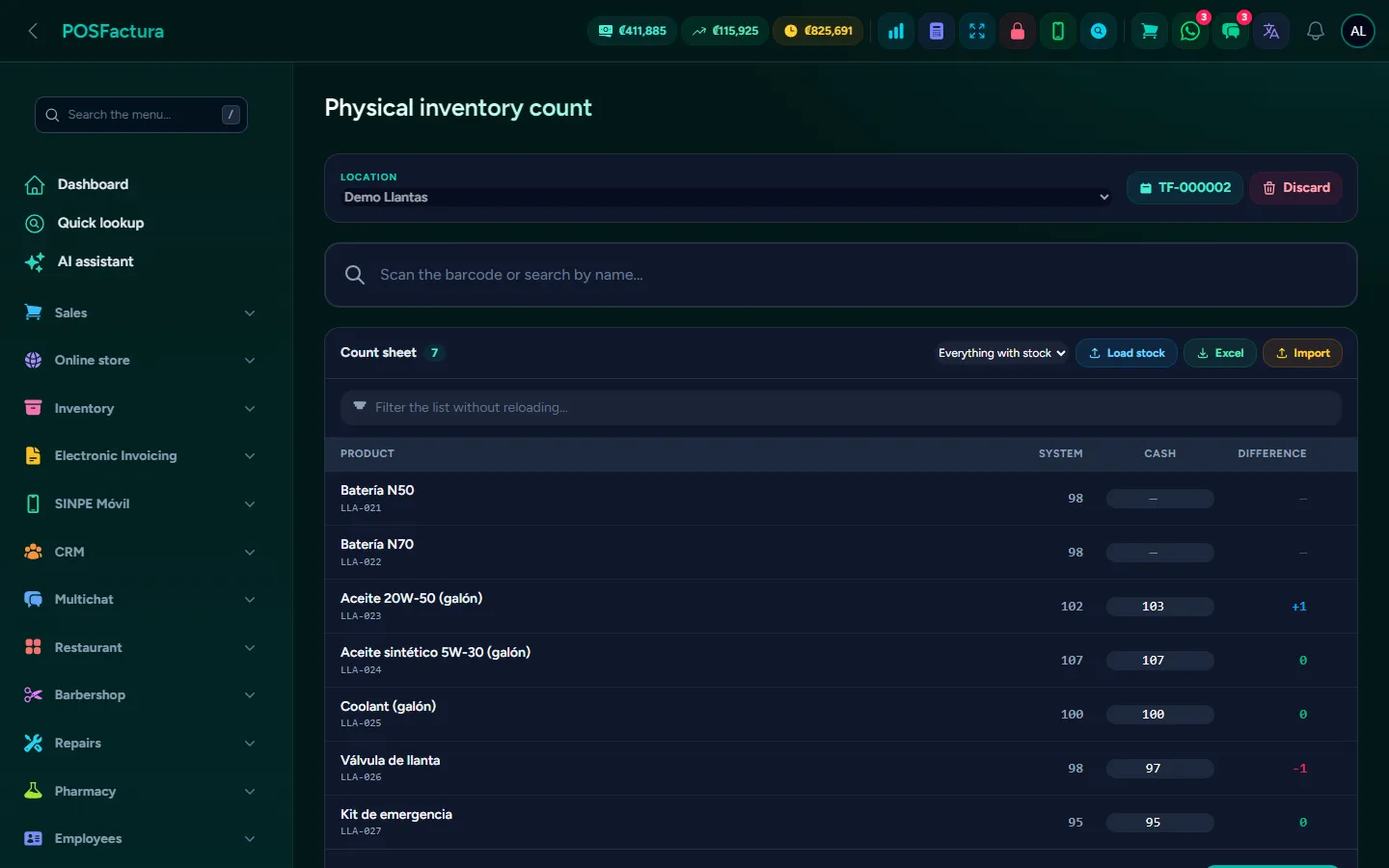
  • Physical count. With the scanner, searching by name or downloading the Excel sheet to count offline. Count everything or one family at a time, and apply it all at once.
The physical count: what was counted, what the system says and the difference
  • Barcode labels. With name, price and code, in the sheet format you use or with custom measurements in millimeters.
  • Price lists. Retail, wholesale, distributor or employee price, in a matrix where everything is seen together; each list is assigned to a branch or a customer, and at the register the price changes automatically.
  • Purchase suggestion. What is at or below the minimum, by branch, with what needs to be ordered and the estimated cost. The home screen warns how many products need restocking.
  • Variants. Size, color or measurement, each with its own price, cost and stock; or variants that only change the price (for example, at different terms) and share the same stock.
  • Bundles. A package of several products with a special price (like a 4-for-3 or a free service): selling it deducts its components.
  • Batches, expirations and serial numbers. Purchases create batches with their expiration date and serial numbers such as the IMEI; sales use the oldest serial, and a report shows what is about to expire.
  • Inventory reports. Value at cost and at retail, potential profit, valuation by category and the list of what has gone 3, 6 or 12 months without selling.
  • Movement alerts. By WhatsApp or email: adjustments, transfers, minimum stock reached, product out of stock, price changes and more, each alert turned on separately.
  • Consignment merchandise (add-on). Goods a supplier leaves for you to sell, paying only for what is sold: it enters stock without being debt, each sale records what is owed and the settlement is done whenever the business wants.

The details that make the difference

  • What isn't there can't be transferred. A transfer without enough stock is blocked, and origin and destination must be different.
  • Everyone in their own area. Nobody adjusts or transfers into a branch that isn't theirs, and anyone without permission doesn't see the cost and only looks up their own branch.
  • Fine-grained permissions on the catalog. The cashier sees the price but doesn't change it; mass price increases, VAT changes, duplicating, deactivating or merging products each require their own permission.
  • A product with history isn't deleted. If it already has sales or purchases, it is deactivated; that way the kardex never has gaps.
  • The product record at a glance. Price, cost and margin, stock per branch, how many days until it runs out at the current sales pace (in yellow and red when it is running short), the latest purchase prices with how much they rose, and the customers who buy it, with their WhatsApp one tap away.
  • Send the product card to the customer. A PDF card with the photo, the price and the business details, by WhatsApp or email.
  • Mass changes with care. Raise prices by percentage with rounding (also on cost), change category, brand or VAT for many products, activate or deactivate in bulk, and edit price and cost directly in the table.
  • Physical count by family. When you choose a category, all its products come in, even those the system has at zero; what was left blank is not touched, unless "set uncounted items to 0" is checked.
  • Discard with no consequences. A count sheet can be thrown away before applying it without moving anything.
  • Labels the scanner can read. The system calculates the barcode check digit and uses the right format depending on whether the code is numeric or not.
  • Categories per branch. Each store can show at the register only the categories it sells.
  • New products without leaving the register. If one appears in the middle of a sale, it is created right there with the minimum and completed later.
  • Bulk photos and units of measure of the business's own, in addition to the usual ones.
  • Batch about to expire. Those expiring in the next 60 days appear in the report, so they can be sold in time.
  • If you sell tires. The size is found however it is written, and the tread type, design and ply rating are filled in automatically from the name.
  • Consignment: the settlement ready for the supplier. The sheet per branch with what there was, what was received, sold, returned and what remains, in Excel or PDF, sent by email or WhatsApp.
  • Consignment in the supplier's currency. If they charge in dollars, the debt and the payment are in dollars while inventory stays in local currency.
  • Own or consigned first. If there is stock of both for the same product, the business chooses which sells first; a customer return undoes what was recorded, and what didn't sell is returned to the supplier until the consignment is closed.
  • Starting from a previous settlement. For a consignment that was already in the store: nothing is added to the warehouse and the system reviews sales from that date.
The kardex: each movement with its date, its user and its document

↑ Back to the index

🚚

Purchases and suppliers

Your suppliers' invoices arrive by email on their own and become purchases without retyping them, with each supplier's codes learned, merchandise received in parts and by branch, and what you owe each one always up to date.
Purchases and suppliers
Purchases and suppliers Purchases and suppliers Purchases and suppliers

Entering purchases by hand is slow, and it is where errors are born: mistyped costs, merchandise that arrived and never entered the system, invoices nobody recorded and payments to the supplier that don't match their statement. With this module nobody types an invoice: the system reads the mailbox where suppliers send their invoices, saves them on its own, the purchase fills in with their lines, it learns which code each supplier uses for each of your products and keeps the debt up to date. Goods from abroad have their own module: Imports.

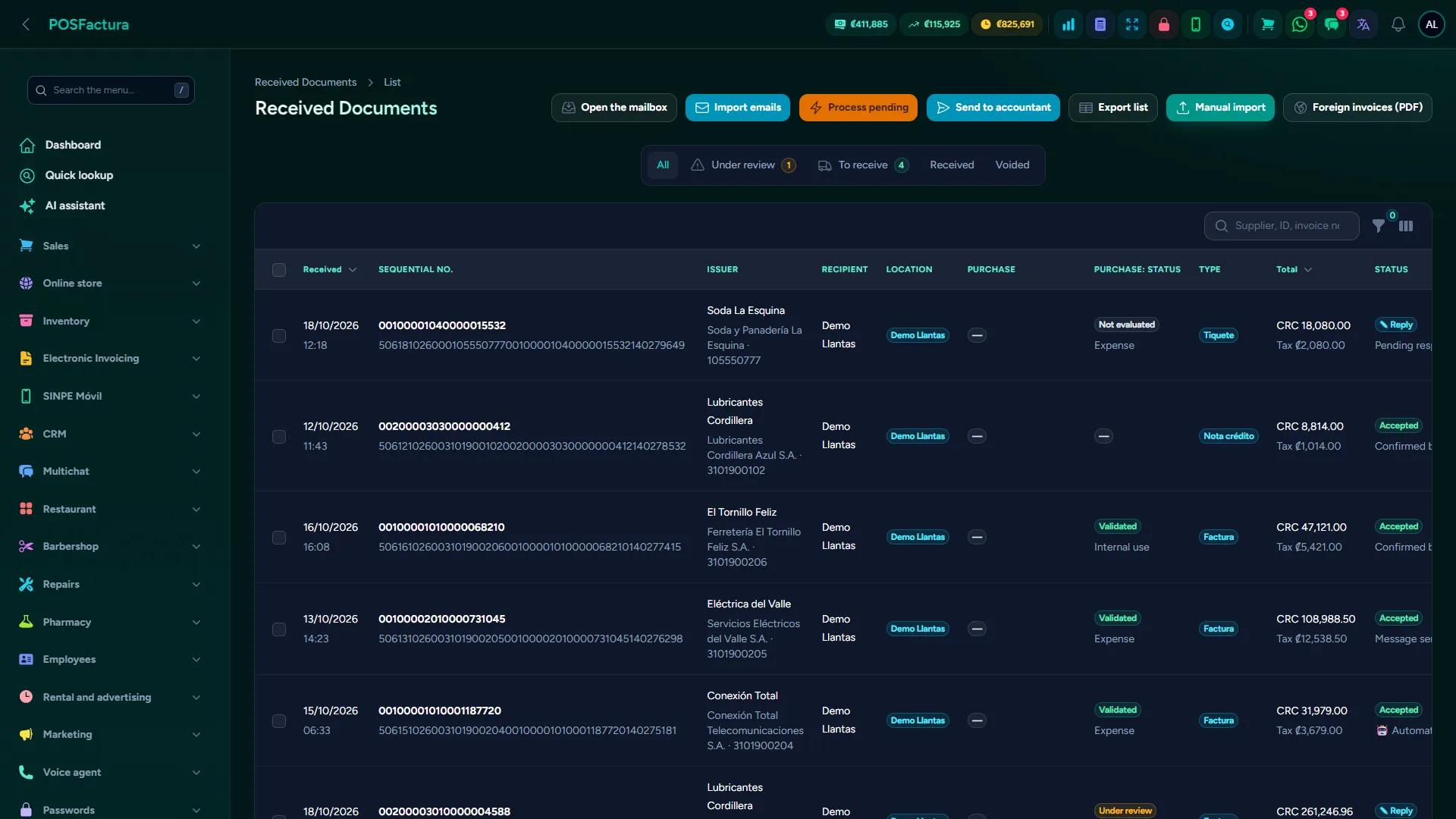
Supplier invoices that arrived by email on their own

The essentials

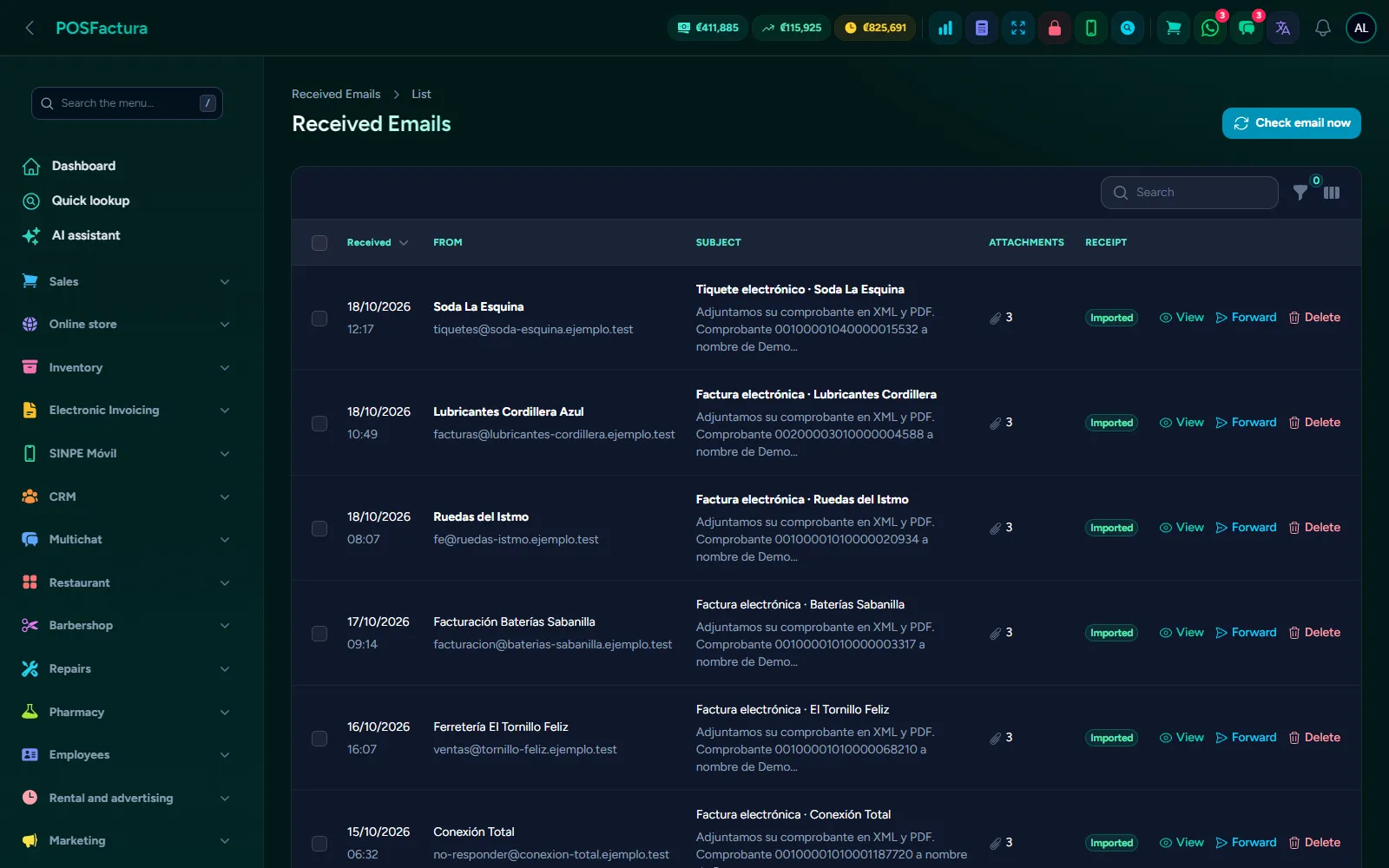
  • Invoices arrive by email on their own. The mailbox where suppliers send their invoices is set up once: the system checks it on its own, takes the electronic document out of each email and leaves it in the received invoices inbox, without anyone downloading or uploading it. It can also be uploaded by hand, or the mailbox can be read on demand.
  • From invoice to purchase, without typing. Each received invoice is reviewed and turned into a purchase with one click, with all its lines, costs and VAT; what is an expense stays as an expense.
  • Emails, saved in the system. Every email that was read stays in Received emails with its attachments (PDF, XML, photos), even if it has no invoice: it can be checked without opening the mailbox, also when it is a shared Gmail account.
  • Record a purchase. Branch, supplier, invoice number, currency and exchange rate, cash or on credit with its due date. Cost is entered with or without VAT and the other is calculated; the selling price is updated right there if the cost went up.
  • Pull in the received invoice. When recording a purchase, you bring in the document the supplier issued: the purchase fills in with its lines, in green what the system already recognizes and in red what still needs to be matched.
  • Code equivalences. Each supplier invoices with its own codes. They are matched once —or learned automatically when the purchase is saved— and from then on all their invoices arrive recognized, with the factor that converts boxes into units.
  • Validated or under-review invoices. With electronic invoicing, each incoming invoice is reviewed automatically: each line knows whether it goes to inventory, internal use or expense, and anything that doesn't add up is flagged, such as a cost that jumped or a new code.
  • Receive the merchandise when it arrives. The invoice doesn't add anything to inventory: the purchase is created when what arrived is confirmed, it can be received in parts and the debt to the supplier only grows by what was received.
  • Purchases on the way and purchase orders. What has been ordered shows with its arrival date at the register, in products and in the stock lookup. The purchase order comes out as a PDF and is sent to the supplier by WhatsApp or email, without moving anything.
  • Supplier credit notes. If they void an invoice that hasn't been received yet, the invoice is voided automatically; if the merchandise has already come in, the system warns you and the business decides.
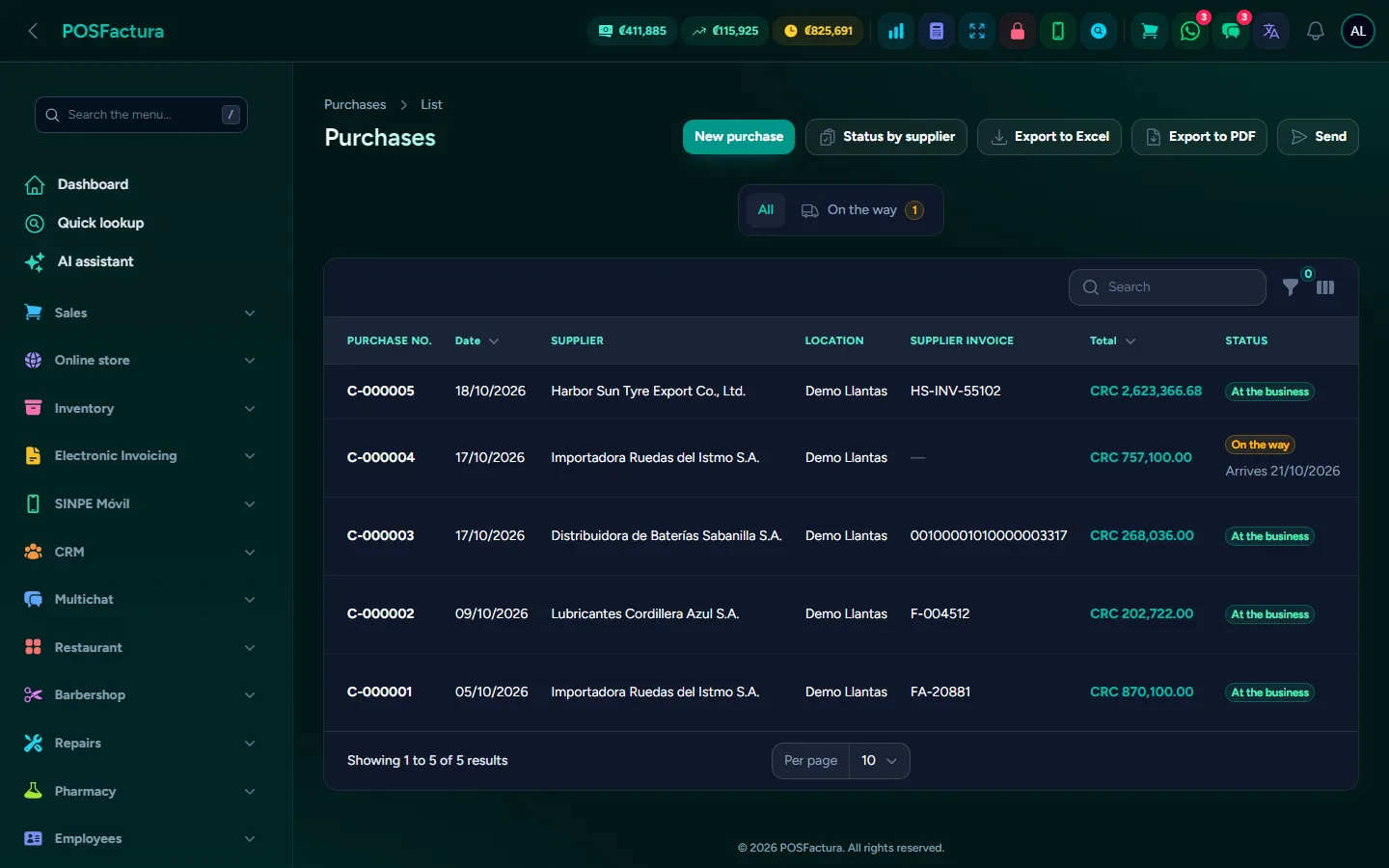
Purchases with their supplier, status and amount left to pay
  • Supplier payments. Payments in several installments with payment method, reference, the supplier's receipt number and the photo or PDF of the receipt; a wrongly recorded payment can be corrected or undone.
  • Return or void. A merchandise return reduces stock with its reason; voiding corrects a purchase that shouldn't have existed and reverses what had come in.
  • Statement per supplier. Invoices, payments, returns and running balance, with pending invoices and their days overdue, as a PDF to send them or in Excel.
Supplier emails, read automatically and saved with their attachments
  • Received invoices not yet recorded. A report with the invoices that came from Hacienda (Costa Rica's tax authority) and are not yet a purchase or an expense, separated into merchandise, expenses and invoices between companies in the same group, sorted by supplier.
  • Smart reorder. Projects what to order using the last 90 days of sales, what is on hand, what is on the way, how long it takes to arrive and how many months you want to stay stocked; if the supplier sent its price list in Excel, the order comes out priced with its prices.
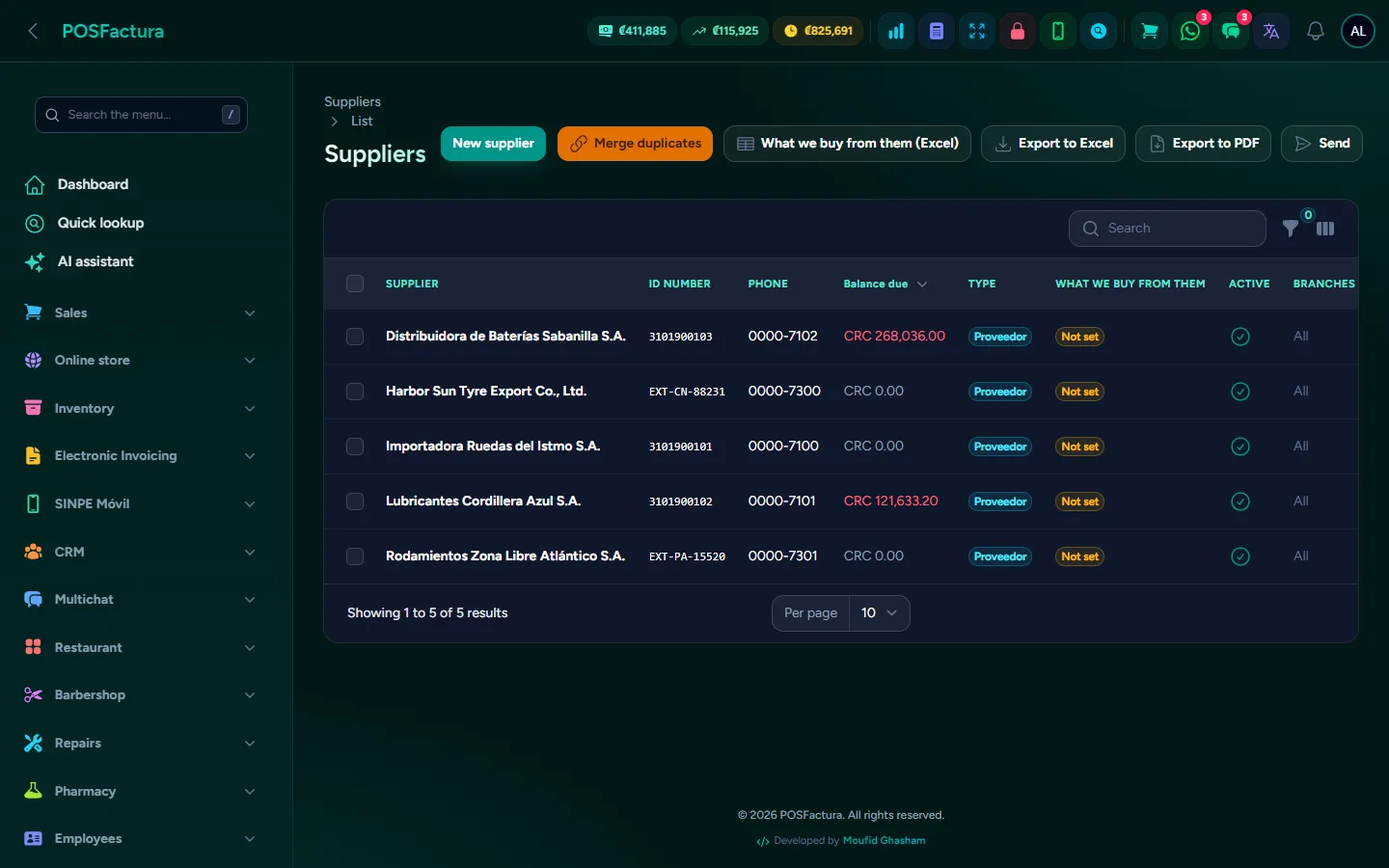
Suppliers, with what is bought from each one
  • Foreign suppliers. They are registered with their foreign ID. Electronic invoices from Panama come into the same inbox with their unique code, and PDF invoices from foreign suppliers in formats the system recognizes are read line by line.

The details that make the difference

  • Suggestions are never matched automatically. The system proposes the product by barcode, description or size, but similar isn't the same: a person always confirms it, except when there is no doubt (the supplier wrote your code on the invoice).
  • Compare all invoices at once. It reviews every code from every supplier that has already arrived, matches what is certain and leaves the rest with its suggestion and its confidence, to accept them in bulk.
  • What is decided once is learned. If a supplier is always an expense (internet, electricity), their next invoices arrive already validated; anything from someone who isn't a registered supplier is treated as an expense.
  • Internal-use invoice in one click. Lines for things used in the business are combined into one, with the same total and its VAT, without creating a product for each or adding to inventory.
  • Warranty doesn't zero out the cost. A line with no cost (a replacement) adds stock without ruining the product's cost.
  • Never receive or pay too much. You can't receive more than what is pending, pay more than what is owed, and when correcting a payment the balance adjusts by the difference.
  • Voiding twice doesn't duplicate anything, and a voided purchase no longer allows payments or edits.
  • Reference only when it goes through the bank. It isn't required for cash; for the others the field is named after what must be entered: check, transfer or SINPE (Costa Rica's instant bank transfer) number.
  • Fast entry. A compact row to type a long invoice continuously, and missing products are created from the same purchase, without using the supplier's code as your own.
  • Search by what's inside. A purchase can be found by product or by supplier code, and filters (supplier, payment, overdue credit, merchandise status, branch and dates) combine; the Excel export downloads only what is filtered.
  • A credit note that arrives before the invoice is saved and applied when the invoice comes in.
  • Duplicate suppliers. When merged, their equivalences move to the one that remains.
  • What we buy from each supplier. Merchandise, internal use or expense with its category, one by one, in bulk or with an Excel file.
  • Alerts to the owner. By WhatsApp or email when a supplier invoice or a credit note arrives.
  • The same invoice never comes in twice, even if the supplier sends it repeatedly or it arrives both by email and by hand.
  • Supplier payments for the accountant. A report with each payment in the period —from purchases and imports— with its reference, to reconcile with the bank.

↑ Back to the index

🚢

Imports

The container followed from the pro forma until it reaches each branch, with freight, insurance and customs spread out so you know the real landed cost in the warehouse and the true margin.
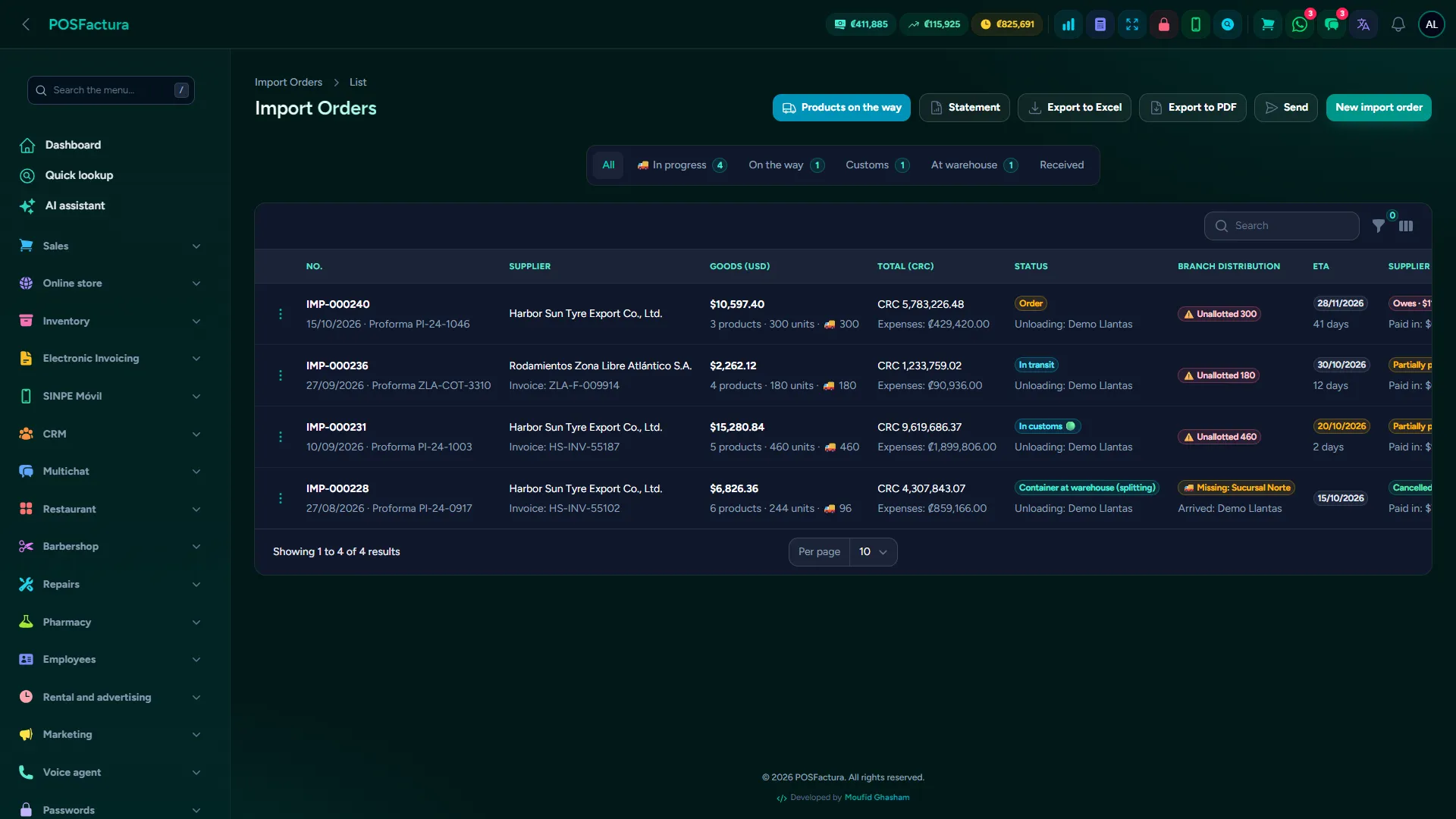
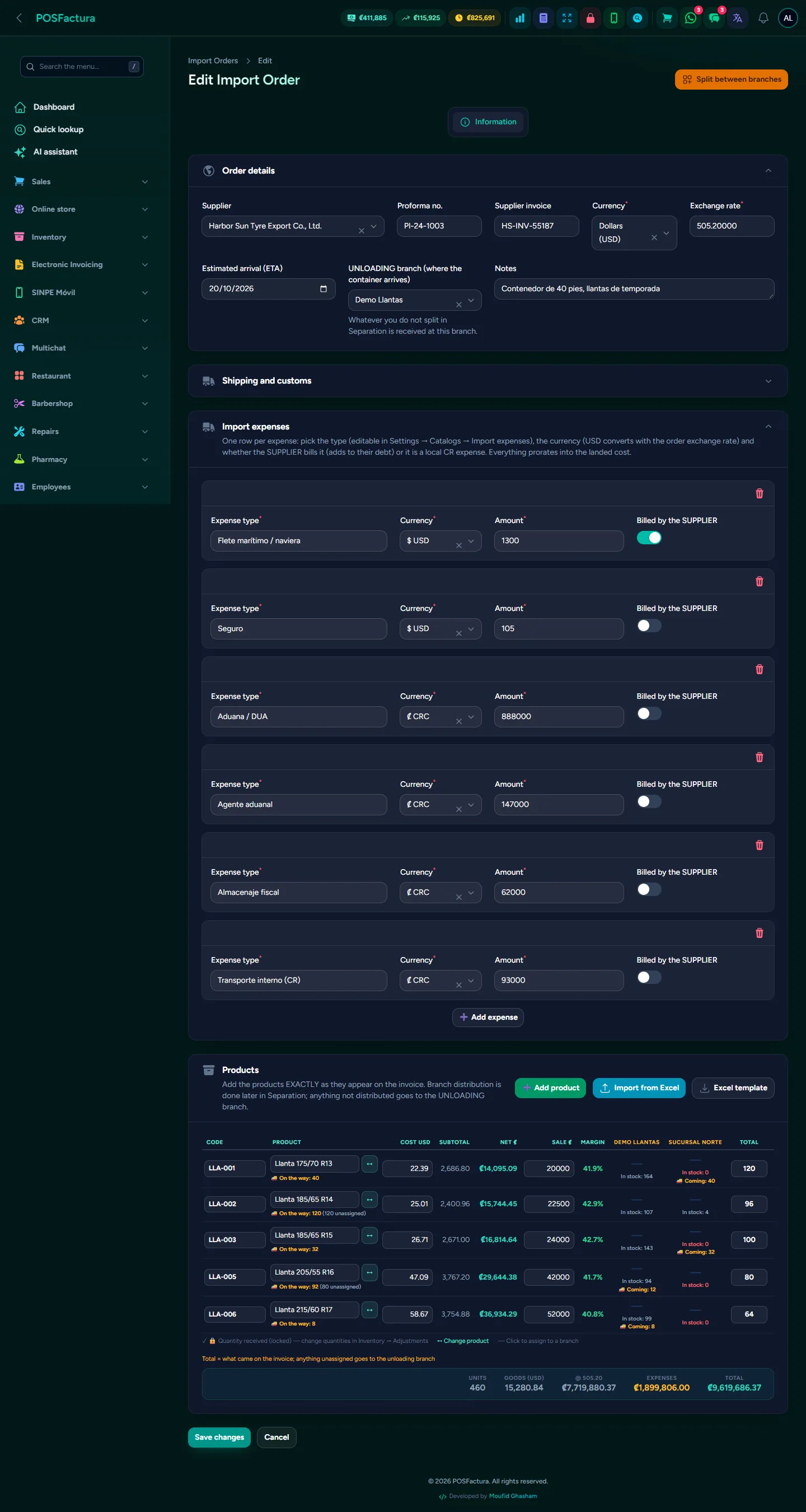
Imports
Imports

Importing is where a business puts its margin at stake: the merchandise takes months, pays freight, insurance and customs, arrives in a container that has to be split among several branches, and the foreign supplier is paid in several transfers. If the cost shown in the system is only the supplier's price, the margin on imported products is an illusion. This module follows each order from the pro forma until the last branch receives its share, and spreads all the costs so each product ends up with its real landed cost in the warehouse.

Import orders with their status and the split for each branch

The essentials

  • The order from start to finish. Draft, ordered, in transit, in customs, container in the warehouse and received, each status change with its note. Received is set automatically when the last branch has received its share.
  • Shipping and customs. Container, shipping line, tracking or BL, one or more DUA (customs declaration) numbers and the customs traffic light, in the same order.
  • Real landed cost in the warehouse. Freight, insurance, customs, agent and transport are each entered in their own currency and spread across the products: each one's final cost already includes them.
  • Products from Excel. The supplier's pro forma is uploaded in Excel (with a template), the codes the system has already learned from that supplier come in recognized, and the missing ones are all created with one click.
  • Split the container among branches. Each line is split per store, seeing how much each one has today and how much is coming to it in other orders, so no one gets sent too much.
  • Each branch receives when its goods arrive. On receipt, each store comes in with its own purchase and its stock; the others keep seeing the merchandise "on the way" at the register and in products.
  • The foreign supplier's invoice. Electronic invoices from Panama come into the receiving inbox and their lines move to the order with their cost in dollars; PDF invoices are read line by line and are only saved if the sum matches the subtotal.
  • Supplier payments, in the order. Advance, against shipment, against documents: each payment stays in the order, which is where the debt to the foreign supplier lives.
  • Statement in dollars. In the same format suppliers send, as a PDF or in Excel, with opening balance, running balance, pending invoices and balance aging.
An import order with its costs spread into the cost

The details that make the difference

  • You can't split more than what arrived. The invoice total stays fixed: each branch's share comes out of that total, and if someone tries to exceed it, the system warns and doesn't touch what was already saved.
  • Saving never loses the work. It can be split in parts; what is left stays "unsplit" and goes to the unloading branch if it is received that way.
  • At a glance, who is still waiting. In the order list, a label says whether it has reached all branches or which ones are still missing it, and the filter shows only those with something pending.
  • Other brands of the same size. When splitting, you see the stock of equivalent products in each store, to decide how many to send.
  • A draft is not on the way. What hasn't been ordered from the supplier yet doesn't appear as incoming merchandise.
  • A receipt made by mistake can be reversed. The generated purchases are deleted, the stock is subtracted leaving the trail in the kardex and the lines become pending again; payments are not touched.
  • Costs the supplier charges, kept apart. What is paid to the supplier goes to its statement; local costs (customs, agent, transport) don't, because they aren't owed to the supplier.
  • The supplier's codes are learned. What is matched in one order stays for the next, with its conversion factor: ten boxes of four come in as forty units.
  • What is owed, in the reports. Accounts payable and supplier payments for the period include imports, to reconcile with the bank.

↑ Back to the index

💳

Collections and credit

For the business that sells on credit: installment plans, payments recorded under whoever collected them, who paid and who didn't this pay period, and late customers in the order you need to go collect. With SINPE Móvil reconciled automatically and collection routes per collector.
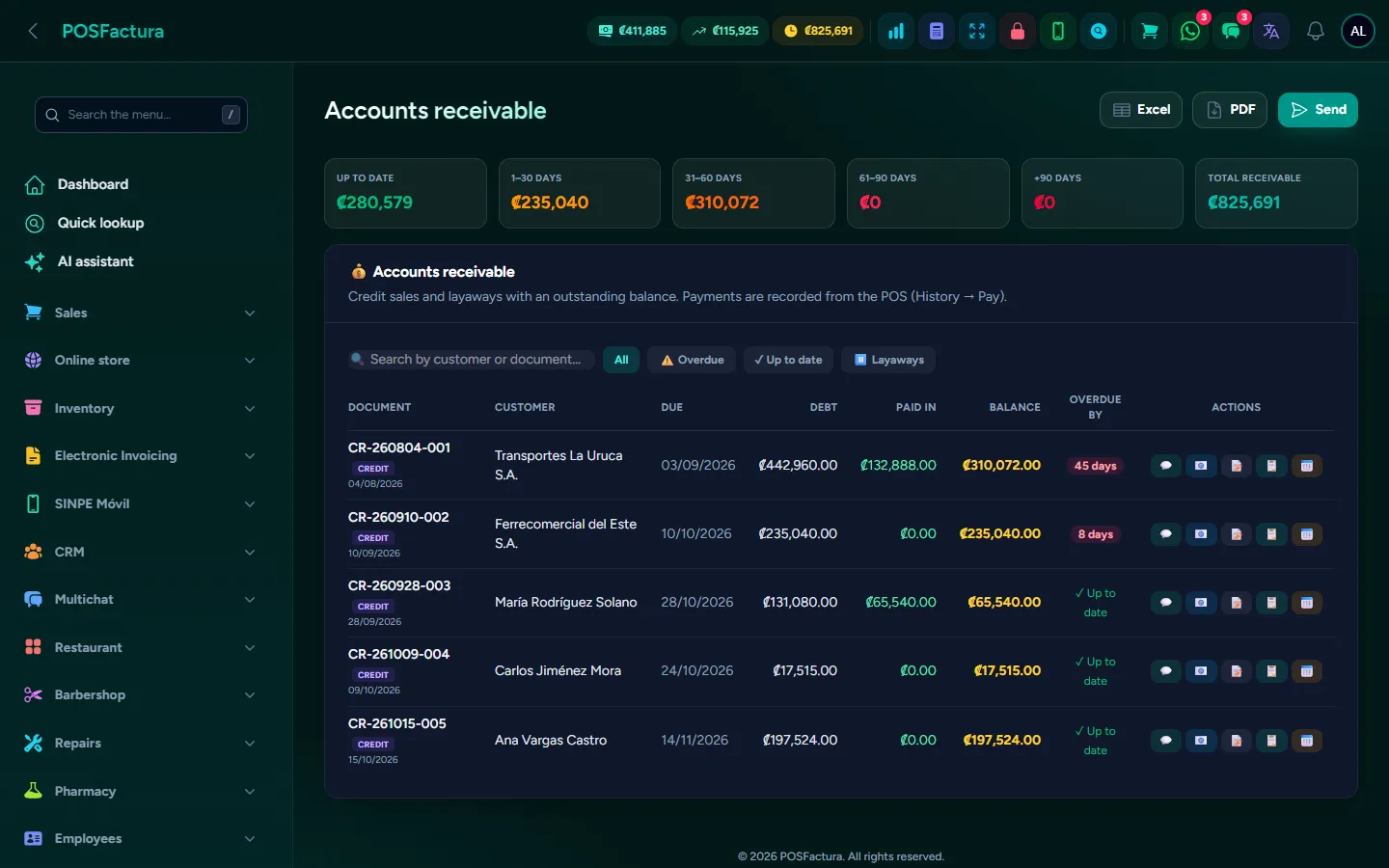
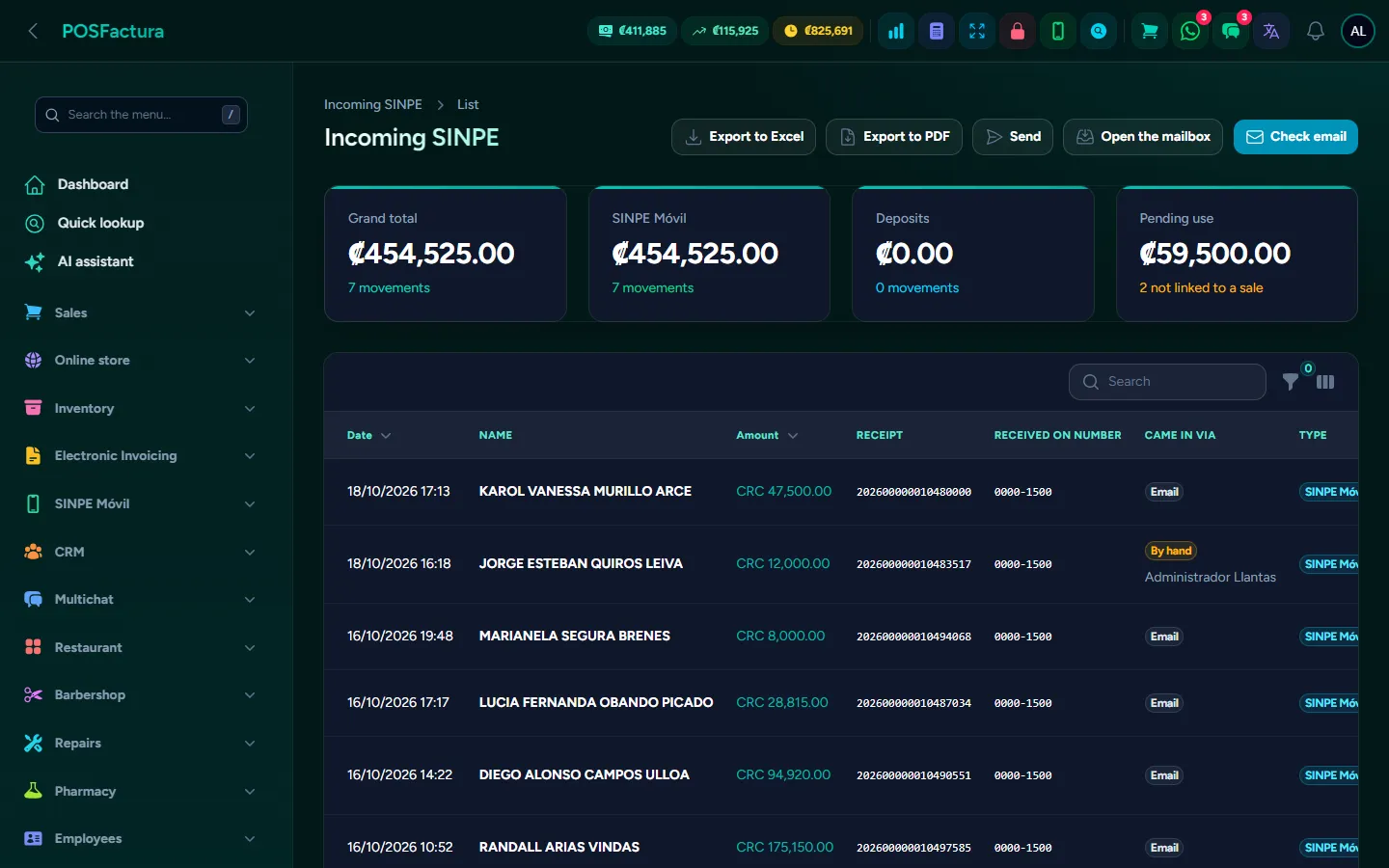
Collections and credit

Selling on credit grows sales, but only if you collect. The usual problem is knowing, at the end of the pay period, who paid, who didn't, how much each collector brought in and which customer hasn't shown up in months. This module builds the installment plan for each credit, records every payment under whoever received it and delivers the reports to go out and collect. With SINPE Móvil (Costa Rica's instant mobile payments), payments that reach the bank come in automatically and are linked to the sale, without checking the phone or asking for screenshots.

Accounts receivable: who owes, how much and since when

The essentials

  • Accounts receivable. Who owes, how much, what is overdue and by aging brackets, with a printable statement. When you select a customer at the register, you see their balance before selling to them.
  • Installment plans. Weekly, biweekly or monthly, by number of installments or by the amount agreed with the customer, with the date of the first installment. Each payment is applied to the oldest installment.
  • Plans for existing credits. A credit without a plan can get one from accounts receivable, spreading today's balance rather than the original total.
  • The payment, under whoever collected it. Each payment stores the date, customer, invoice, collector, amount, remaining balance, payment method and notes. Payments on account, without an invoice, also count.
  • Payments collected from customers. What came in during the period, how much each collector brought in and from how many customers, line by line.
  • Who paid and who did not. Compares the installments due in the period with what came in: paid, partial payment, didn't pay or paid in advance, with the compliance percentage and separated by payment frequency.
  • Late customers. Today's snapshot: overdue amount, days late since the oldest installment, their phone and their last payment, grouped from 1-30 to more than 90 days.
  • Portfolio summary. Total receivable, collected in the period, overdue today and the portfolio split into current, late and without a plan, with the largest credits.
  • A payment commitment to sign. With the balance in numbers and in words, the installments and the business's clauses; or with the company's own promissory note text, which the system fills in with the sale's details.
  • Reminders before the due date. The customer receives the notice by WhatsApp (or by email if that isn't possible) the number of days beforehand that the business sets.
  • Old accounts that will never be collected. They are closed with their reason, without recording a fake payment: the day's register doesn't move and the sale still counts in its year.
  • Collection routes (add-on). Each collector with their routes by area and the portfolio of each one; on each visit they record the payment —the same one used at the register— or "didn't pay" with the reason and the date the customer promises to pay.
  • SINPE Móvil. The system reads the bank's notifications by email, as well as the SMS messages the business's phone forwards. Each payment goes on a list and is linked when charging, in a sale or a payment.
SINPE payments received, with who paid, which number it came into and which sale it was used in

The details that make the difference

  • The balance the collector told the customer. In the report, each line shows the balance right after that payment, not today's: that's what you need to be able to stand behind when the customer complains.
  • Those who didn't pay come first. Lists come in the order you need to go collect, and late customers are sorted by who has gone longest without paying, not by who owes the most.
  • Paid, but still late. The period status and the delay are in separate columns: someone who paid this pay period but owes two earlier ones shows up with both.
  • Grace days. The business decides how many days after the due date the delay starts counting.
  • Each collector sees their own. By default, each one sees only what they collected; the owner sees everything, and the portfolio summary is not for the counter salesperson. You can require that no payment be recorded without knowing who collected it.
  • Installments by amount. If a fixed installment is agreed, the number of installments adjusts itself and the last one absorbs the difference: it can come out lower, never higher.
  • What's paid isn't erased. A plan with applied payments isn't redone, and only an administrator corrects a plan without payments.
  • Correct a mistyped payment. An administrator changes the amount or method, or deletes it, and the system recalculates the account, the customer's balance, the installments and the cash count; it is recorded in the audit log. An electronic invoice already paid off isn't touched: that's what the credit note is for.
  • Quick payment buttons. Percentages or fixed amounts defined by the business, up to eight; an amount larger than the balance isn't offered.
  • Payment receipt by WhatsApp. With the date, amount, invoice and remaining balance, only if the business turns it on.
  • Installment history on the customer's record. Paid, partial, late or pending, to discuss a complaint or decide whether to extend more credit.
  • Amounts hidden at the register. Anyone without permission sees balances hidden, and can reveal them on the spot with an administrator's password.
  • Opening balances when migrating. Debt coming from another system is loaded, collected from the register and doesn't count as a sale in reports.
  • Payment promises. The list of pending, overdue and kept promises, on letter-size paper; a promise is kept even if the customer pays at the register instead of to the collector.
  • The collector, only in their portfolio. They can't record visits to other collectors' customers and never collect more than the customer owes; if the customer has several accounts, the oldest is paid first.
  • SINPE: the same payment only once. If both the SMS and the bank email arrive, or the SINPE notice and the account movement notice, the system merges them into one. If someone added it by hand and the email arrives later, it completes the existing one.
  • A SINPE payment isn't used twice. One that has already been used is no longer offered, and you can't charge more by SINPE than what was received. The list shows which sale it was used in, who charged it and which business number it came into.
  • What isn't a payment doesn't get in. Outgoing money, amounts in dollars, bank advertising and emails forwarded by people are discarded automatically.
  • Manual SINPE only with permission. The cashier sees pending ones, but entering a SINPE payment by hand requires an administrator's authorization.
  • Know whether the bank is being read. Each account shows its last read in green, yellow or red, with the reason when it fails.

For your customer

  • A receipt for each payment by WhatsApp, with what they still owe.
  • A notice before the due date, so they don't fall behind without realizing.
  • Their payment commitment in writing, with each installment and its date.

↑ Back to the index

📝

Sales orders

The customer places an order and it is put in writing what they are getting, at what price and for when, without moving inventory or the register until delivery. On that day it is invoiced from the same order, with the delivery driver's route sheet on their phone.
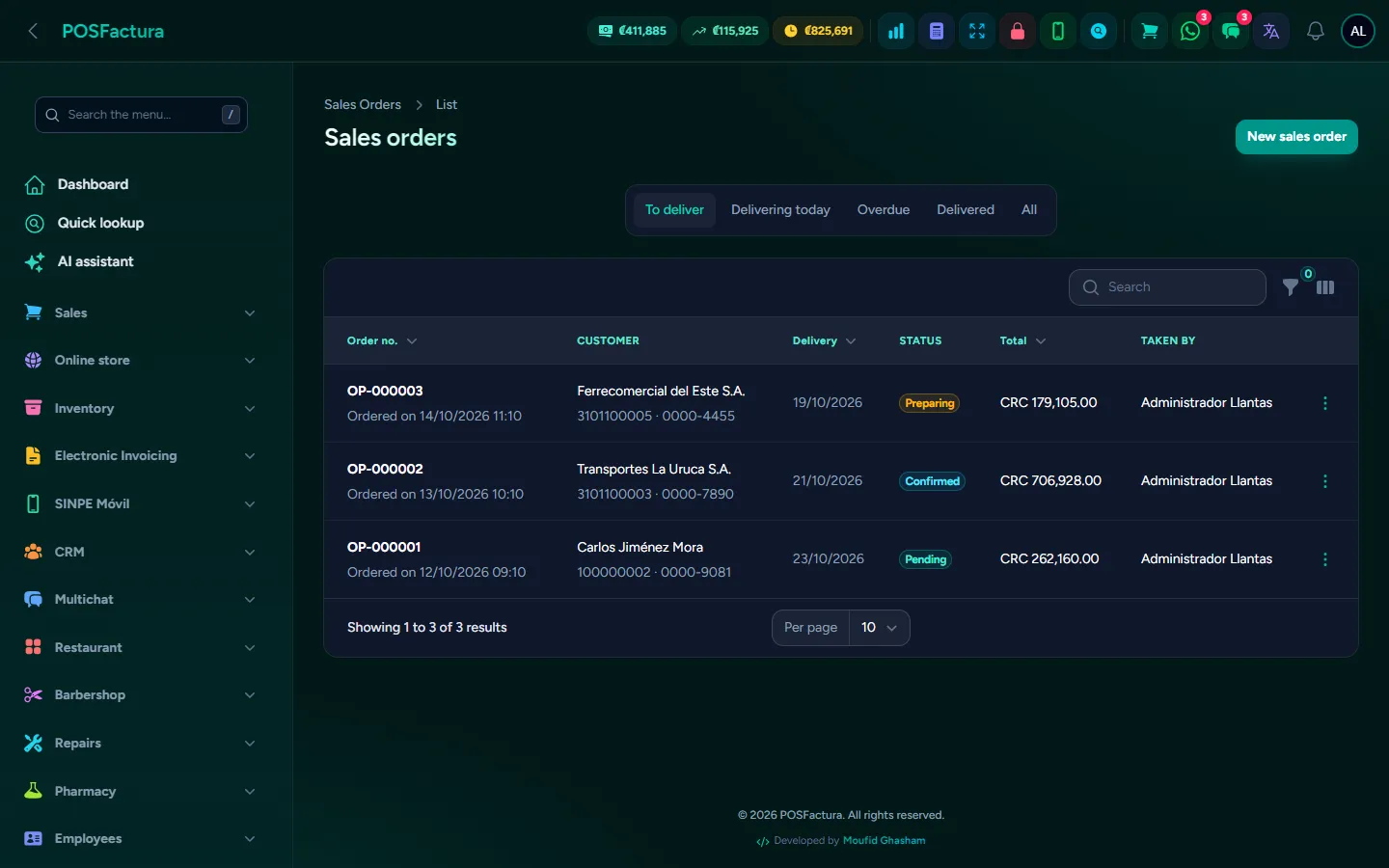
Sales orders

When a customer orders something for another day, the order usually ends up on a piece of paper, in a chat or in the salesperson's memory: afterwards nobody knows what price was agreed, when it was for or whether it has been delivered. Sales orders put the order in writing with its number, its delivery date and its price, without touching inventory or the register. On delivery day, the invoice comes from the same order, without retyping anything.

Sales orders split into to deliver, today, late and delivered

The essentials

  • An order is not a sale. It doesn't deduct inventory, doesn't enter the register, doesn't go to Hacienda (Costa Rica's tax authority) and doesn't appear in the day's sales: it is a commitment to the customer.
  • Take the order. Customer (or a new one created right there), delivery address and phone if different, the branch that prepares it, items with quantity and price, delivery date and notes. When saved it gets its sequence number.
  • From the register, too. If the business turns it on, the salesperson builds the cart as usual and saves it as a sales order, without charging or taking out merchandise.
  • The agreed price. What is written on the order is what gets charged on delivery day, even if the price has gone up by then.
  • Clear statuses. Pending, confirmed, in preparation, delivered or canceled. While it is open everything can be changed: customer, items, quantities and date.
  • Deliver and invoice in one step. Cash or credit: it deducts inventory, records the payment or the account receivable, issues the document and marks the order delivered.
  • What still needs delivering, in view. Tabs for to deliver, delivering today, late (in red) and delivered, with search by number, customer or cédula (national ID), and the menu shows how many are left.
  • The day's route sheet. On the delivery driver's phone, one card per delivery with the customer, their phone to call with one tap, what they are getting, how much it is and the button to open the map to their home. From there it is marked in preparation or delivered.
  • The order as a PDF for the customer. The business's formal document, titled "Sales order", with its delivery date and status, by WhatsApp, email or download.
  • A deposit, if the business requires one. It is recorded with its payment method and you always see how much is left to collect; it is deducted when invoicing.

The details that make the difference

  • What's delivered or canceled can no longer be touched. That way what was promised to the customer stays as it was, and a canceled order can't be revived or invoiced.
  • Nothing is deleted. A canceled order keeps the trail of who canceled it.
  • Reserve on confirmation, if desired. When on, the ordered items come out of available stock as soon as the customer confirms and go back if it is canceled; confirming twice doesn't reserve twice, and invoicing doesn't deduct again what was already reserved.
  • The deposit has its limits. It can't exceed the total or be recorded on a closed order.
  • Order what isn't in stock yet. That's what ordering is about: the order accepts items with no stock.
  • Everyone with their own permission. The salesperson takes the order; confirming, delivering and canceling it are separate permissions, so the manager is the one who delivers it.
  • Its own numbering. The business chooses the prefix of its orders and how many days ahead delivery is proposed; with no days, the order has no date.
  • WhatsApp notices. If turned on, the customer receives a message when their order is confirmed and when it is delivered.
  • Printed terms. The PDF footer carries whatever text the business wants.
  • Straight to the customer's home. If their record has a saved location, the order includes the buttons to open navigation.
  • Just today's and late ones. The route sheet doesn't fill up with old deliveries: what's delivered drops off the list.

For your customer

  • Their order in writing, with what they ordered, the agreed price and the delivery date.
  • A WhatsApp notice when their order is confirmed and when it is delivered.

↑ Back to the index

📊

Reports

All of the business's numbers in one place: sales, profit, cash, customers, collections, inventory, purchases and Hacienda, by period and by branch. Each report can be downloaded in Excel or PDF or sent by email or WhatsApp.
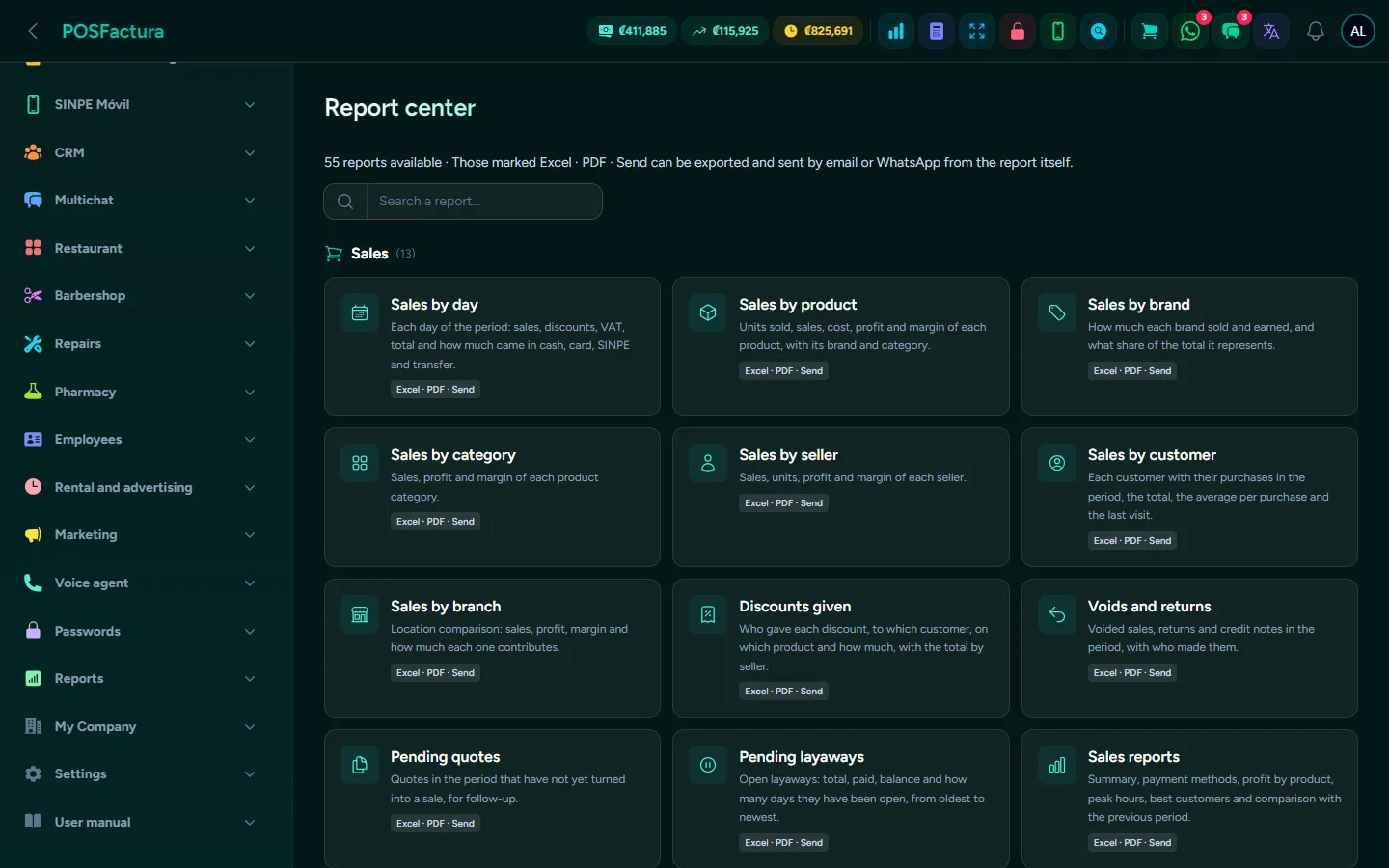
Reports

An owner who only looks at how much they sold can't see whether they are making money, which product stopped moving or which branch is underperforming. Reports answer those questions with the data the system already has, without building spreadsheets by hand. They are organized by topic, filtered by period and branch, and sent to the accountant or a partner with one click. They all count the same way, so the numbers match the register.

The report center, grouped by topic and with a search box

The essentials

  • A report center. More than thirty reports organized by topic —sales, customers and collections, cash and money, inventory, purchases and suppliers, imports, Hacienda (Costa Rica's tax authority)— with a search box to find the right one.
  • Period and branch. Today, yesterday, this week, this month, last month, this year or any dates you like, for one branch or all of them. Those that show how everything stands today don't ask for dates.
  • Excel, PDF or send it. Each report downloads in Excel (one sheet per table, with amounts as numbers) or in PDF, or is sent by email, by WhatsApp from the business line or from your own WhatsApp with a download link.
  • Sales reports. Totals compared with the previous period, sales and profit by category, best customers, branch comparison with average ticket, expenses by category, returns and sales by hour.
  • Sales from every angle. By day, product, brand, category, salesperson, customer and branch; discounts granted; cancellations and returns; pending quotes and layaways.
  • Cash and money. Money received by payment method, SINPE payments received, detailed expenses and register closes, plus the day's cash register control by branch and by cashier.
  • The register report. From the point of sale: sales, average ticket, cost, gross and net profit, payments by method, best sellers and how much each cashier sold, for one register or all of them.
  • Customers. Balances by aging, new customers and customers who stopped buying.
  • Commissions and targets. What each salesperson sold in the month, with tiered commission by brackets, a fixed percentage as an exception, or a fixed amount per sale or per unit, and the target to measure performance.
  • Inventory, purchases and Hacienda. Stock by branch, products below minimum, adjustments and transfers; purchases by supplier and by product, accounts payable and supplier payments; issued documents and sales by VAT rate, depending on the business's modules.
  • A home screen that alerts you. The dashboard shows the day's and month's sales, charts by branch and by year, and alerts for what needs attention: rejected documents, unrecorded supplier invoices, overdue collections, registers left open from yesterday and layaways expiring this week.

The details that make the difference

  • What counts as a sale, always the same. Paid sales, with an electronic document or with a ticket; never customers' opening balances or canceled sales. That way the report matches what was collected at the register.
  • Internal sales, separately. They are counted, but separated from electronic ones, and they don't go to the accountant.
  • Real profit. It is calculated with the cost the product had when it was sold, not today's.
  • A withdrawal is not an expense. What is taken out of the drawer when closing the register is shown separately: that money wasn't spent.
  • Dollars, at the exchange rate of the moment. Amounts in another currency are converted with the exchange rate stored on each movement.
  • With full identification. Each file carries the business name, legal name, corporate ID, period, branch and when it was generated.
  • It explains how it was calculated. At the end of each report, a note says where the numbers come from.
  • Only what concerns each person. Reports appear for the modules the business has and that the user's role can see, and each person sees only the branches assigned to them.
  • Profit, protected. The cashier doesn't see the day's profit unless they have permission or an administrator unlocks it with their password; when the report is closed it locks again.
  • The WhatsApp link expires. The download link sent from your own WhatsApp stops working after seven days.
  • Sales by hour. To decide how many people to put on the register and at what time.
  • Idle money in view. Along with the inventory reports, the list of what has stock and hasn't sold in months.
  • For the accountant, the full month. Supplier payments with their reference, purchase status by supplier, accounts payable and VAT for the period, ready to send.
  • Each company sees only its own. Reports never mix data from another business.

↑ Back to the index

🌐

Online store

Your catalog published online with the same products, prices and stock as the system, with orders, sales, coupons and reviews, ready to show up on Google and to close the sale through WhatsApp.

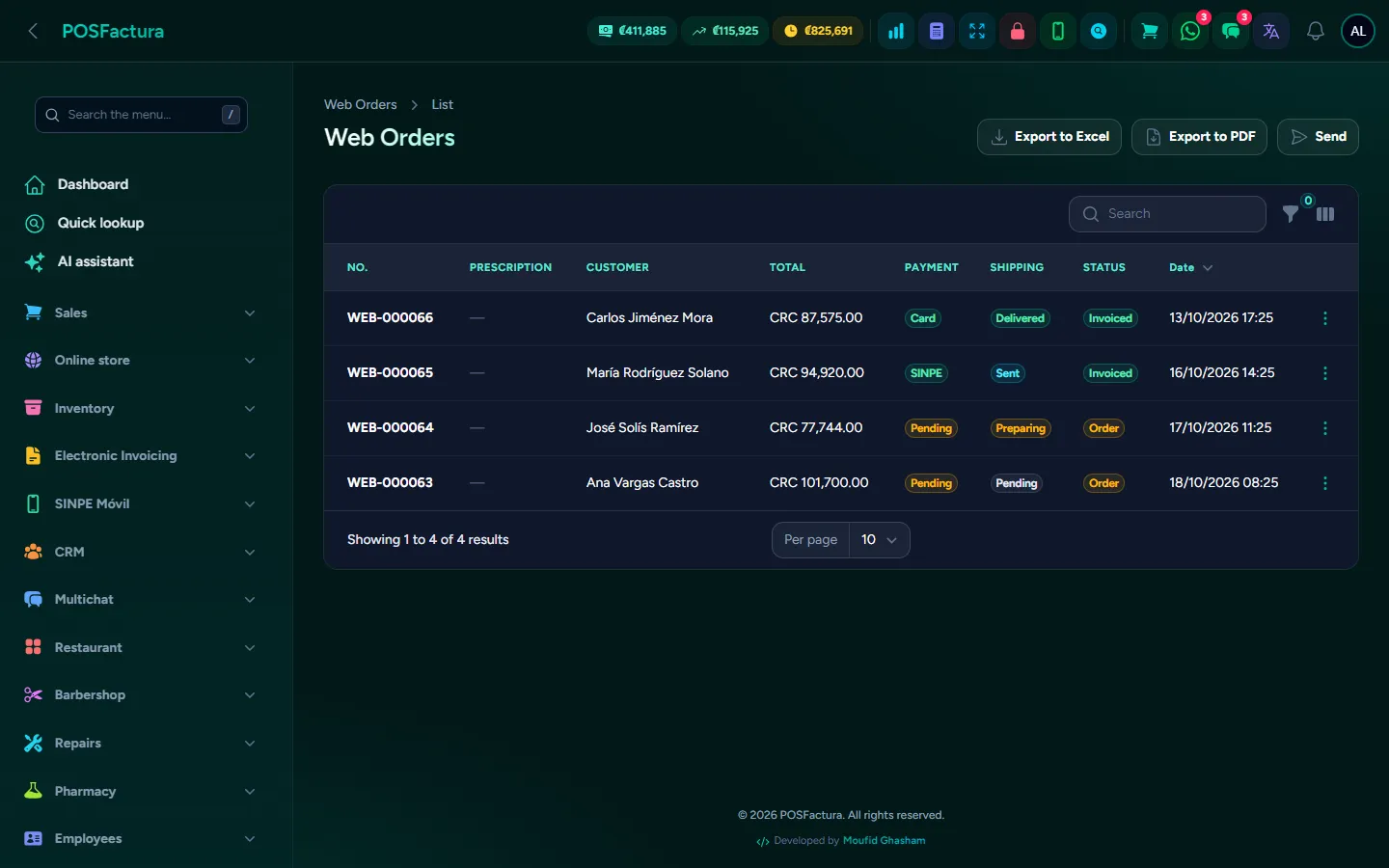
Online store
Online store

Having an online store usually means loading products twice, prices that don't match the register and orders that come in one way while inventory is tracked another. With this module, what is in the system's inventory is what shows in the store: same price, same VAT and the availability at each branch. The customer builds their order or asks through WhatsApp, and you handle it from the same panel where you invoice.

The store's home page with banners, categories and the search box

The essentials

  • A single catalog. Active inventory products are published automatically, with their photos, variants and prices. Nothing has to be loaded twice.
  • Your brand, your address. Store name, your own domain, logo, brand color, slogan, welcome message and an "About us" page. At the top of the panel, buttons to copy the link or send it by WhatsApp.
  • Home page banners. An image carousel with title, subtitle, button and link, with the height, speed and arrows you choose.
  • A catalog your way. You can show or hide prices (to use it as a display catalog), availability, the category filter with photos, descriptions, the number of columns and the product order.
  • Online orders. Cart with in-store pickup or home delivery, and the payment method the customer prefers. Each order arrives in Web orders with its payment and shipping status.
  • From order to invoice. The payment is confirmed with the method and amount received, invoiced with one click (that's when inventory is deducted) and shipping moves forward: preparing, shipped, delivered.
  • The register price, with VAT. The store always shows the final price and the cart breaks down subtotal, VAT and total, with the same amounts the register would charge.
  • Dated sales. Choose products, the percentage and the start and end dates. The store shows the old price crossed out, builds a sales page and, when it ends, everything returns automatically to the regular price.
  • Coupons for your campaigns. A code with a discount percentage, minimum purchase, usage limit and validity dates, to announce on WhatsApp or social media.
  • Star reviews. Customers review each product; you decide what is published, what is hidden and reply from the panel.
  • Schedule installation when ordering. If your business installs what it sells, the customer picking up in store chooses the branch, day and time, based on each branch's hours and how many slots it handles at once.
  • Ready for Google. Each product, category and branch has its own page with title and description, readable addresses, a sitemap and lightweight photos that load fast on a phone.
  • WhatsApp on every page. A floating WhatsApp and call button, inquiries from the product page and a quote builder; if you have a line connected to the system, the message goes out from the business's number.
  • Visitor measurement. Connect Google Analytics and the Meta Pixel to know how many people visit, what they search for and what they buy, with a cookie notice for the visitor.
Web orders with their payment and shipping status

The details that make the difference

  • It never says how many are left. Availability is shown as "Available" or "On order", never the number of units.
  • "Notify me when it arrives". On an out-of-stock product, the customer leaves their WhatsApp and, when stock is back, the system writes to them automatically with the link. The notification list shows you which products your customers ask for most.
  • The catalog sets the price, not the cart. The order is always calculated with the system's prices: nobody can change a price from the browser.
  • One coupon, one use. If two customers try to use the last available coupon at the same time, only one gets it and the other is told before saving. An expired coupon, one below the minimum or one from another store is not accepted.
  • The coupon on top of the sale. If the product is already on sale, the coupon applies to the sale price, and the order and the WhatsApp message say which coupon was used.
  • Verified purchase. If the reviewer's phone bought that product, the review is marked as a verified purchase. No review is published automatically.
  • A full slot isn't offered. If another customer took the last spot in that time slot, the customer is asked to choose another; a branch without hours loaded doesn't offer slots.
  • No double invoicing. An invoiced order can't be invoiced again, and web orders appear in their own tab, separate from sales.
  • Compare products. The customer chooses up to three products and sees price, availability and features side by side.
  • An app on the phone. The store can be installed on the phone's home screen, with its name, logo and color.
  • Guides that attract customers. Write short articles that answer what people search for before buying; each one has its own page and can end with a button to a category.
  • AI descriptions. The store can write product descriptions in the tone you choose, so none is left without text. You review them before publishing.
  • Catalog quality. A report shows repeated or misspelled brands, products without a photo or price, duplicate photos and disorganized categories, and suggests how to tidy them. It changes nothing without your approval.
  • Contact, jobs and your own pages. A contact form with a map, "Work with us" with résumés stored privately, and your own pages (shipping, exchanges, FAQ). Draft privacy policy and terms come ready to review with your lawyer.
  • Protected from bots. The contact form, reviews and jobs include an invisible trap for automated programs and a limit on submissions per hour.
  • Every branch on Google. With each branch's hours and location, Google can show it as a local business, with address, phone, map and hours.
  • Products on Google Shopping (Google Merchant Center add-on). Your products appear for free in Shopping, Images and Maps with the system's price and availability, updated every day and branch by branch. It uses a separate clean photo, just for Google, without touching the catalog one, and Google is never sent the quantity: only "in stock", "few left" or "out of stock".
  • Photo finder (add-on). For products without a photo it searches the internet by model, puts the closest matches first and, with one click or automatically, also places it on the other sizes of the same model. It only accepts photos that name the brand and model, and everything it adds can be reviewed and removed at once.
  • Payments with Whish (Lebanon). For businesses in Lebanon, the customer pays for their order from their phone with Whish, in dollars or in lira. The system confirms each payment by asking Whish, never just because the customer came back from the payment screen.

For your customer

  • Shop at any time. Search by name or category, filter, sort by price and build an order from the phone.
  • Track the order. With the order number and their phone, they check its progress, without being able to see anyone else's order.
  • Message on WhatsApp from any page. The floating button and the product inquiry take them straight to the conversation with the business.
  • See every branch. Address, hours, phone and map of each store, and what is available there.
  • Choose an installation slot when ordering, if the business offers it.
  • Get notified when it arrives, for the product that was out of stock.
  • Decide about their data. The cookie notice lets them accept measurement or keep only what's necessary, and change their mind whenever they want.

↑ Back to the index

💬

WhatsApp for the whole team

A shared inbox to handle the business's WhatsApp among several people, with automatic service that answers like your business using real inventory, campaigns sent in batches and social media that publishes itself.
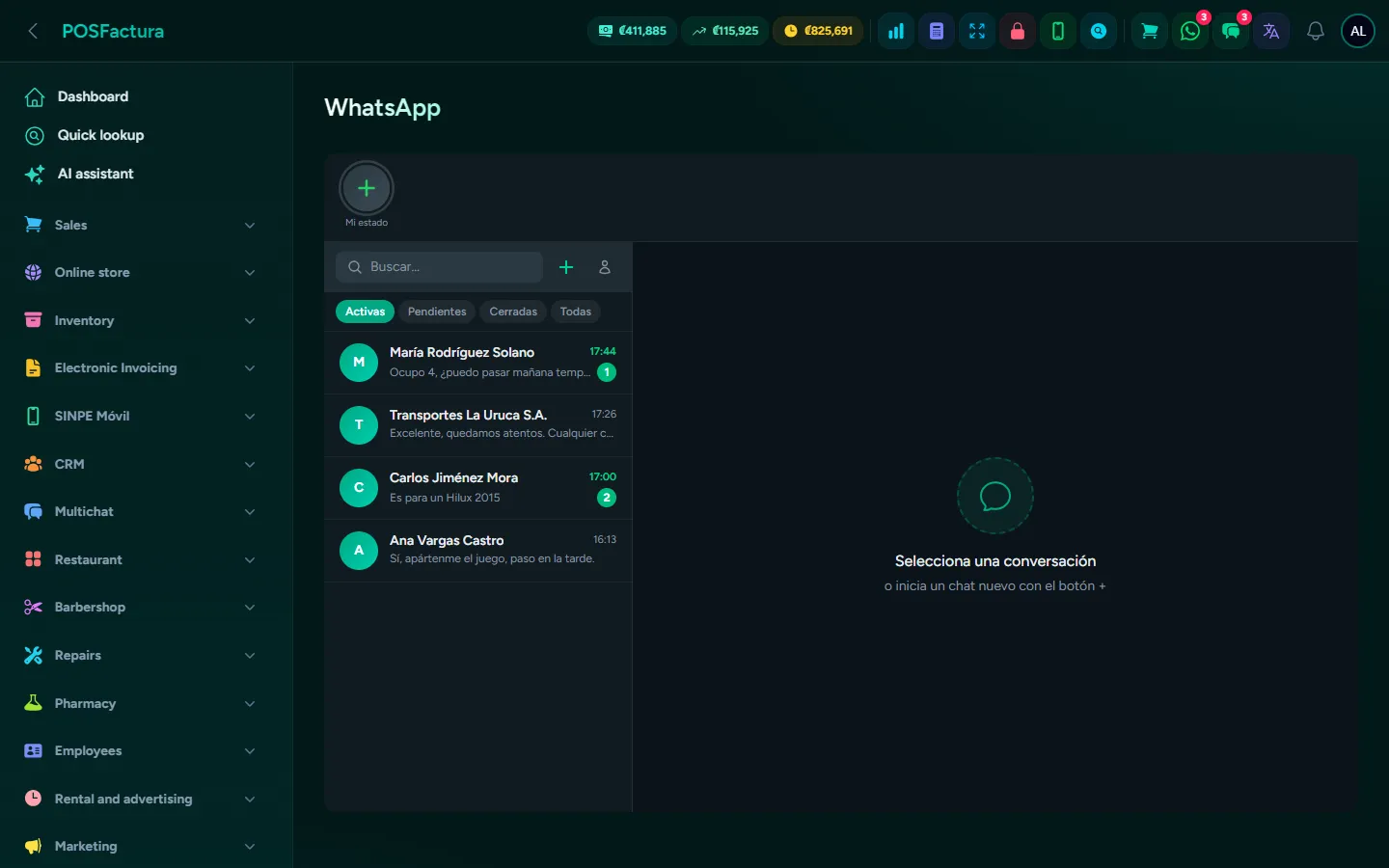
WhatsApp for the whole team

In many businesses WhatsApp lives on a single phone: whoever has it in hand answers, nighttime messages go unanswered and nobody knows whether a customer already got the price. This module brings the business's WhatsApp into the system, so several people can handle the same number from the computer, with queues, labels and quick replies. And if you wish, automatic service answers at any hour with the products, prices and branches the system really has.

The inbox: conversations on the left and the chat on the right

The essentials

  • One number, the whole team. The business's WhatsApp is connected by scanning a code, just like WhatsApp Web, and everyone answers from the inbox without passing the phone around.
  • Multiple lines and branches. Each connection states which branches it serves, and you can have more than one line.
  • Queues by department. Sales, Support or Collections: each message reaches the right person and doesn't get lost in a shared mailbox.
  • Labels and statuses. Mark each conversation (pending, quoted, closed), close it or reopen it.
  • Quick replies. Hours, location or payment methods are written once and inserted with a click or by typing / in the chat.
  • Text, photos and files. Sent from the inbox just as from the phone, with the delivered and read check marks.
  • Quote without leaving the chat. Build the pro forma in the same conversation and send it through that chat as a PDF, with the customer recognized by their phone.
  • What leaves the point of sale stays in the chat. The pro forma or receipt sent by WhatsApp from the register appears in the customer's conversation.
  • Automatic service that answers like the business. It answers whatever the customer asks at any hour, searching the real inventory: products, prices, which branch has it and how to get there.
  • WhatsApp Status. Post statuses with text, photos or videos from the business's number, now or scheduled for later, and also see those posted from the phone.
  • Automatic statuses. Announcements that go out automatically every day, on a day of the week or on a date, with a preview of how they will look.
  • Marketing campaigns. An offer to your customer list by email or WhatsApp, sent in batches with pauses, with a test send first and one-click unsubscribe.
  • Social media. It answers comments on your Facebook pages and publishes automatically to Facebook, Instagram and your Google profile.
  • Contact card. The customer saves the business's phones, email, social media and logo with one tap, plus a QR code to print for the counter.
  • Email in the same inbox. Incoming emails are handled as conversations, with the same queues and labels.

The details that make the difference

  • It never reveals that it is automatic. The automatic service doesn't say it is a program, an artificial intelligence or a virtual assistant: for the customer it is the same service from start to finish.
  • It never offers what doesn't exist. Product, price and stock always come from the system. If a reply contains a price the system didn't provide, or claims something is in stock without having looked it up, it isn't sent: the customer receives "let me check and confirm" and the conversation goes to a person.
  • It never says how many are left. Only "available" or "few left".
  • It searches every branch. If the customer didn't say which branch, it tells them where it is available; if their branch doesn't have it but another does, it tells them where and offers the transfer with its cost, instead of a flat "we don't have it".
  • Multi-unit orders. If the customer asks for several, it puts together what is at their branch and what is brought from others, as a salesperson would.
  • You teach it your business. In the automatic service settings, the owner writes the business's answers (warranties, services, what it doesn't carry) and equivalences for names customers use differently; each rule shows how many times it was used.
  • It reads photos and listens to voice notes. If turned on, it understands the photo the customer sends (and tells them what it read before giving prices) and voice notes, like a normal conversation.
  • It hands the conversation over in time. If the customer asks to speak with someone, if it has to say twice in a row that something isn't available, or if there is doubt, the conversation goes to Pending and the team gets an alert, only those at the customer's branch.
  • It goes quiet when you answer. If a salesperson replies from the inbox or from the phone, the automatic service stops talking in that chat for the hours you define.
  • Hours with a notice. Outside business hours it keeps answering, but says when you open again. Each branch can have its own hours, even days that only open in certain months.
  • Test mode. While test numbers are loaded, it only answers them and the rest of the customers come into the inbox normally.
  • Artificial intelligence spending cap. Menus, searches and locations don't use up queries; if the day's cap is reached, the conversation goes to a person. If the artificial intelligence service fails, the customer still gets a reply and you get an alert.
  • Invoices only to the right person. If a customer asks for an invoice to be resent, it goes by WhatsApp only if the phone matches the one on their record; otherwise it goes to the email on the record, shown masked in the chat.
  • Preview without marking as read. Hovering over a conversation shows the latest messages without letting the customer know they were seen.
  • Chat from any screen. A chat panel in the top bar, also inside the point of sale, so the cashier can reply without leaving the sale.
  • Campaigns that don't get you blocked. They are sent in batches with pauses, can be paused and resumed without repeating to anyone, and on WhatsApp they rotate message variants and greet each customer by name.
  • Unsubscribing is permanent. Whoever unsubscribes is marked on their record and removed from pending sends in every campaign.
  • Social media with judgment. On Facebook comments it replies publicly and privately with your WhatsApp, waits a couple of minutes so as not to seem automatic, doesn't reply to complaints and respects an hourly cap so as not to be treated as spam.
  • Posts built from inventory. The system prepares the week with active products, with photo, price and stock, without repeating recent ones. None goes out without your confirmation.
  • Each company sees its own. Conversations, quick replies, rules and contacts belong only to your company.

For your customer

  • Answers at any hour, with the price and the branch where what they're looking for is.
  • They write however it comes out. The size or product is recognized even if written in different ways, or sent in a photo or a voice note.
  • They know how to get there. When choosing a product they receive the branch's address and map.
  • They save the business's contact with one tap, with all its phones and social media.
  • They unsubscribe with one click from campaigns whenever they want.

↑ Back to the index

🍽️

Restaurant

Tables, tickets to each station, kitchen display, checks split by diner, mandatory service charge, home delivery and orders from delivery apps, all connected to the register and electronic invoicing.
Restaurant
Restaurant

In a restaurant, disorder costs money: paper tickets that get lost, dishes that come out late, checks that have to be split by hand among six people and tips that nobody knows how to share out at the end of the pay period. This module runs the dining room from end to end: the server opens the table, the ticket reaches the right station, the kitchen sees it on its screen and the check is paid however the customer wants, with the appropriate electronic document.

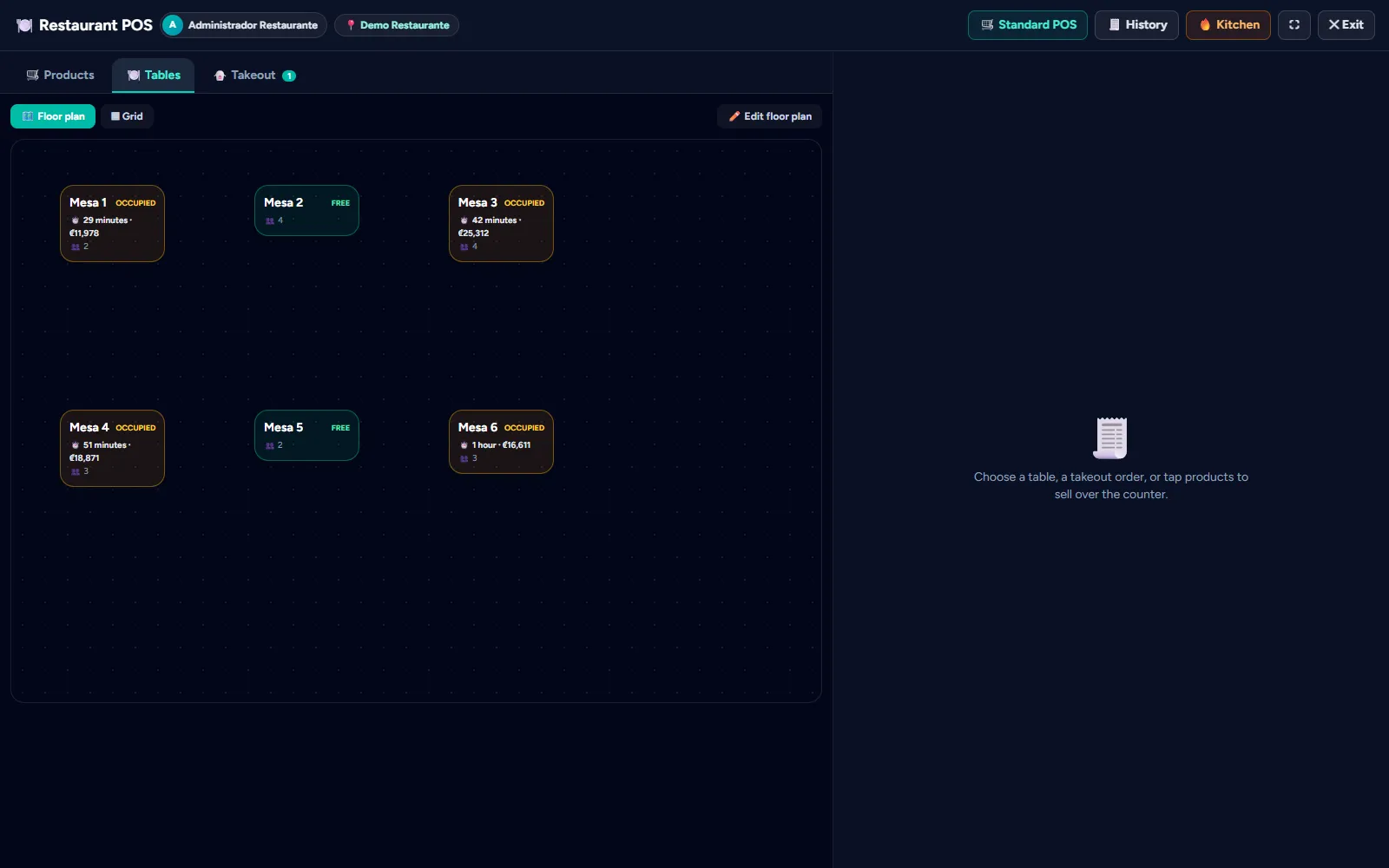
The dining room as a color-coded table map

The essentials

  • The dining room as a map. Each table with its color: free, occupied, check requested or reserved, in the room's real layout.
  • Tickets to each station. Grill, bar, coffee bar: each product knows where it goes, and when sent to the kitchen the ticket goes only to that station, printed or on screen.
  • Modifiers. "Doneness", "no onion", "extra cheese": they are asked when adding the dish and reach the kitchen with the ticket.
  • Courses. Organize the order into starters, mains and desserts.
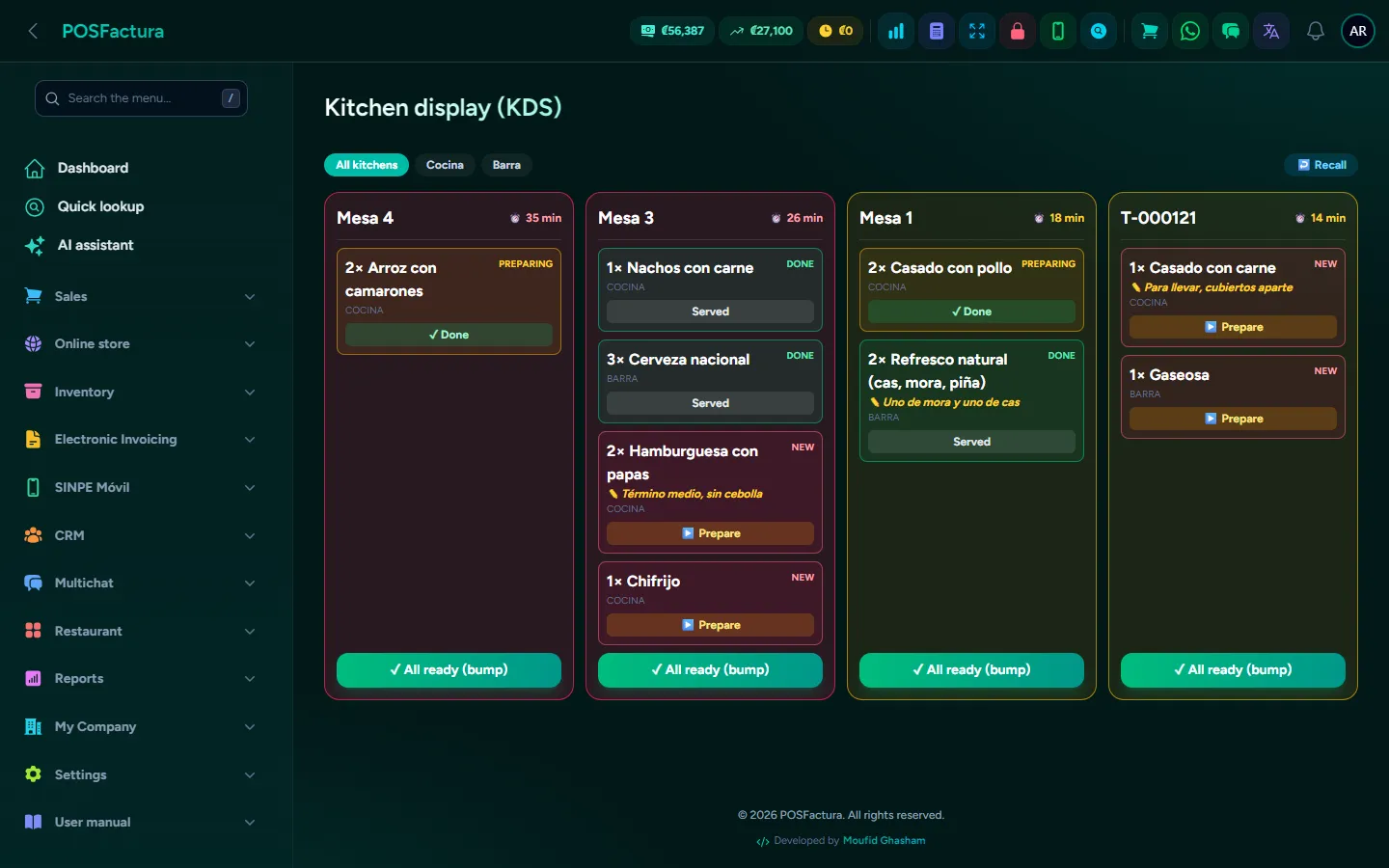
  • Kitchen display. The kitchen sees each ticket and moves it from received to preparing and delivered, with delay alerts at the minutes you define.
  • Pre-check and payment. The pre-check is printed with its notice (it is not the invoice); on payment the document is issued: ticket, invoice with the customer's details or internal sale.
  • Split checks. By diner, in equal parts or by portions, with several payment methods on the same check. The table frees itself when the last person pays.
  • Mandatory service charge. The percentage is calculated automatically, with the display format and base you configure.
  • Takeout and delivery. A separate tab for orders that don't use a table; for delivery, the courier is assigned and the delivery fee is added to the check.
  • Delivery apps. Record which app each order comes from and the report shows what was sold, the commission and what you actually keep. The apps can send their orders straight to the dining room screen.
  • Digital menu with QR. The menu on the customer's phone, always with the system's products and prices: no need to reprint menus.
  • Reservations. The schedule of reserved tables, visible on the dining room map.
  • Tip payroll. By server, by pay period, separating cash tips (already in the drawer) from card or SINPE tips (paid by the business), with an Excel download to sign.
  • Reports. Sales and tips by server, and sales by delivery app.
The kitchen display with tickets by status

The details that make the difference

  • Each dish under its diner's name. When adding it you choose the seat or "For the table"; it can be changed with one click even if it is already in the kitchen, and it is noted on the ticket so whoever serves doesn't have to ask.
  • Charging one diner leaves the others' items. The table stays occupied with what remains, and the seat never changes the totals.
  • A check isn't closed for less than it's worth. If the payments don't cover the total, the check doesn't close.
  • Move and merge tables. Move a check to a free table or combine two tables into one; never onto an occupied table.
  • What's in the kitchen isn't changed on the sly. The quantity of a dish already sent can't be reduced from the check.
  • The customer orders from the table. By scanning their table's QR code, the customer sees the menu and their order goes onto that table's check.
  • WhatsApp notice. A takeout or delivery customer is notified when it is ready and at each delivery stage, only once.
  • Charge in dollars. Payment is received in dollars and converted to local currency at the exchange rate.
  • Verified SINPE Móvil. A SINPE payment (Costa Rica's instant mobile payment) is linked to the SINPE received, which is marked as used so it isn't applied twice.
  • Invoice on the spot. It looks up the customer or pulls their details from Hacienda (Costa Rica's tax authority) with the cédula (national ID), saves their economic activity and emails them the document.
  • Discounts with correct VAT. The discount reduces the base and the VAT proportionally, both with VAT-inclusive prices and without.
  • App orders without typing. The same order never comes in twice, a product that isn't on the menu doesn't cause it to be rejected, and the commission is locked at the percentage of the day it was charged.
  • A check without a document isn't lost. If the document doesn't go out on payment, the check is recorded to retry.
  • Today's history. Today's sales, to reprint or resend the document.
  • Counter sales on the same screen. Counter sales can also be made from the restaurant POS.
  • Courts and lanes inside the POS. If the business rents by time, consumption is added to the court's check and charged together.

For your customer

  • The menu on their phone, with up-to-date prices, by scanning the table's QR code.
  • They order from the table and their order goes onto the check.
  • They pay their share, even at a big table.
  • They get a WhatsApp when their order is ready or on its way.

↑ Back to the index

💈

Salon, barbershop and spa

Your team's appointment calendar, online booking from your own page, deposits via SINPE Móvil, WhatsApp reminders, a technical record for each client, and commissions and tips calculated automatically.
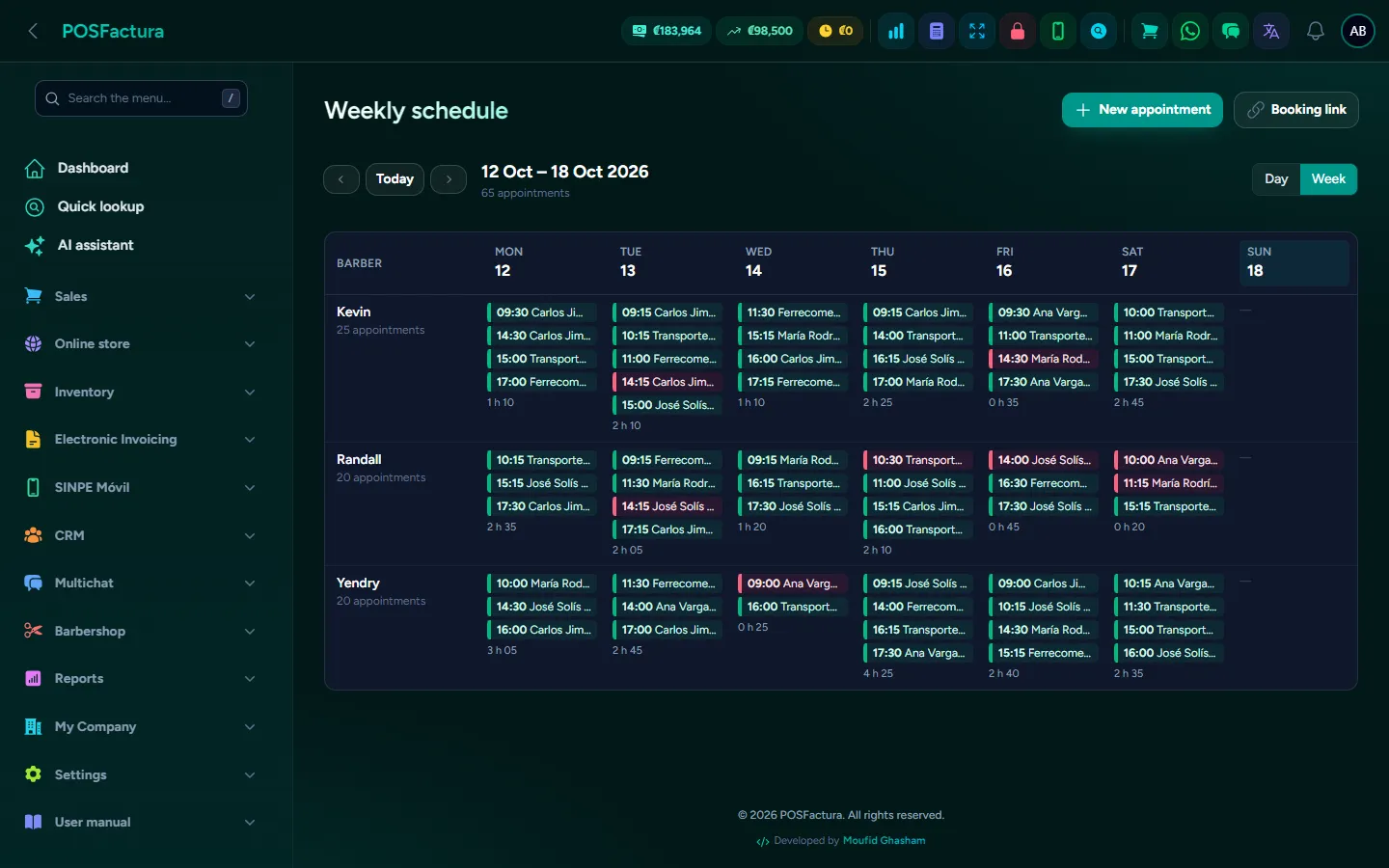
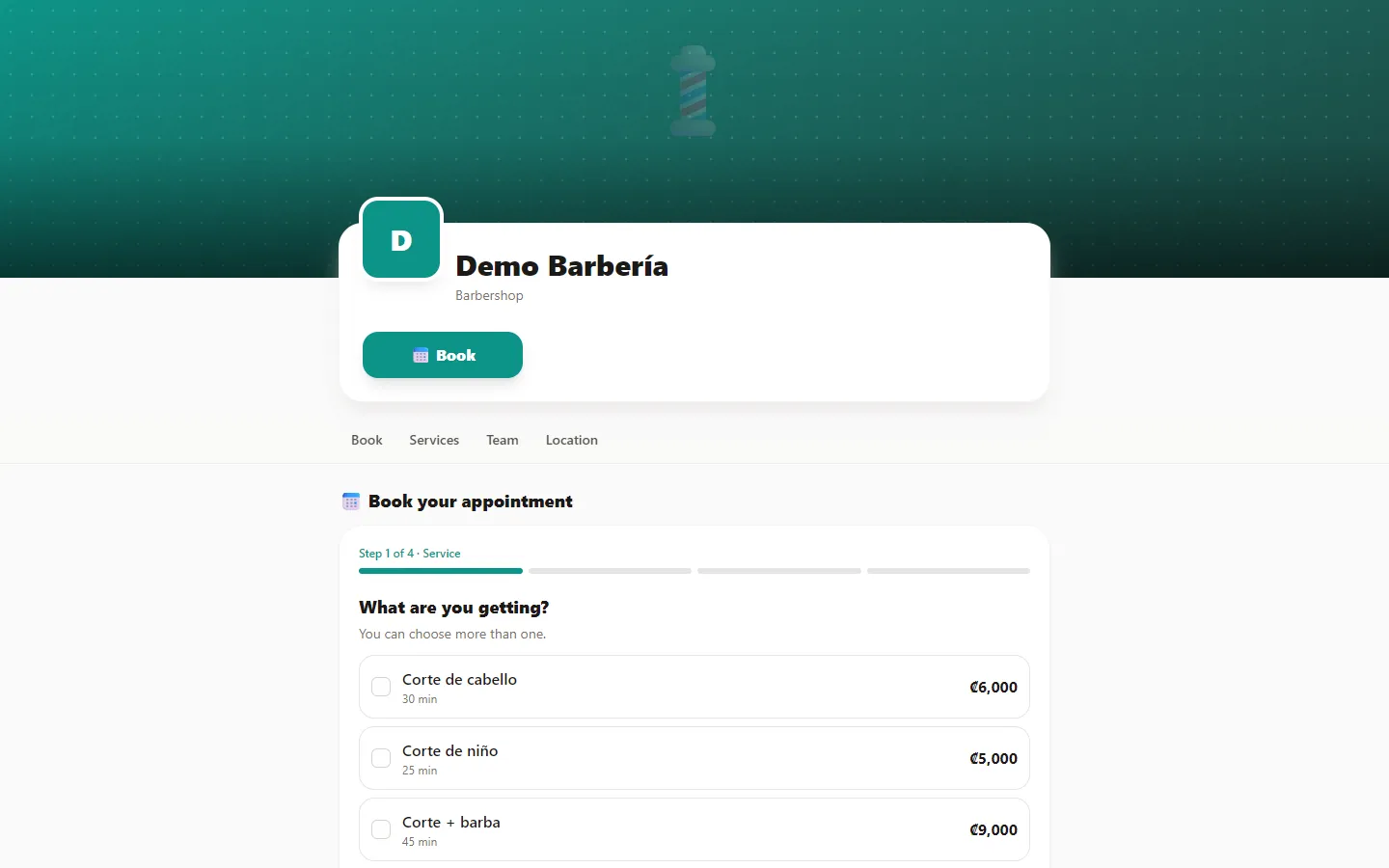
Salon, barbershop and spa

In a salon, barbershop or spa, money is lost in what you don't see: the client who forgot her appointment and leaves the chair empty, the phone nobody answers while they're busy with a client, the dye formula nobody wrote down and the argument over commissions every pay period. This module organizes the entire day: each professional's calendar with their real hours, your own page where clients book on their own at any hour, automatic WhatsApp reminders and payment at the point of sale, with each person's commission and tip calculated without a calculator.

The day's calendar, one column per professional

The essentials

  • The whole team's calendar. One column per professional, by day or by week, with a color for each status: booked, confirmed, in the chair, finished or didn't show.
  • Only times that really exist. Free times come from each professional's schedule, their absences and the appointments already taken. If a time shows up, it's available.
  • Several services in one appointment. Haircut and beard in the same appointment, with the combined duration, and each professional with their own duration and price for the same service.
  • Move an appointment without losing it. Change the time, day or professional; the appointment keeps its number and history, and the client is told the new time by WhatsApp.
  • Your own public page. Cover, logo, stars, whether you're open now, offers, services with photo and price, the team, the gallery of work, reviews and the map of each branch, with buttons to book, message on WhatsApp, call and get directions.
  • Online booking in four steps. What will be done, with whom, when, and their name and phone. No accounts or passwords to create: the client is added to your customer list.
  • Deposit for long services. Online booking for a service you mark requires a deposit via SINPE Móvil (Costa Rica's instant mobile payments); if it isn't paid in time, the slot frees itself.
  • Automatic reminders. Confirmation on booking and reminders at the hours you choose, by WhatsApp (or email), with the text written your way.
  • Charge the appointment at the point of sale. One button loads the services, the client and the professional as salesperson; the appointment is marked finished and tied to its sale, with the Hacienda (Costa Rica's tax authority) document.
  • Commissions and tips. The pay-period settlement calculates the commission on services and on products separately, plus tips in full, for each professional.
  • Client technical record. Allergies, care notes, preferences, the formula for each color with before-and-after photos, to repeat the same result months later.
  • Schedules, vacations and holidays. Schedule by time blocks for each professional (with lunch), days off, sick leave and closures of the whole business or a single branch.
  • Reviews from your clients. When the appointment ends, the rating is requested automatically; reviews appear on your page with each professional's average, and you reply to them.
  • Reports that help you decide. How many people didn't show and how much went unbilled, how full the calendar is, what's requested most, what time it fills up and how many clients come back.
  • It speaks like your business. Barbershop, salon, spa, nails, aesthetics or another appointment-based business: the menu, calendar and booking page say barbers, stylists, therapists or professionals as appropriate.
The salon's public page, where clients book

The details that make the difference

  • Never two appointments in the same slot. If two people try to book the same time at once, only one succeeds and the other is shown the remaining times. Online, an appointment can never be squeezed in on top of another.
  • Squeezing in, with control. At the front desk, someone with permission can put an appointment on top of another, if the business allows it; it is flagged and recorded in the audit log.
  • Appointments aren't deleted. They are canceled or marked "Didn't show": both free the time, but leave a trail for the no-show report.
  • "Didn't show" automatically. If nobody touched the appointment, a few minutes after the time it should have ended it switches to "Didn't show" on its own, without ever freeing the time of someone who is still in the chair. If it is charged later, it goes back to finished.
  • A limit for no-shows. After the number of no-shows you define, that person can no longer book online; you can still book them by phone.
  • Deposits that confirm themselves. With the SINPE Móvil module, the payment that carries the appointment number in its description confirms it automatically; one for the same amount without the number isn't taken. It can also be recorded by hand, and it is applied at payment so it isn't charged twice.
  • The price they were quoted. When charging an appointment, the price it had at booking is charged, even if the list went up later.
  • Commissions without rewriting the past. The appointment stores the percentage of the day it was booked: a settlement already paid still says the same even if the percentage changes. Commissions are calculated on the amount before VAT.
  • Tips aren't invoiced. They don't go into the electronic document or sales, but they do go into the register's cash count, so the close balances.
  • Reminders that don't bother. They never go out twice, are redone if the appointment moves, don't go out if it was canceled or no longer makes sense, and the appointment shows whether they arrived, by which channel and to which number. Plus, the "Remind them now" button sends one immediately.
  • Allergies in red. Whatever is recorded as an allergy or care note appears in red at the top of the appointment every time that client comes in. The record isn't deleted and there can't be two for the same person.
  • Private photos. Technical record photos have no public link. Work is only published in the gallery if the client gave permission.
  • Absences without surprises. When you enter a vacation, the system warns which appointments fall under it, without canceling them automatically.
  • Everyone sees their own. The professional sees their calendar, charges their appointments and checks their commission; the front desk manages everyone's calendar without seeing financial reports; only the owner sees everyone's income and commissions.
  • Appointments by WhatsApp. If the client asks on WhatsApp whether there's a slot, the automatic service offers up to three real free times with the booking link, and if she wants to cancel, it takes her to "My appointments".
  • Dated offers. The offers on your page disappear automatically when they expire.
  • Honest reviews. All clients are offered the chance to leave a Google review too, not just the happy ones. Reviews can't be written or deleted from the panel; a hidden one doesn't count toward the average.
  • Salon directory. If you request it, your business appears in the public directory of salons, barbershops and spas, with search by service or location, filter by type and "Near me".

For your customer

  • Book at any hour, from the phone, seeing only truly free times, with the person they prefer or with "No preference".
  • Direct links to each professional or to a service, ideal for each person's social media.
  • They receive the confirmation and reminders by WhatsApp.
  • "My appointments". With their phone and a one-time code they can see their upcoming appointments and history, and cancel up to the deadline you set. It can be added to the phone's home screen, without installing anything.
  • They rate their visit with a link sent after the appointment.
  • They find salons nearby in the directory and go straight to booking.

↑ Back to the index

🔧

Repair shop

Check in devices with everything recorded, follow each repair by stage, deduct parts from inventory, request estimate approval by WhatsApp and charge at the same point of sale. The customer checks on their device on their own, with a code.

Add-on: purchased separately
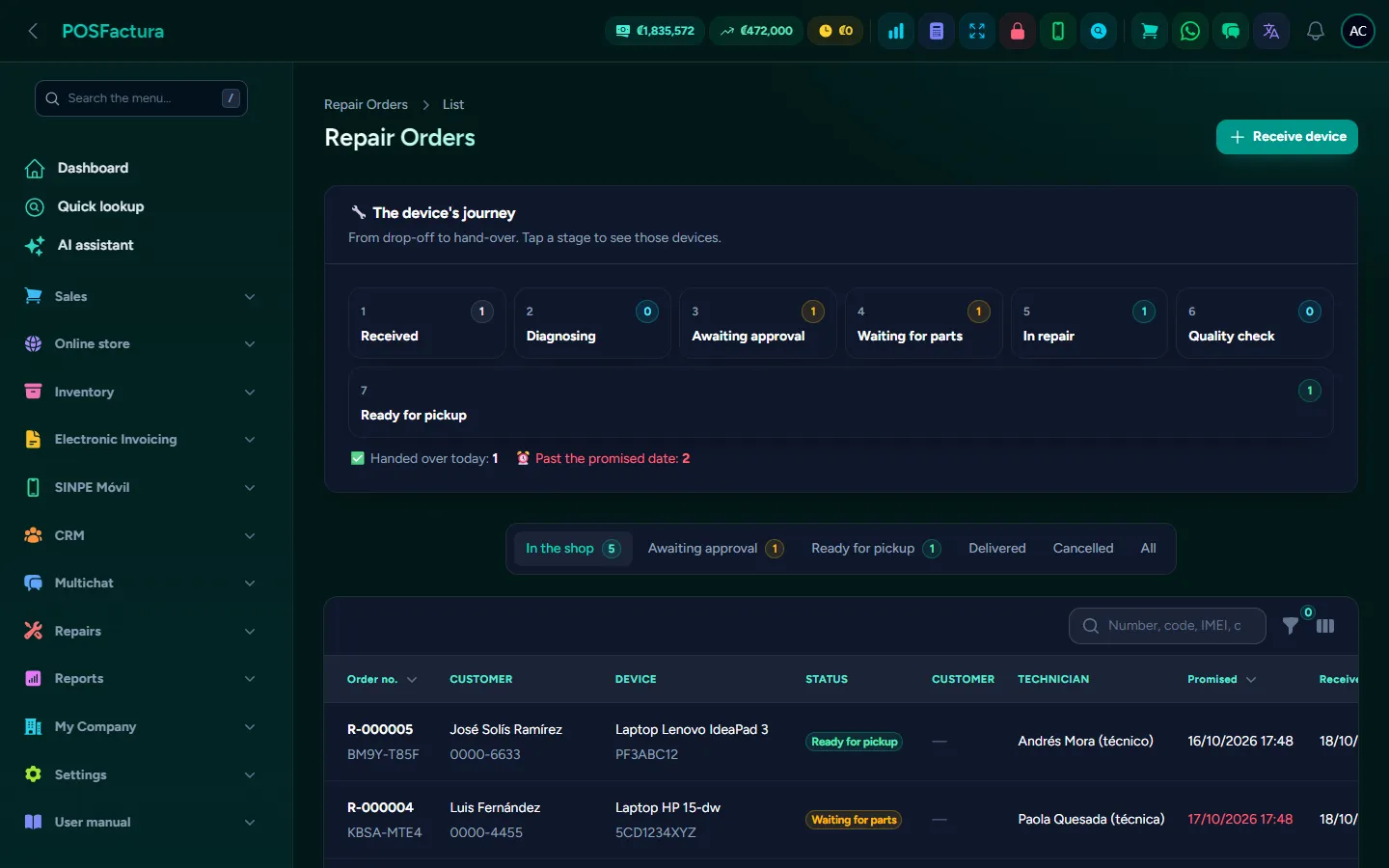
Repair shop

In a phone or computer repair shop the same problems keep coming back: the "it wasn't like this when I brought it in" at pickup, the screen that shows in stock but is already installed in another device, the estimate the customer says they never approved and the phone that keeps ringing with "is my phone ready yet?". This module organizes the shop from end to end: the device is checked in with its condition, its accessories and its passcode stored securely; each repair moves through stages everyone can see; parts come out of inventory when they are installed; and the customer approves, checks progress and receives WhatsApp notices without anyone having to remember.

Repair orders with the device's progress by stage

The essentials

  • Check in the device with everything recorded. Customer, who brings it, type, brand, model, IMEI or serial number, color, accessories left, its condition and the fault in the customer's own words.
  • The passcode or pattern, drawn. The customer draws their pattern with a finger on the same grid as their phone, or leaves their PIN or password. If they don't want to leave it, that is recorded too.
  • Receipt and label. An 80 mm receipt with QR code, tracking code, shop terms and the customer's signature, and a barcode label to stick on the device.
  • The device's journey. A board with each stage (received, diagnosis, awaiting approval, awaiting part, in repair, quality control, ready for pickup) and how many devices are in each one.
  • Quality control. A separate stage to test that the device really is fixed before announcing it's ready.
  • Parts and labor. Added to the order by searching by name or code, seeing how many are left at that branch. The part comes out of inventory as soon as it's put on the order.
  • Which part fits each model. A model catalog with compatible parts: when adding a part, the ones that fit come first and those for another model show a warning.
  • Estimate approval by WhatsApp. The customer receives the price with a link and answers "Yes, repair it" or "No, not for now"; if they approve, the order moves to repair automatically.
  • Automatic WhatsApp notices. On check-in, when waiting for a part, when ready and on pickup (with the warranty date), from the business line and during the hours you choose.
  • Charge at the point of sale. One button loads the parts and services with the order's prices, the customer and the technician as salesperson. On payment, the order is marked delivered and tied to its sale, with the electronic invoice.
  • Sell and repair on the same screen. From the point of sale you see the devices ready for pickup and those still in the shop, and you can check in a new one without leaving the register.
  • Technicians. The list of who does repairs; only they can be assigned an order.
  • Shop reports. Devices delivered, amount charged, profit (charged minus parts), average turnaround time, results by technician, most common models and most used parts.

The details that make the difference

  • The passcode, protected. It is stored encrypted, never printed and only visible to those with permission. On the record the pattern appears blurred until you tap "Show pattern". To store it, the customer authorizes the use of their data and the authorization is printed for their signature.
  • Two different numbers. The shop's number for internal use and a random tracking code for the customer, which can't be guessed by trying the next order number.
  • Promised dates in red. Orders past their date appear in red and are counted separately: it's the day's call list. Those already ready for pickup don't count as late.
  • Inventory always accurate. Removing a part or canceling the order returns it to inventory, and the kardex shows each movement with the order number.
  • You charge what you quoted. The order's price takes precedence over today's list price, and the repair lines can't be changed from the register: they are corrected on the order, so the order and the sale never say different things.
  • It's charged in full. A repair can't be saved as a quote or a layaway: its parts have already left the stockroom.
  • Approval is tied to its amount. The exact price the customer saw and the date are stored. If the price changes, approval is requested again: an approval doesn't cover a different amount. A "no" doesn't cancel the order; a person decides that.
  • Notices that don't get in the way. They go out a few minutes after the status change, so a mistake can be corrected; they only announce the current status, once per status, and a customer who doesn't want messages can opt out.
  • Everything in view. Each notice appears on the order with its result, can be retried if it didn't go out, and also stays in the customer's WhatsApp conversation.
  • Deliver without charging, with a reason. For a warranty or a free check; canceling also asks for the reason.
  • Warranty in writing. Each order stores the warranty promised, even if the settings change later. In Costa Rica, the system doesn't allow less than the legal minimum.
  • Printed terms. You write the shop terms that appear at the bottom of the receipt, such as how many days a device not picked up is kept.
  • Barcode scanner. Scanning the device's label brings up its order automatically, in the shop or at the register.
  • Everyone in their own area. The technician diagnoses, repairs and sees the passcode, but doesn't charge or cancel; the cashier checks in and charges; the owner can do everything.
  • A double click doesn't duplicate. Tapping "Receive" twice in a row doesn't create two orders.
  • Models that aren't lost. A model no longer serviced is turned off, not deleted, and old orders still say what was received.

For your customer

  • Check on their device online, from the QR code on their receipt or the shop's page, with their tracking code and the last 4 digits of their phone.
  • See how it's going: the status with a five-step bar, the promised date, the estimate if the shop shows it and the warranty end date.
  • Their privacy protected. They never see internal notes, the technician, the passcode or the full serial number, and nobody can guess codes: after several failed attempts the lookup pauses for a while.
  • Approve the estimate from their phone, with a comment if they wish.
  • Get a WhatsApp when their device is ready, and message or call the branch with one tap.

↑ Back to the index

💊

Pharmacy

A point of sale built for a pharmacy counter, with generics by active ingredient, prescriptions and controlled drugs, batches dispensed by expiration, sales by box, blister or unit, patient allergies and refill reminders.

Add-on: purchased separately
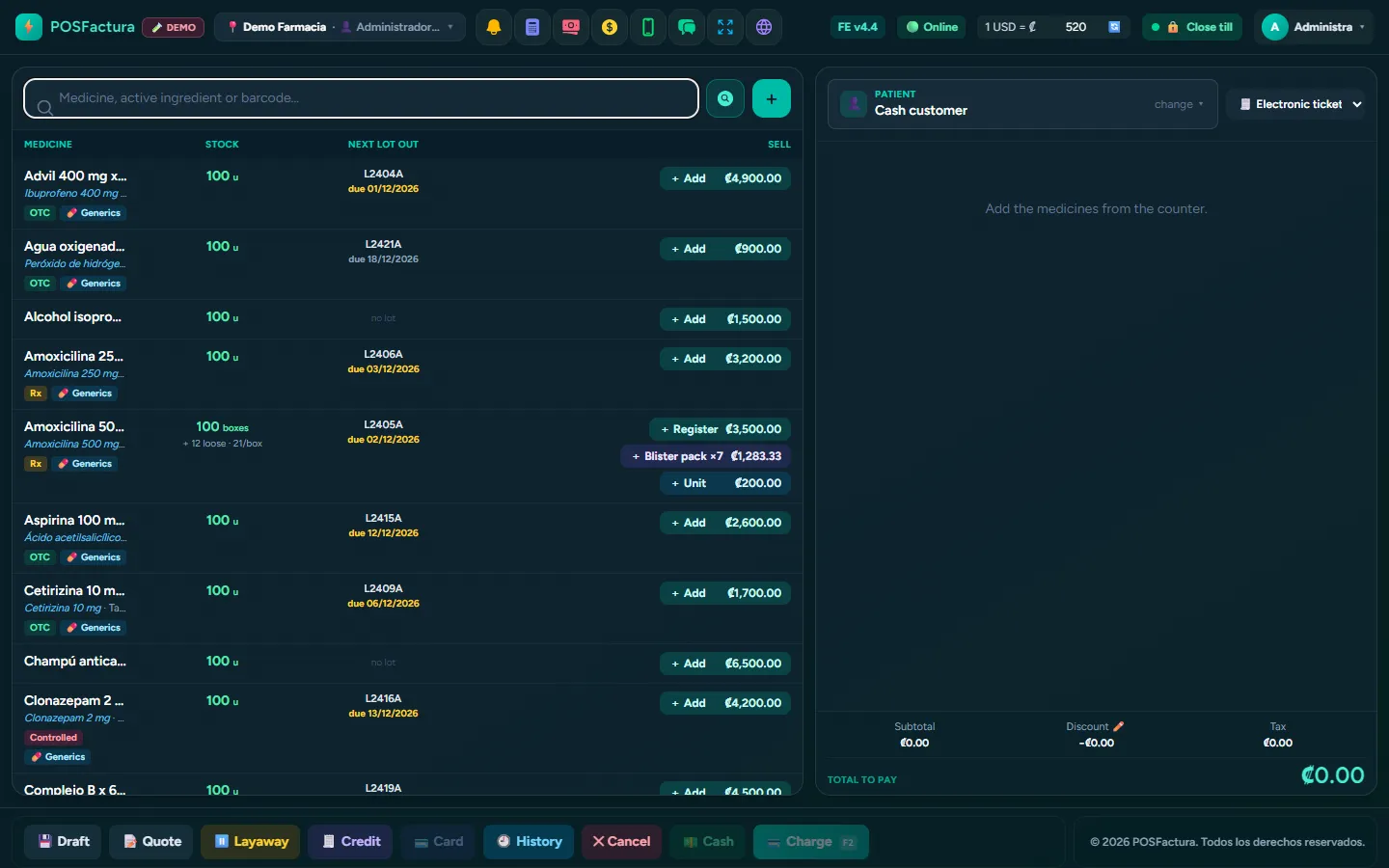
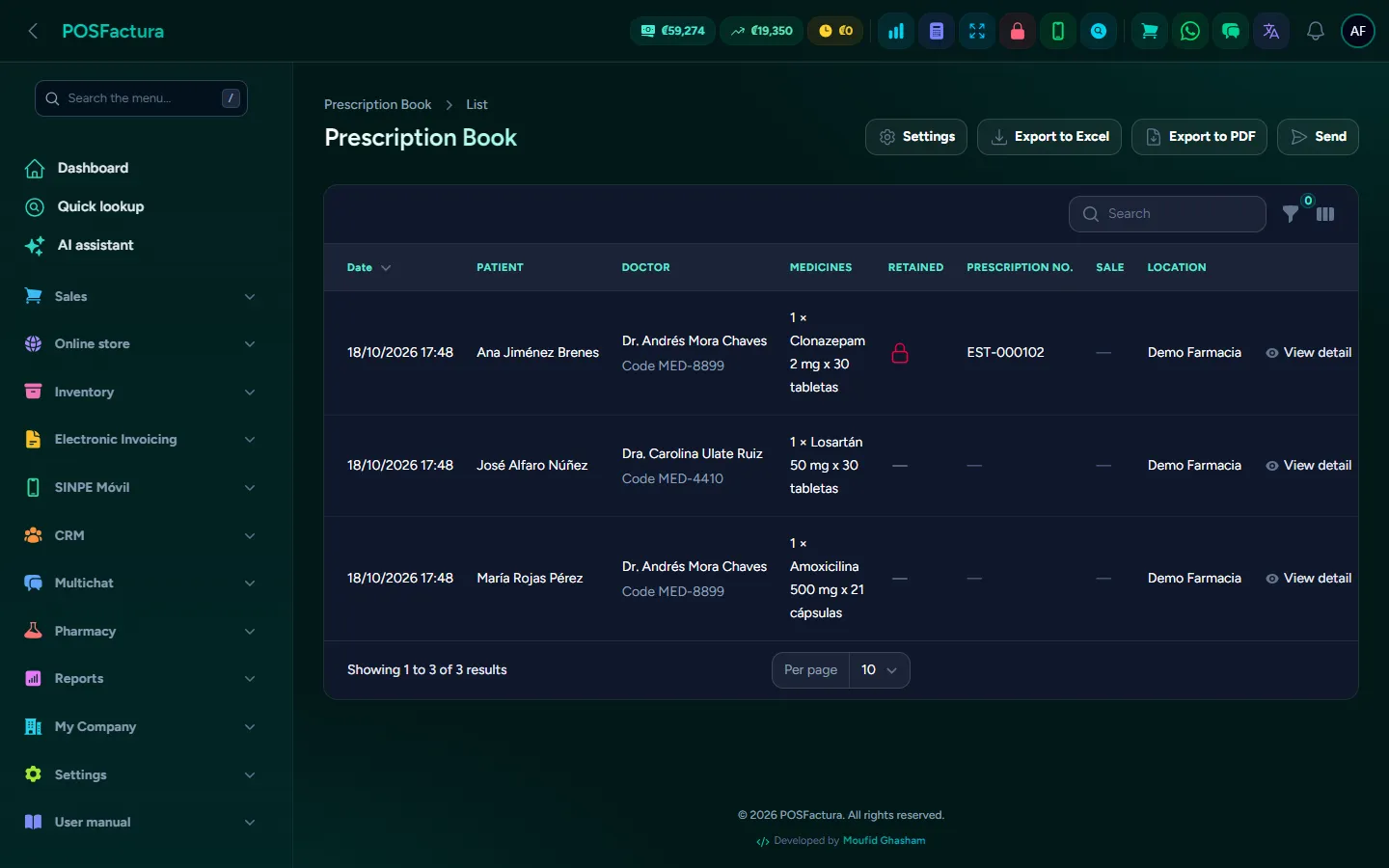
Pharmacy
Pharmacy

A pharmacy can't be run with an ordinary point of sale: you need to find the medicine by its active ingredient, offer the cheapest generic, ask for the prescription when required, not sell an expired batch and break a box into tablets without throwing inventory off. This module turns the system into a pharmacy system, with its own counter, without changing registers or invoicing: the same payments, the same close and the same electronic invoice, with the pharmacy tools turned on.

The pharmacy counter: box, blister and unit in the same row

The essentials

  • A pharmacy counter. Each medicine in a row with its active ingredient, strength, dosage form, laboratory, stock and the batch that will be dispensed, with buttons to sell by box, by blister or by unit.
  • The medicine record. Active ingredient, strength, dosage form (from Hacienda's official list), route of administration, sanitary registration, sale condition and whether it requires cold chain.
  • Search by active ingredient. Typing the generic brings up every brand that contains it, even if the name doesn't say so.
  • Generics with the savings in view. Equivalents with the same active ingredient, strength and route, first those in stock at the branch and then the cheapest, with how much the patient saves.
  • Prescriptions and controlled drugs. When charging a prescription medicine, the patient, doctor, code, date and prescription number are recorded, with a photo. Without the prescription, the sale doesn't go through.
  • Prescription book. Every prescription sale is recorded and exported to Excel or PDF with the name of the pharmacist in charge, ready for an inspection.
  • Batches and expirations. Each purchase comes in with its batch and expiration date, and each sale deducts from the batch that expires first.
  • Expired stock isn't sold. The system won't let you sell units from an expired batch and tells you where to pull them from; a report shows what is about to expire and writes off what has expired.
  • Box, blister and unit. Sold separately, each with its own price. If there are no loose tablets, a box is opened automatically and recorded in the kardex.
  • Patient allergies. If something in the cart has an active ingredient listed in their allergies, a red warning appears and it can't be charged until reviewed.
  • Repeat the purchase. The chronic patient orders the same as every month with one tap.
  • Directions and dosage labels. "1 tablet every 8 hours" is printed on the ticket, and after payment a label is printed for each medicine with the patient, the directions, the batch and the expiration date.
  • Agreements and insurance. A discount for members or a copay with insurance, with a single invoice to the patient and each insurer's account ready to settle.
  • Refill reminder by WhatsApp. A few days before their ongoing medication runs out, a patient who opted in gets a message so it can be ready for them.
  • Suggested order to the wholesaler. It calculates what to order based on sales, what is on hand excluding expired stock and what is already on the way, and creates a purchase order per supplier.
The prescription book with controlled drugs

The details that make the difference

  • Up to date with Hacienda. In Costa Rica, the invoice for a medicine with sanitary registration carries the dosage form and the registration on each line, as Hacienda (Costa Rica's tax authority) requires. Pharmacy units (tablet, bottle, ampoule, blister…) appear as the commercial unit.
  • Controlled drugs with retained prescription. They require the prescription number and, by default, the photo. They can't be ordered from the online store: they are dispensed only at the pharmacy.
  • Prescriptions expire. A prescription can't have a future date or be older than the validity you configure.
  • Health data protected. Prescription photos are stored privately and the prescription book is only visible to those with that permission.
  • The right batch on returns, too. A return or cancellation puts the merchandise back into the same batch it came from, so the expiration report tells the truth.
  • The blister doesn't throw the shelf off. It has no stock of its own: selling it deducts its tablets and returning it puts them back, so only boxes and units are counted on the shelf.
  • Batch in view. At the counter, the batch being dispensed shows in amber if it is about to expire and in red if it expires in less than 30 days; the dashboard warns about expired batches on the shelf.
  • Cold chain. Refrigerated medicines are marked with ❄️ at the counter and in the store.
  • Copays charged correctly. With a copay, the payment comes already split between the insurer and the patient, and if the agreement requires an authorization number, it can't be charged without entering it.
  • Reminders with permission. Without the patient's yes, nothing is sent. If they buy again earlier, the reminder is rescheduled with the new date, and the message never says the price or how many boxes are left.
  • Pharmacist in charge on the ticket. The name and license code of the pharmacist in charge appear at the bottom of the ticket and in the exported book.
  • Pharmacy units only for pharmacies. The list of pharmacy units appears only with the module; a hardware store doesn't see them.
  • Splitting works for anyone. Selling by box and unit also works for a hardware store that sells a single screw from the box.
  • Turning it off deletes nothing. If the module is turned off, the medicine records are kept for when it is turned back on.

For your customer

  • An online pharmacy store, with filters by laboratory, presentation and with or without prescription, and each product's badge.
  • Order with a prescription from their phone, uploading the photo: the pharmacy reviews and approves it before invoicing. An order with an unapproved prescription isn't invoiced.
  • They receive their reminder when their medication is about to run out, if they opted in.
  • They take home the label with how to take each medicine.

↑ Back to the index

📞

Voice agent

A virtual assistant that answers your business's phone when nobody can, checks real inventory, places layaways, sends information by WhatsApp, takes messages and transfers the call to a person when needed. Works with any SIP phone system.

Add-on: purchased separately
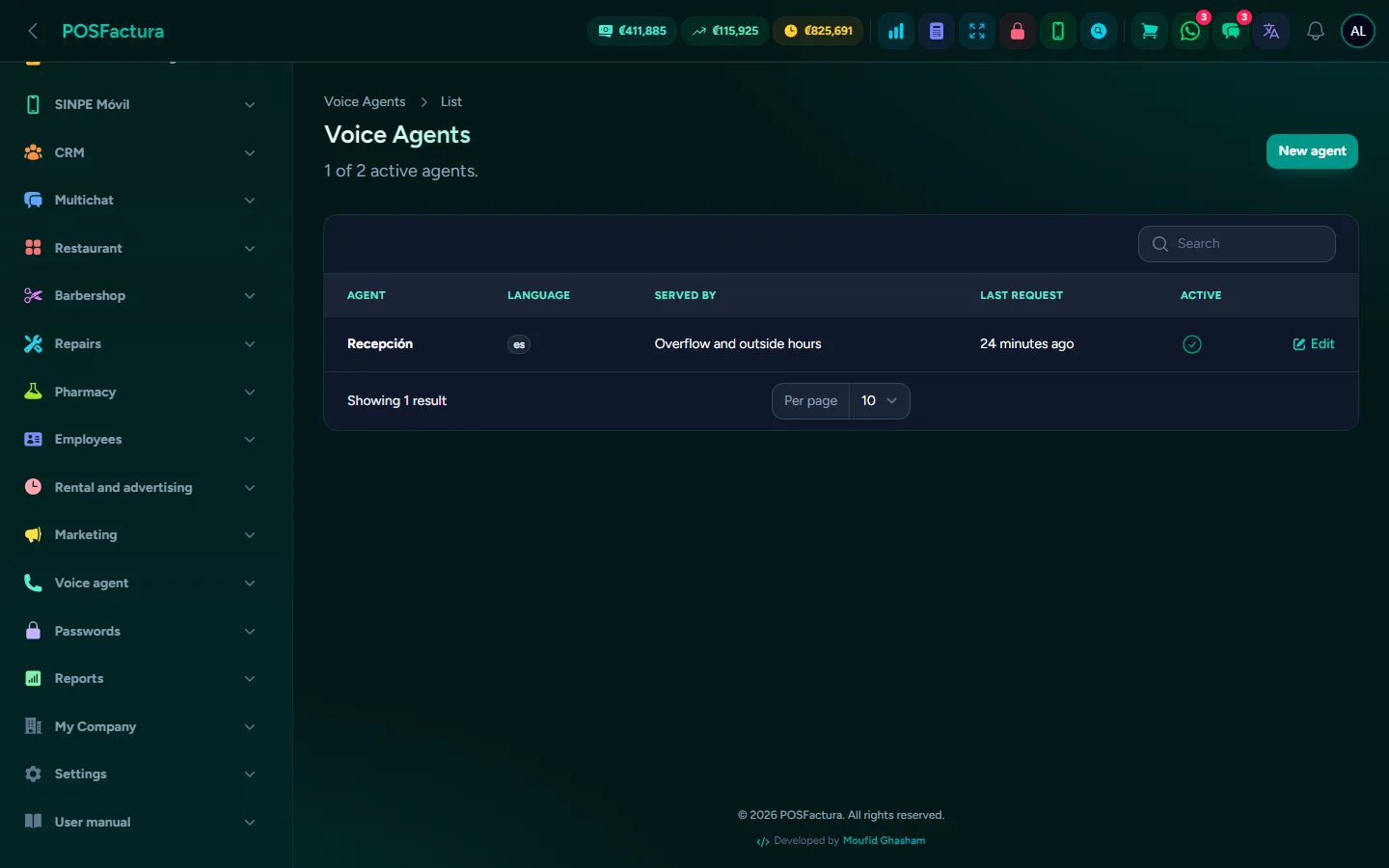
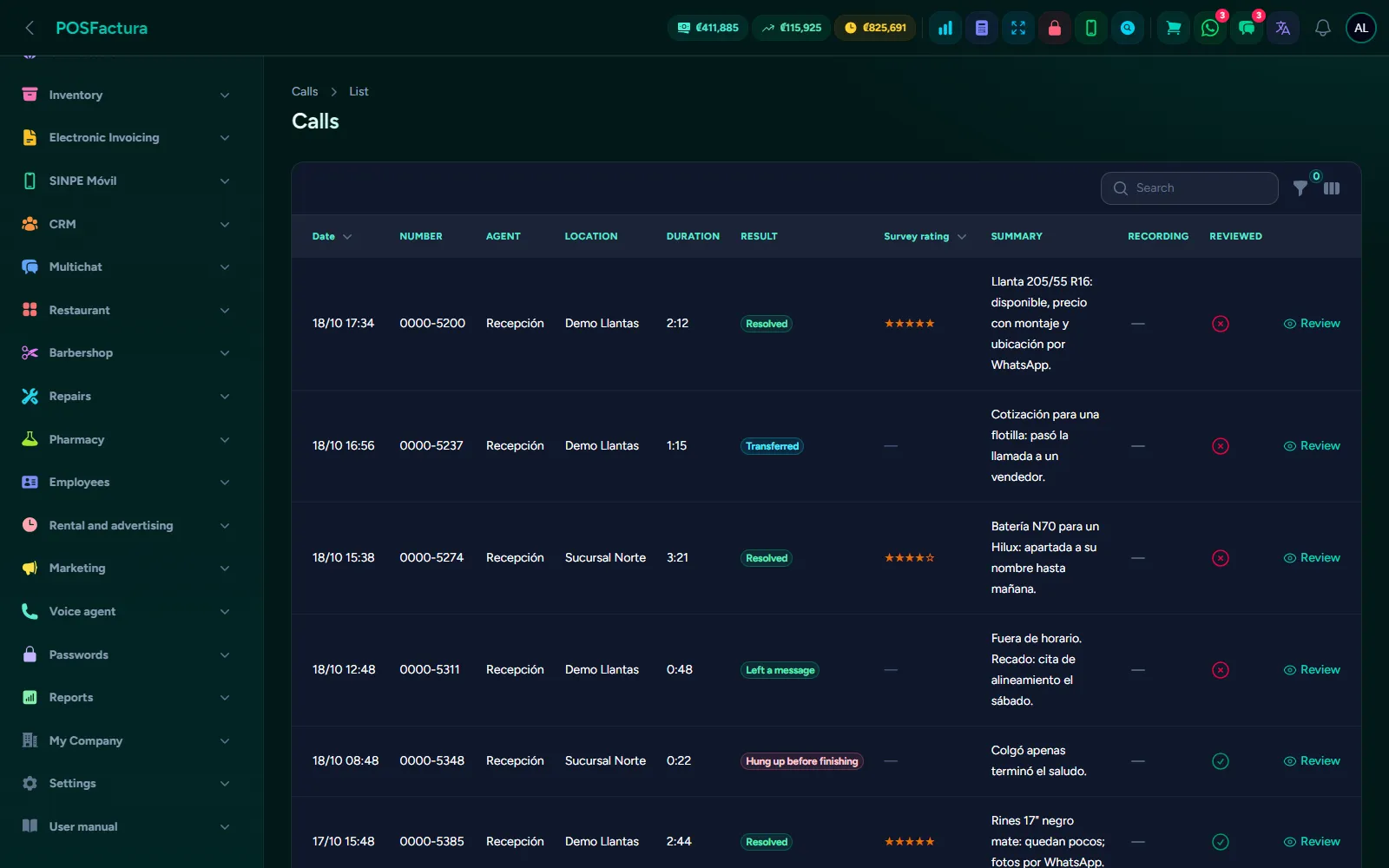
Voice agent
Voice agent

Every call nobody answers is a customer who probably buys from someone else: at lunchtime, at the busiest moment or after hours. This module puts a virtual assistant on the business's phone when nobody can answer. It introduces itself as a virtual assistant, speaks formally and answers with the system's real data: what's in stock, the price, where each branch is and its hours. If needed, it places a layaway, sends the quote by WhatsApp, takes a message or transfers the call to the right branch. It connects to the phone system you already have, without replacing it.

The agent's settings: how it speaks, when it answers and what it can do

The essentials

  • It answers when nobody can. If nobody picks up after a few rings, after hours, or always: you choose when the assistant answers.
  • It introduces itself as a virtual assistant and speaks formally. That's how it comes by default; the greeting, the farewell and how it introduces itself are configured from the panel.
  • It checks real inventory. It searches by name, code, barcode or size in each branch's inventory, and says whether it's in stock and the price.
  • It places layaways. It repeats the product, quantity, branch and name, and only places the layaway if the customer says yes. The layaway appears in the point of sale like any other.
  • It sends information by WhatsApp. The quote arrives as a PDF pro forma, identical to the one from the counter, as well as the location, hours or the layaway receipt, always with fixed system texts.
  • It transfers the call to a person. If the customer asks, has a complaint or the assistant can't help, it transfers to the right branch.
  • It takes messages. It records what the customer needs, their name and the number to call back, and alerts whoever handles that branch in the panel.
  • It knows who's calling. It recognizes the customer by their number (confirming first that it's speaking with that person) and tells them about their pending layaways if they ask.
  • Knowledge base. FAQs, policies, warranties and payment methods, loaded by hand or from Excel. What you already taught the WhatsApp service it also answers by phone, without writing it twice.
  • Review calls and correct answers. Each call with its conversation, its summary and what the assistant did. If an answer wasn't right, it is corrected and applies from the next call.
  • Test it before a customer hears it. Chat in writing with the assistant, with your real inventory and instructions; layaways, WhatsApp sends and messages are only simulated.
  • Metrics. Calls answered, resolved without a person, transferred to a person, layaways, messages, response time, cost and what was requested that you didn't have.
  • Other languages. In addition to yours, it can answer in the languages you choose, if the customer speaks to it in them.
  • It connects to your phone system. A small device on your network registers as one more extension. It works with any SIP phone system and installs with a single command.
  • Artificial intelligence included, or your own keys. Use the platform's services or your own accounts; in that case each provider bills you directly.
Call review with its summary and outcome

The details that make the difference

  • It never says how many units are left. Only "available" or "few left", even if asked: that way nobody can call to count your inventory.
  • It doesn't make things up. Prices and availability always come from the system, and if the customer says they were told something different, it calmly replies that this is what the system shows and offers to confirm with the branch.
  • Layaways with limits. You decide how many layaways per call, how many units per layaway and how many days the merchandise is held. A layaway without a deposit that expires is voided automatically and the merchandise goes back on sale; one with a deposit is decided by a person.
  • WhatsApp that doesn't get your line blocked. A limit on messages per call and per number per day. If the customer dictates another number, the assistant repeats it back and waits for confirmation.
  • It only transfers to authorized destinations. The call is transferred only to the extensions you defined for each branch.
  • Each line with its branch. If the call comes in on a branch's line, the assistant already knows who the customer wants to speak with and confirms it.
  • It listens according to the setting. You choose whether your customers usually call from a quiet place, with people nearby or with a lot of noise, so a background voice doesn't take over the conversation.
  • Optional background music. While it searches, the phone system can play soft music so the silence doesn't seem like a dropped call.
  • Recording is your decision. Recording is off by default; if you turn it on, the customer is told in the greeting. Recordings and transcripts are deleted automatically after the period you choose, and the recording never has a public link.
  • What the assistant says is yours. The instructions are edited from the panel, with version history to go back to an earlier one.
  • Survey at the end. If you turn it on, when saying goodbye it asks on a scale of one to five how well it helped, without insisting if the customer doesn't want to answer.
  • Weekly summary and quality alerts. Every week you receive how the assistant did, and you get an alert if it answers slowly, if many customers hang up or if there were failed calls.
  • Purchase suggestions. What was requested and not in stock comes with the matching catalog products, the last cost and who it was bought from. You decide what to bring in.
  • If something fails, the customer reaches a person. Without internet, the phone system follows its usual route; if something fails mid-call, it is transferred to the branch or to the backup extension; with no minutes left, the assistant can always transfer the call.
  • The device looks after itself. It alerts you if it stops reporting or if the phone system isn't sending it calls, updates itself in the early morning and never during calls in progress.
  • Access that only works for the phone. The device's connection to the system doesn't open the register, sales or catalog, and with your business's connection nobody can look up another's inventory.
  • Usage in view. Minutes used versus included, with alerts when approaching the limit, and what additional minutes would cost before the invoice arrives.

For your customer

  • Someone always answers, even at lunchtime or after hours.
  • They know who they're talking to: the assistant introduces itself as a virtual assistant and speaks to them formally.
  • They get answers without waiting: whether it's in stock, the price, where the branch is and its hours.
  • They receive the quote on their WhatsApp, as a PDF, or their layaway receipt.
  • They reach a person when they ask or when their case requires it.
  • Their information is protected: if the call is recorded, they are told, and what they said is deleted automatically after the business's set period.

↑ Back to the index

🕒

Attendance and payroll

A time clock on the phone or on a tablet at the store that makes it hard to clock in for someone else, and a payroll that builds itself from the punches, with overtime, holidays, advances, CCSS, income tax, Christmas bonus, vacations and PDF pay slips.

Add-on: purchased separately
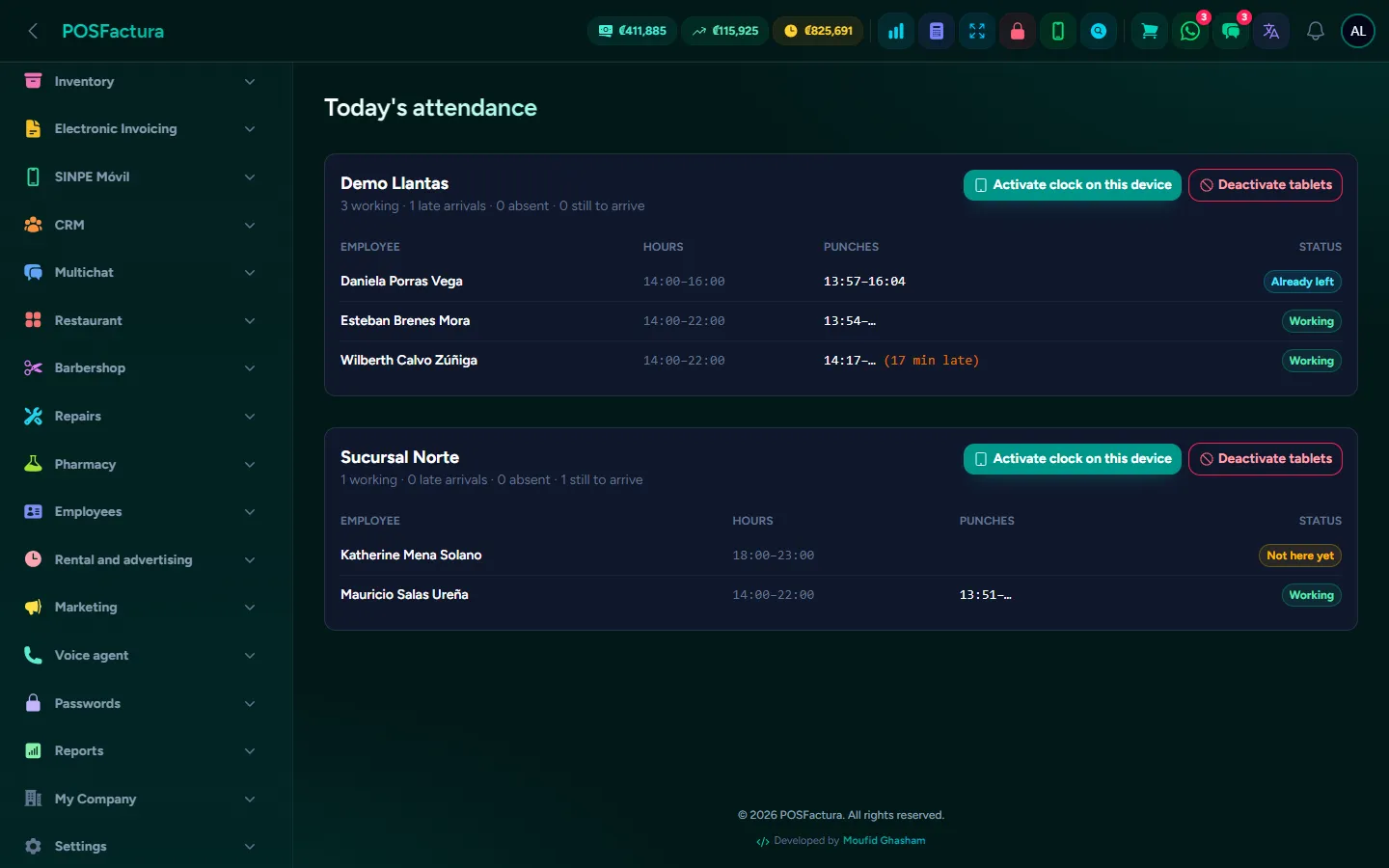
Attendance and payroll

Keeping attendance in a notebook or with a punch-card clock always ends the same way: the coworker who clocks in for someone else, the time corrected by hand, overtime nobody knows the source of and an entire afternoon adding up hours for the pay period. This module solves both ends. Employees clock in from their phone or from a tablet at the store, with locks so nobody can clock in from home or for someone else; and payroll is calculated automatically from those punches, each employee's schedule, holidays and advances, all the way to the pay slip ready to sign.

The time clock and today's attendance

The essentials

  • Three ways to clock in. From the phone with GPS (only within the branch's radius), by scanning a QR code that changes every 30 seconds on a screen at the store, or with a PIN on the tablet at the entrance. You turn on the ones you want.
  • Employees don't log into the system. Whoever clocks in is not a user: they only have a PIN and a link to their own sheet. There's no way for them to open the panel, not even by mistake.
  • Today's attendance. By branch and at a glance: who is working, who has already left, who hasn't arrived yet, who is absent or on leave, and whose face didn't match.
  • Payroll builds itself. Weekly, biweekly or monthly, with regular hours, overtime, holidays worked, late arrivals and absences for each employee, without adding anything by hand.
  • Hourly, daily or monthly. Each employee with their type of salary, their shift type (day, mixed or night) and their schedule by time blocks, including if they take lunch off-site.
  • Costa Rica's holidays with one button. The year's statutory holidays are loaded, each with what working it pays. A business in another country adds its own.
  • Advances and loans. They are recorded when the employee asks for money in advance, and when the payment is closed they are deducted automatically.
  • CCSS and income tax. The CCSS (Costa Rica's social security) contribution and income tax are deducted automatically from each payment, with the current percentages and brackets, and with each employee's credits for children and spouse.
  • Christmas bonus. What was earned from December to November divided by twelve, per employee, with its PDF certificate and a record of when it was paid.
  • Vacations. Each employee earns days per month worked since their start date, and the system keeps their balance: earned, taken, scheduled and what remains.
  • PDF pay slips. One per employee or all of the period's in a single file, with earnings, deductions, net pay, vacations and space for signatures.
  • Export to Excel the period's payroll for the accountant.
  • WhatsApp notice when they don't clock in. If the employee was supposed to work and didn't clock in, they get a message from the business's number, with the text you write.

The details that make the difference

  • The time is the system's, not the phone's. Changing the phone's clock does nothing.
  • A photo with every punch. The camera captures the face at the moment of clocking in, and it is kept for review.
  • Face recognition. It compares the photo with the employee's registered face and, depending on what you choose, allows the punch and flags those that don't match, or doesn't allow it. It runs on the same phone or tablet: photos aren't sent to another service.
  • One phone per employee. The first one they clock in from becomes theirs; from another they can't clock in until you release it.
  • A QR code that can't be photographed. The store's code expires after 90 seconds and can't be forged: you have to be standing in front of the screen.
  • The tablet doesn't go home. The clock only works on the device you activated, the activation link expires in 30 minutes, and if a tablet is lost, all of that branch's tablets are deactivated instantly.
  • Punches aren't deleted. They are voided with a reason or added by hand with a reason, and it records who did it. On the day of a dispute, you see the original punch and the correction.
  • A double tap doesn't duplicate. Tapping twice in a row doesn't clock in twice; the second punch of the day is the clock-out.
  • A clock-in without a clock-out doesn't invent hours. That day counts as zero and payroll warns you to correct it before closing. If your people only clock in, the clock-out is taken from the schedule.
  • The night shift counts on the day it started.
  • Arrival tolerance. You decide how many grace minutes there are before counting a late arrival.
  • Monthly salary, as the law requires. Half in each pay period, the day missed without leave is deducted, and overtime and the difference for holidays worked are added.
  • The mandatory paid holiday is paid to hourly employees even if they don't come in, and working it pays double.
  • Vacations, sick leave and permits aren't absences. They aren't deducted if they are paid, and on that day the WhatsApp notice isn't sent. Vacations only deduct the days they were scheduled to work.
  • A closed payment stays as it was paid. As long as it isn't marked as paid it can be recalculated if a punch was corrected; an advance already deducted can't be changed.
  • Preliminary pay slip marked. If the period is still open, the pay slip comes out with the notice "Preliminary calculation", so nobody confuses it with the final one.
  • Everything is configured from the panel. Hours for each shift type, overtime and holiday premiums, tolerance, CCSS deduction, income tax brackets, vacation days per month and GPS radius: Costa Rica's values come preset and you change them without calling anyone.
  • The notice doesn't overdo it. It goes out only once a day and never on holidays, vacations or leave, nor to anyone who has notices turned off.

For your employee

  • Clock in from their phone with their cédula (national ID) or phone and their PIN, and a big Clock in or Clock out button.
  • See their own sheet: their days, late arrivals, advances and available vacation days. You decide whether they also see their clock-out times, how much they have earned and their previous payments.
  • Download their pay slip as soon as their payment is closed, without asking anyone.
  • Never see someone else's sheet: they only get in with their cédula and their PIN.

↑ Back to the index

⏱️

Time rental and advertising

For businesses that sell minutes of use —tracks, courts, pool tables or rooms—: a board with each spot's clock, charging by block or open time, and every free minute given away recorded by name. Plus control of the advertising spaces rented to other businesses.
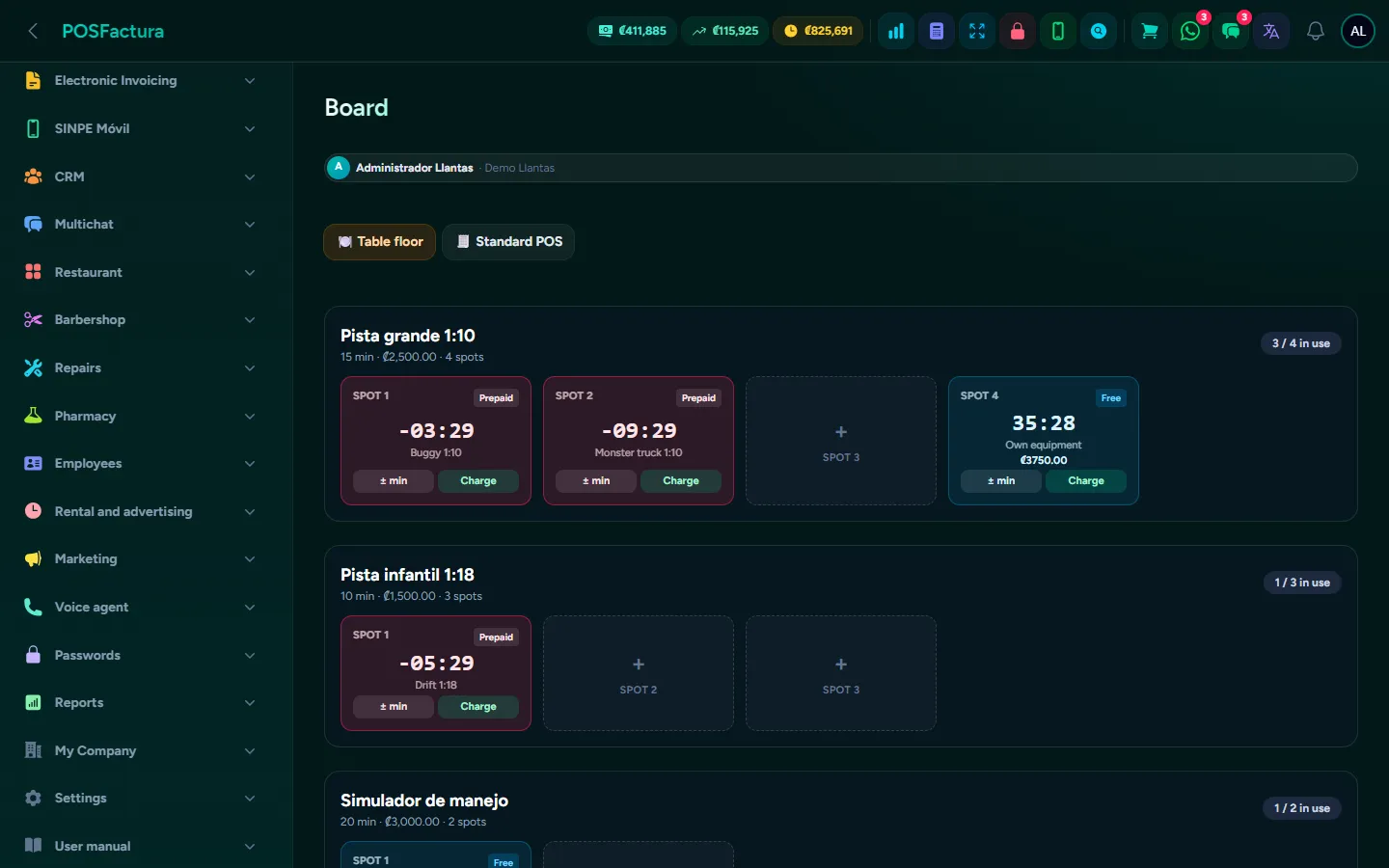
Time rental and advertising

A business that charges by time lives watching the clock: how long track three has been running, whose turn is up, how much to charge the one who went over and who gave a friend ten free minutes. This module puts all of that on a board: each spot with its counter, colors that warn when time is running out and a button to charge that leaves the sale ready at the register. It works the same for a go-kart track, a court, a pool hall or a karaoke room: you set your business's words and prices. And if you also rent your walls to other businesses for their advertising, the system keeps the contracts and warns you before they expire.

The board with each spot's clock

The essentials

  • A board with all your spots. Each track, court or table with its free and occupied spots, and the clock running on each one.
  • Prepaid or open time. The customer buys a block and the counter goes down, or plays open time and the counter goes up and is charged at the end. It is chosen per session, with a default mode.
  • Colors that speak. Green with time to spare, amber when it's running out, flashing red when it's over, light blue for open time.
  • How much has been spent. In open time, what it costs so far is shown under the clock.
  • Charge with one tap. When finished, the session closes and a sale is left ready at the register with the time and equipment itemized, to be charged like any other: cash, card or whatever payment method.
  • Price per spot. Each track or court has its block (for example, 20 minutes) and its price; if one is more expensive than the others, you just set it.
  • How many at once. Each spot admits as many as you say: several on a track, just one at a pool table. When the cap is reached, the system warns you.
  • Equipment with a surcharge. If you lend equipment of different categories, each one adds its surcharge to the spot's price, and it can be limited to the spots where it is used.
  • Those who bring their own equipment pay the percentage of the rate you configure.
  • Rent and consume on a single check. If the venue is also a café or restaurant, the time is charged to the customer's open check and at the end they pay for the track and what they consumed together, on a single invoice.
  • Gift cards with minutes. In addition to money gift cards, cards with play time, deducted from the clock without charging.
  • Advertising spaces. The billboards or panels around the track or court, with their location, size and reference price, and whether they are free or occupied and until what date.
  • Advertising contracts with expiration. Who each space was sold to, how much they paid, from when and until when, with the ad artwork stored.

The details that make the difference

  • Every free minute has a name. Adding or removing minutes is recorded with who, how many, when and why. If you ask for it, it also requires an administrator's password and records who authorized it.
  • You decide what happens if time runs over. Charge the extra minutes, charge another full block or close without charging extra.
  • A warning before it runs out. At the minutes you choose, the spot changes color so the attendant can tell the customer in time.
  • The system warns, it doesn't shut off. No equipment is cut off automatically: the decision is still the attendant's.
  • Never two in the same spot. A second piece of equipment can't be placed in an occupied spot.
  • The right equipment in the right spot. Equipment limited to certain tracks isn't offered on another.
  • No double charging. Spots charged to a table's check show its name, and time is never attached to a check that has already been paid.
  • Your business's words. "Track" and "Car", "Table" and "Cue", "Court" and "Ball": whatever you write is what appears across the whole screen.
  • From the restaurant too. The restaurant's point of sale includes its tracks tab to serve the same customer without changing screens, and each branch decides whether tapping "POS" opens the board, the dining room or the regular register.
  • Time cards that don't expire by date. They end when the time is used up.
  • Renew without gaps. The new advertising contract starts the day after the previous one expires, with no days lost or counted twice, and a trail of which one comes from which.
  • Expirations in view. Each ad shows how many days it has left, color-coded, and the menu shows how many are about to expire. Every night expired ones are marked automatically and the space is freed up to sell.
  • WhatsApp notice to the advertiser. Before expiration, a single message with the text you write, to offer renewal.
  • Durations your way. You define how many days ahead to warn and which terms are offered (1, 3, 6 or 12 months, whichever you use).

↑ Back to the index

⭐

Customer sign-up by QR and Google reviews

The customer leaves their details for the electronic invoice by scanning a QR code at the counter, without the cashier typing anything. And after the sale, they get a WhatsApp with the link to rate their branch on Google.
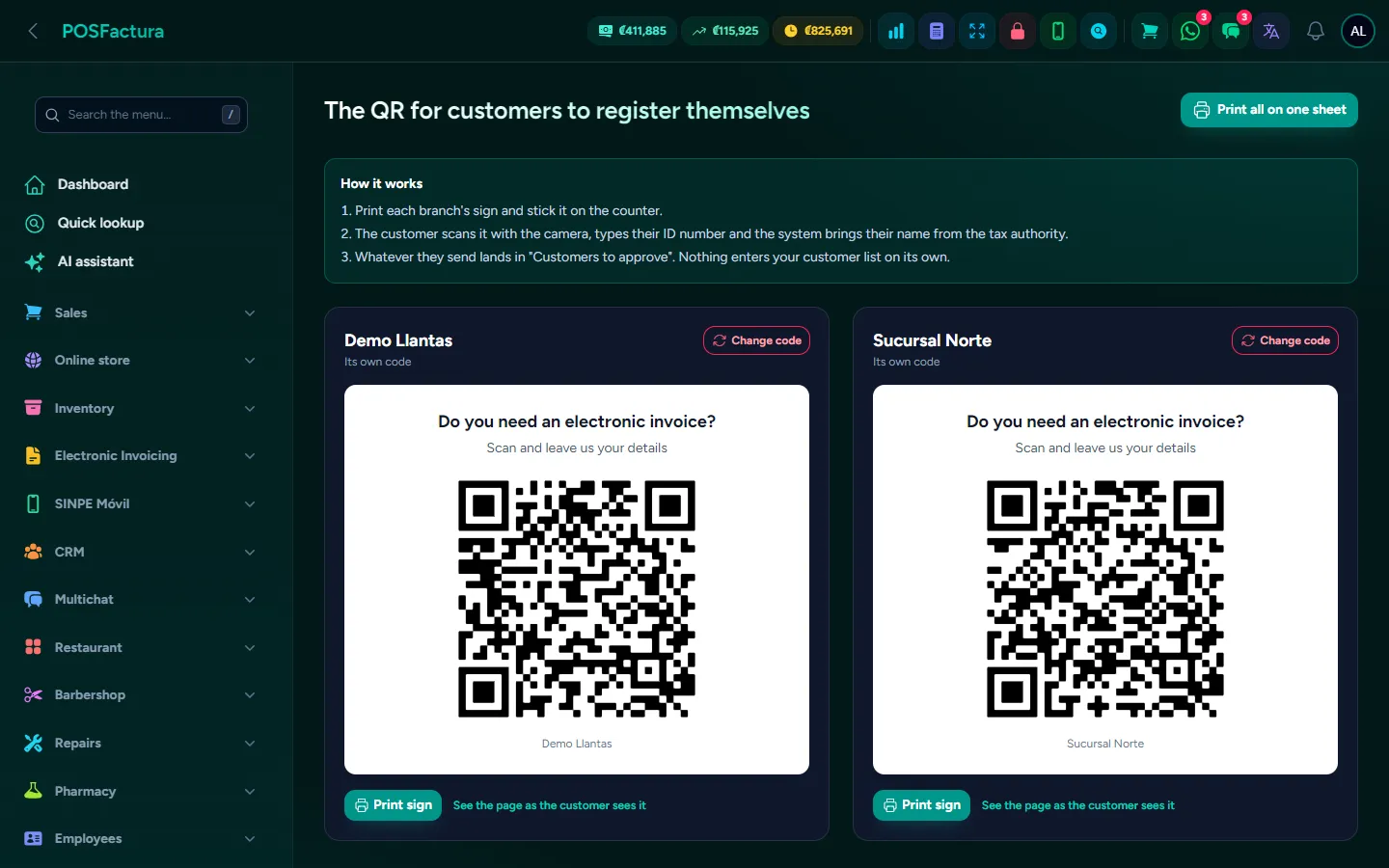
Customer sign-up by QR and Google reviews

Two moments at the counter that are almost always lost. The first, at checkout: typing the cédula (national ID), name, phone and email for the electronic invoice takes time, with the customer waiting and the line growing, and a mistyped email means an invoice that never arrives. The second, after checkout: the customer leaves happy and nobody asks for the review that would push you higher on Google. These two add-ons hand the first job to the customer, who is the one with the details, and do the second on their own.

The QR sign and the window of customers to approve

The essentials

  • One QR per branch, ready to post. The sign comes ready-made, large for printing, or all the branches' signs on a single sheet to cut out.
  • Hacienda provides the name. The customer scans, types their cédula and the system checks Hacienda (Costa Rica's tax authority) and fills in their name and ID type; they only add their phone or email.
  • Nothing goes into your customer list on its own. Each sign-up arrives in a Customers to approve tray, and a person accepts or rejects it.
  • The window inside the point of sale. The POS bell shows how many customers are waiting; the cashier opens the window right there and with one button creates the customer and sets them on the sale being charged.
  • Correct before accepting. If the customer mistyped the email or the ID type, the cashier fixes it in the window, with the customer right there.
  • Before and after. If the cédula already belongs to one of your customers, the window shows field by field what will change, with the old value crossed out. Nobody accepts blindly.
  • Google reviews at checkout. A customer with a phone gets a WhatsApp from the business line with the link to rate the branch where they bought, right away or after the minutes you choose.
  • No phone? The POS reminds you. When checkout ends, the notice "Ask the customer for their WhatsApp" appears: the salesperson types it and the request goes out at that moment, or marks that they didn't give it.
  • The ⭐ star for any customer. From the point of sale bar, you can ask for a review from someone who isn't buying: last week's customer or the one who called happy.
  • The contact card follows. After the request, the customer receives the business's contact card, to save it with one tap and message you directly next time.
  • Review history. Each request, whether it went out or not, with its status and the reason in words, the source, the salesperson and the branch, with tabs, filters and export to Excel or PDF.

The details that make the difference

  • The page shows nothing of yours. It doesn't search, list or say whether a cédula is already a customer: nobody can extract your customer list by trying numbers.
  • An empty field doesn't erase what was there. If the customer only enters their phone, the email they've had for years isn't lost.
  • Only Hacienda changes an existing customer's name. Nobody changes the name on a record from the street.
  • If Hacienda is down, sign-up still works. The customer types their name by hand and the sign-up arrives flagged for review.
  • The ID type, handled with care. If Hacienda knows the cédula, Hacienda sets the type; if not, the type the customer chose is only accepted if it matches the length of the cédula. A wrong type means a rejected invoice.
  • No phone and no email, no approval. It would be a customer you can't send the invoice to. An email that isn't shaped like an email doesn't pass either.
  • Against abuse. Submitting twice doesn't flood the tray, there is a cap on sign-ups per hour, and each sign-up records its branch, its QR and its time.
  • If the photo of the sign leaks, that branch's code is changed and the old one stops working instantly. The other branches aren't affected.
  • It appears in the customer's language. A tourist sees the sign-up page in their language without you doing anything.
  • Turned off, it disappears. If the module is turned off, the public page ceases to exist; it isn't just hidden.
  • Never to past buyers. When reviews are turned on, only new sales are messaged.
  • It doesn't insist. The same customer isn't asked again before the number of days you set (90 by default), and a sale voided before sending isn't asked.
  • No messages at night. Delayed sends respect the hours you choose; anything that falls at night goes out in the morning.
  • It goes out from the business's WhatsApp, never from another number. If no line of your own is connected, nothing is sent and the screen says so.
  • The "Cash customer" isn't greeted by that name.
  • The POS notice isn't closed by accident. It only closes with "Send review" or "Did not give it", so nobody closes it without asking. The history shows who is closing it without asking for the number.
  • The message is yours. You write the text with the customer's and the branch's names; the system adds the link at the end.
  • Phone numbers, protected. The review history is only visible to those who can configure the company, not to any salesperson.

For your customer

  • They sign up on their own, from their phone, without installing anything or dictating their details to anyone.
  • They don't have to type their name: Hacienda provides it, with a green ✓.
  • Their invoice arrives correctly because they typed their own email.
  • They rate with one tap: the WhatsApp opens the review window directly for the branch where they bought.

↑ Back to the index

🔐

Passwords

The business's passwords, accounts, cards and equipment stored encrypted inside the system, each visible only to whoever should see it, with its own PIN, audit log and expiration alerts. Plus each branch's utilities with their payments and invoices.

Add-on: purchased separately
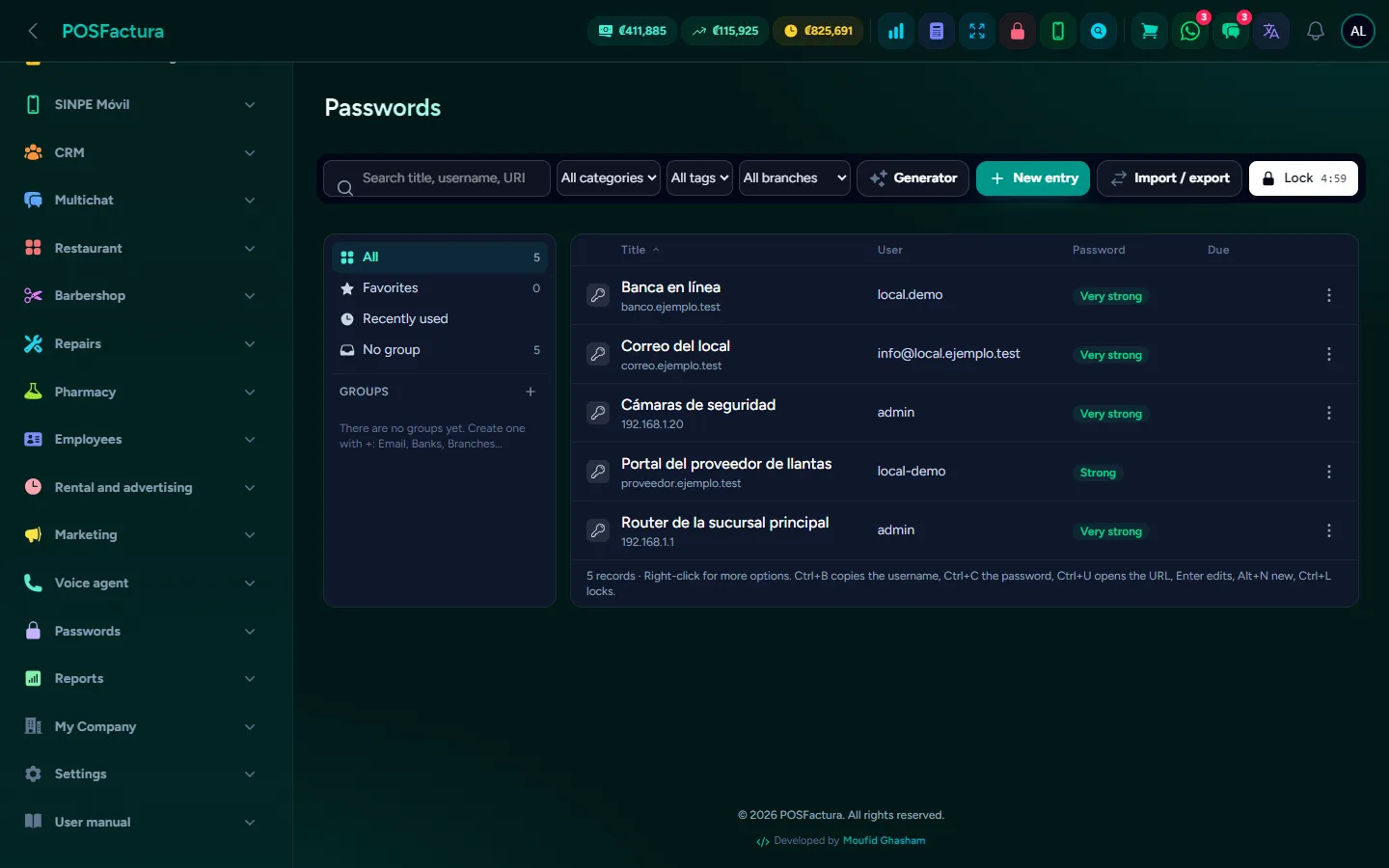
Passwords

In almost every business, passwords live in a notebook, in an Excel file or in one person's head: the email, the bank, Hacienda (Costa Rica's tax authority), the router, the cameras and the card terminal. When that person leaves or gets sick, nobody can get into anything; and when they're shared on WhatsApp, they stay forever on anyone's phone. Passwords stores them encrypted inside the system, like a professional password manager, but with the whole team working from the same place and each person seeing only what concerns them. And it adds what an ordinary manager doesn't have: the business's accounts and cards, each branch's equipment and the services paid every month.

The password list with its groups and alerts

The essentials

  • Everything encrypted. Passwords, protected notes, protected fields, history and attachments are stored encrypted: nobody can read them by looking at the stored data.
  • Its own PIN to get in. In addition to their user account, each person opens Passwords with their PIN. It locks itself after a few minutes of inactivity, or instantly with Lock.
  • Who sees what. Each record or group can be private, for administrators, for specific people (view only, view and copy, or edit) or for a level and above. And anything tied to a branch is only visible to those who work there.
  • Levels that decide which fields are visible. For example, the employee sees the service number but not the router password.
  • Groups like folders. A tree of groups and subgroups, with categories, tags, favorites and search.
  • Password and passphrase generator. Strong passwords or phrases that are easy to dictate over the phone, with a meter showing how strong each one is.
  • Banks and cards. The business's accounts and cards drawn as cards, with the number, CVV, PIN and IBAN encrypted and only the last 4 digits visible, with their own PIN to get in.
  • Branches and equipment. Each branch's record with its equipment (card terminal, internet, router and WiFi, cameras, phones, computers, printers, alarm) and their credentials, plus your own equipment types with the fields you want.
  • Services and payments. Electricity, water, internet, rent and other services for each branch, with their service number, payment day, each payment with its invoice and receipt, a calendar and spending reports.
  • Send a password with a one-time link. By the company's WhatsApp, by email or by your own WhatsApp: the recipient sees it once and the link stops working.
  • Import from other managers. KeePass, KeePassXC, Bitwarden, Chrome or Edge, with groups, fields and history, without uploading the file to the server.
  • Export a backup in a ZIP protected with your password, to open in another manager or print.
  • Health summary. A score from 0 to 100 and where to start: weak, repeated, old and expiring passwords.
  • History, trash and audit log. Every edit keeps the previous version so it can be restored, deleted items go to a trash bin, and the audit log says who viewed, copied or changed what, when and from where.

The details that make the difference

  • Viewing or copying leaves a trace, the secret doesn't. Every time someone views or copies a password it goes into the audit log, without the password. The audit log can't be edited or deleted.
  • The clipboard clears itself. When copying, a countdown runs and when it reaches zero the clipboard is emptied. The eye icon shows the password for a few seconds and hides it again.
  • Everyone has their own PIN. There's no shared PIN, so the audit log knows who opened what. After several failed attempts it locks for a while, and easy PINs like 1234 aren't accepted.
  • Private means private. What someone marks as "Only me" isn't seen by anyone else, not another administrator or another owner. Only the creator can change who sees it.
  • Edit without touching the password. When editing, the password field comes empty: if left that way, it doesn't change. Card numbers and CVVs don't travel to the screen every time the cardholder name is corrected either.
  • The rule applies on every path. A field your level can't see doesn't appear when revealing, copying, duplicating, sending or exporting; and someone editing can't erase a password they can't see.
  • Keyboard shortcuts and right-click, like desktop managers: copy username or password, open the address, duplicate or move between groups without touching the mouse.
  • Expiration alerts. Passwords, cards, equipment warranties, domains, card payments and services alert in the bell before they expire, only to those who can see them, once per date.
  • Cards entered correctly. The number is checked with its check digit and the brand is detected automatically; the IBAN is validated before saving.
  • Encrypted attachments. The Hacienda certificate, the hosting contract or an access key are stored alongside their record, encrypted, and nothing executable.
  • The link can't be opened with the data alone. It carries a key the system doesn't store; when it is opened, expires or is revoked, the content is deleted and only the record remains. You can see whether it has been opened and revoke it if it was sent to the wrong number.
  • Who can send in plain text. Each level decides whether it can send the password inside the message, only with a secure link, or not at all.
  • Pay a service without mistakes. The service number is copied with one click to paste it on the bank's site, and when the invoice XML is uploaded, the supplier, the Hacienda key and the amounts fill themselves in.
  • The payment, in the accounting too. A service payment can be recorded as a branch expense, enter the purchase book without duplicating the invoice and be sent to the accountant, and it warns you if the invoice is addressed to another tax ID.
  • Import without duplicating. Before importing you see how many records already exist, and you choose to skip, complete or copy them. Completing never erases what was already there.
  • Export with control. It asks for the user's password, only what that person can see is exported, it goes into the audit log and notifies those who administer Passwords.
  • The trash empties itself after the days you choose, and the history keeps the versions you decide.
  • Everything is configured from the panel: minutes before locking, seconds on the clipboard, PIN length, levels, alert days, link duration and generator rules.

↑ Back to the index

📱

Apps for phone and computer

The desktop app for Windows sells and invoices even when the internet goes down and connects several registers at the same location over the network. The iPhone and Android app puts the system in your pocket.
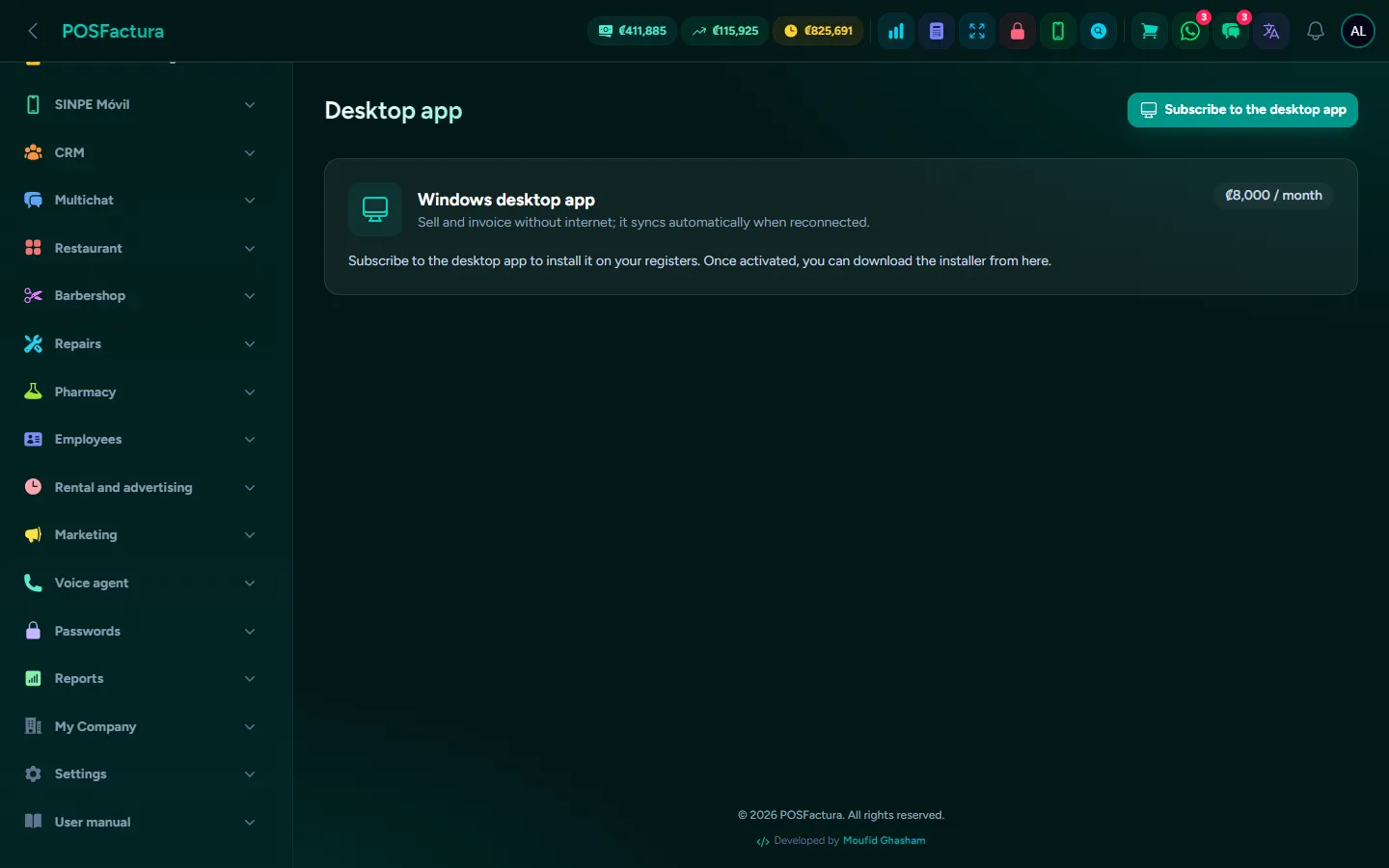
Apps for phone and computer

The system lives in the cloud and is used from any browser. But in some businesses that isn't enough: the store where the internet drops mid-afternoon and the line doesn't wait, or the business with three registers that need to see the same inventory to the second. That's what the apps are for: one for the register's computer, which keeps selling without internet and catches up on its own, and another for the phone, which goes with the owner away from the counter.

The desktop app with its activated registers

The essentials

  • Desktop app for Windows. The system installed on the register's computer: it sells and invoices without internet and syncs itself when it reconnects. You sign in with the same account as always.
  • Multiple registers on a local network. One computer becomes the main one and the other registers connect to it over the store's WiFi or cable: they all see the same inventory, the same customers and the same sales instantly, even without internet.
  • Tablets and phones as registers. On the local network, any tablet or phone connects by scanning a QR code from the main computer, without installing anything.
  • Documents wait their turn. Without internet, electronic documents are queued and sent to Hacienda (Costa Rica's tax authority) when the connection returns.
  • Devices under control. A screen with the activated registers, their last connection and who uses them; an old computer or a lost tablet is deregistered to free up its slot.
  • iPhone and Android app. The system on the phone, to check how the business is doing from outside or to sell away from the counter.
  • The browser POS holds up too. Without installing anything, if the internet goes down, the point of sale offers to keep invoicing in offline mode and sends the sales automatically when it comes back.

The details that make the difference

  • Each register, its own numbering. Each computer and each networked register has its own terminal for Hacienda: sequence numbers never collide, even if they all sell at once.
  • The sale keeps its time and price. What was sold without internet is recorded with the time and the price it was charged at, even if it syncs hours later.
  • Upload first, then download. The register uploads its sales before downloading changes, and if one didn't upload, it doesn't overwrite its inventory: it doesn't "give back" what it already sold.
  • One customer, not two. A customer created without internet is uploaded with their first sale; if one already existed with the same cédula (national ID), the sale goes to that one.
  • If the main computer shuts down, the other registers warn you, retry on their own and return to the system as soon as it responds. If it won't be back soon, a register can work alone with its own data.
  • The local network, closed to the outside. The main computer only accepts connections from the store; each cashier signs in with their user and permissions, and a deregistered register can't get back in.
  • A forgotten register doesn't take up a slot. One not used in 30 days stops counting automatically.
  • It updates itself when reopened, and cleans up what the previous version left behind. If something fails on opening, it shows the details instead of closing without saying anything.
  • In your language. The desktop app appears in the language each user chose in the system; before signing in, in the Windows language.
  • The register's drawer and printer, configured from the point of sale settings.
  • You can't sign out with sales not yet uploaded, nor connect a computer that still has pending sales to the network.

↑ Back to the index

✨

AI assistant and team chat

An assistant that answers with your business's real data —how much you sold, what's running low, how much you're owed— and teaches you how to use the system with a button that takes you to the screen. And an internal chat so the team can talk across branches without using personal WhatsApp.
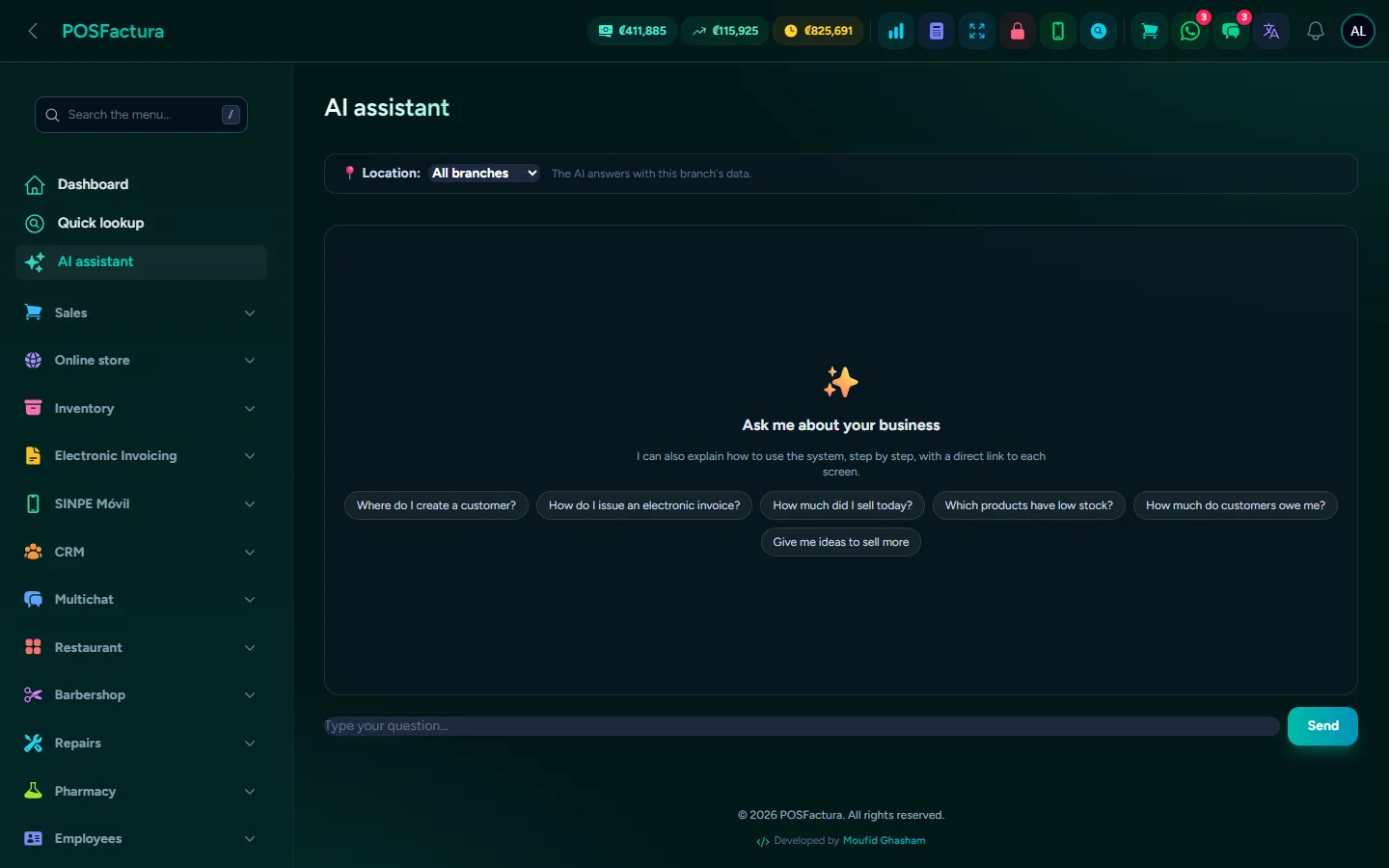
AI assistant and team chat

The owner wants to know how much was sold today without opening three reports, and the new employee wants to know how to void an invoice without interrupting anyone. The artificial intelligence assistant answers both in plain language: questions about the business, with your company's real data; and questions about the system, with the manual's steps and a button that goes straight to the screen. It can also prepare an order or an invoice from what you dictate, always waiting for your confirmation. And so the team can coordinate without mixing work with personal WhatsApp, the system includes its own internal chat.

The assistant answering with the business's data

The essentials

  • Questions about the business. "How much did I sell today?", "Which products are low on stock?", "How much does this customer owe me?", "How is the register doing?": it answers with your company's real data and the selected branch's.
  • How a product is moving. Ask about a product and it tells you how it has been selling.
  • Accounts receivable, in one question: who owes and how much.
  • Questions about the system. "Where do I create a customer?", "How do I open the register?": it answers with the manual's numbered steps, with the name of each menu and button, and a warning if there is one.
  • A button to the screen. Every answer about the system ends with the button that opens that screen and the link to the full guide, in another tab so you don't lose the conversation.
  • Dictated orders. "Two of this and four of that for such-and-such customer": the assistant finds the products, builds an uncharged draft and the cashier picks it up at the point of sale.
  • Dictated invoices, with confirmation. It prepares the invoice with the catalog prices and shows the summary; only when a person taps Issue is the sale created, inventory reduced and the document sent to Hacienda (Costa Rica's tax authority).
  • In the menu, in the chat and at the point of sale. The assistant has its own screen and also a tab in the chat and in the point of sale.
  • It writes for you. It writes a product's sales description for the online store, and the text of an email or WhatsApp campaign, with variants.
  • Internal team chat. One-to-one conversations and groups with several coworkers, inside the system, with the number of unread messages in the menu.

The details that make the difference

  • It doesn't make things up. If the manual has nothing on what was asked, it says so instead of inventing steps; and the prices of an order or an invoice always come from the catalog.
  • AI prepares, a person confirms. A dictated order stays as a draft, without touching inventory or Hacienda; an invoice isn't issued unless someone taps the button.
  • It only takes you where you can go. If your plan doesn't include a module or your role doesn't have the permission, the assistant doesn't offer you that button. Links that don't exist are removed before being shown.
  • It answers in your language, the same one you use the system in, with the manual's guides in that language.
  • It never sees another company. Answers come only from your business's data.
  • Cascading backup. The system can have several artificial intelligence providers: if the first one fails, the next one answers.
  • Clean answers. No strange codes on screen: what can't be done is explained in words.
  • The internal chat is for the team, not the customer. It is separate from the WhatsApp conversations with customers and only those with permission use it.
  • Named groups. A group per branch, per shift or per topic, with the coworkers you choose.
  • No mixing with personal life. Work conversations stay in the company's system and not on each employee's personal phone.

↑ Back to the index

🔌

Connections with what you already use

The system connects with what your business already uses —WhatsApp, your email, Gmail, Hacienda, Google, Facebook and Instagram, delivery apps and bank notifications— so information flows in and out on its own, without copying and pasting.
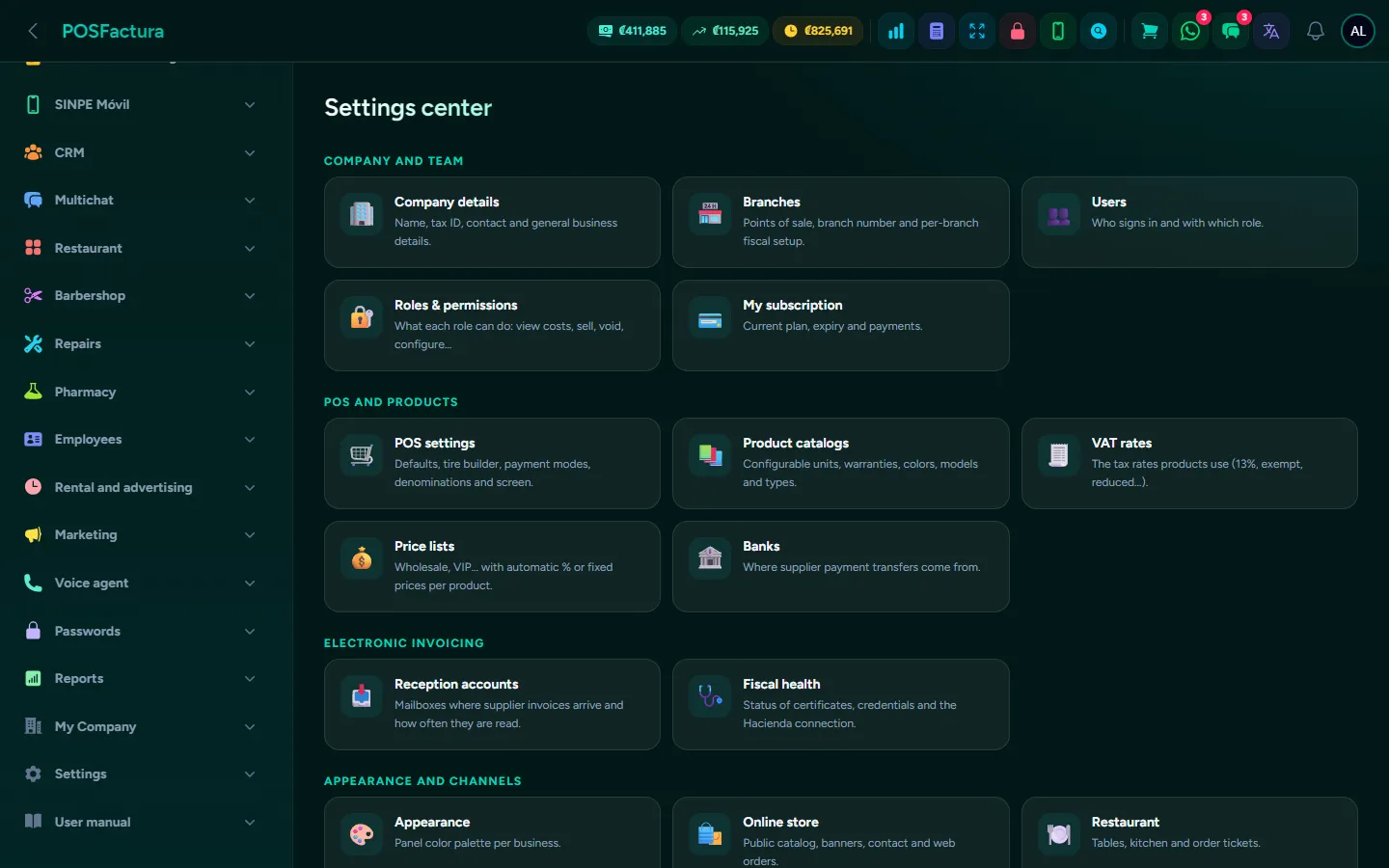
Connections with what you already use

A business today works with many tools at once: WhatsApp to serve customers, email to send invoices, the bank that notifies every SINPE payment (Costa Rica's instant bank transfer), Google so people can find you, social media to advertise and delivery apps to sell for home delivery. When none of them talk to each other, someone spends the day copying data from one screen to another. The system connects with those tools so that orders, payments, invoices and customers flow in and out on their own. Each connection is turned on from the panel, and whatever isn't configured stays off.

Settings: each connection is turned on from the panel

The essentials

  • The business's WhatsApp. Your own number connected to the system: the shared inbox, invoices, notices and reminders go out from your business's line.
  • Your own email. Invoices and notices go out from your company's email, through your mail server or a sending service, with buttons to test before using it.
  • Gmail or any mailbox. The system reads the mailbox where the bank's SINPE notices arrive and the one for your suppliers' invoices, and each account reads only its own label.
  • Bank notices by SMS. If the bank notifies by text message instead of email, the business's phone forwards them to the system and the payment comes in just the same.
  • Hacienda. Electronic documents go to and from Hacienda (Costa Rica's tax authority) automatically, and when you type a cédula (national ID), the customer's name is pulled from the registry.
  • Facebook, Instagram and your Google profile. Scheduled posts that go out on their own at their time, and replies to comments on your Facebook pages.
  • Google Shopping and Maps. Your products appear on Google with the system's price and stock, updated every day.
  • Google reviews. After the sale, the customer receives by WhatsApp the link to rate their branch.
  • Google Analytics and the Meta Pixel on your online store, to know how many people visit and to advertise to those who have already visited.
  • Delivery apps. Orders from delivery apps go straight into the restaurant's dining room, with their address, phone and notes, and each app's commission is calculated.
  • Google Contacts. The business's contact list is imported, duplicates are flagged and you can check who has WhatsApp.
  • Product photos from the internet. A search tool finds photos for products that don't have one.
  • Payments with Whish in the online store, for businesses in Lebanon.

The details that make the difference

  • Each company with its own. Your business's connections are yours alone: your WhatsApp line, your email, your pages and your keys.
  • Keys stored encrypted. Each service's passwords and keys aren't shown on screen after they are saved.
  • Your messages go out from your number. What the system sends your customers always goes out from your business's line, never from someone else's number.
  • Emails in your company's name. Invoices arrive with the name of the business that made the sale, and if the customer replies, it reaches their branch.
  • Without changing anyone's email. If the hosting mailbox stops working, notices and invoices are moved to a Gmail account without asking the bank or suppliers to write to another address.
  • The same payment, only once. If the SINPE notice arrives by email and by SMS, it comes in only once.
  • Nothing is published without your approval. Posts the system builds from inventory wait for your confirmation.
  • Replying without seeming like a robot. Replies to comments wait a couple of minutes, stay quiet on complaints and don't exceed the pace Facebook tolerates.
  • Measuring with permission. With Google Analytics or the Meta Pixel, the store asks for cookie consent: if the visitor doesn't accept, nothing is measured.
  • What the delivery app takes. At checkout, the commission is saved at that day's percentage, and the report shows what was sold, the commission and what you actually keep.
  • Works with any delivery app, because it only asks for the minimum they all send: order number, customer, items and delivery fee.
  • Copy before deleting. The Google contact list is downloaded to a file before anything is touched, and nothing is deleted automatically.
  • What isn't used stays off. Each connection is turned on when needed, and what isn't configured isn't shown. Some, such as social media, Google Shopping or reviews, are add-ons purchased separately.

↑ Back to the index

🛡️

Security and business administration

What the whole system includes, regardless of modules: branches, users with roles and permissions, audit log, two-factor authentication, backups, five languages and several countries, your brand, expenses, memberships and points, gift cards, sales tracking, salesperson commissions and the accountant portal.
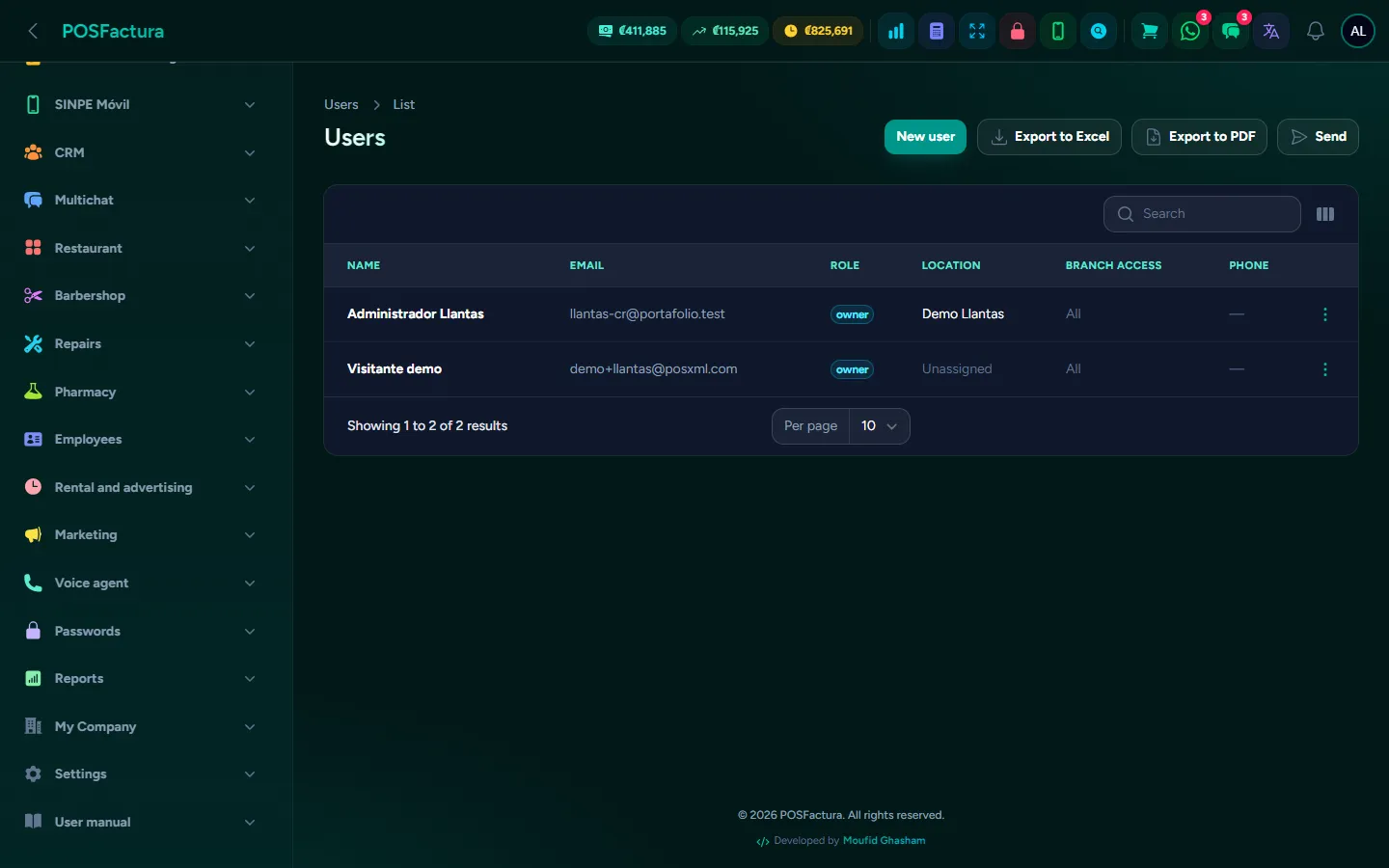
Security and business administration

Before selling, you need to be able to trust the system: to know that each person sees only what concerns them, that whatever is changed is recorded, that the information is backed up and that the accountant receives what they need without anyone having to remember. All of that is included, in any plan and for any line of business. Along with everyday tools that serve any business: expenses, returning customers, gift cards, sales about to close and salesperson commissions.

Users with their role, their branches and their schedule

The essentials

  • Multiple branches. Each store or warehouse with its inventory, its price list, its electronic invoicing details and the screen it starts on: the regular register, the restaurant dining room or the rental board.
  • Users and roles. A role is a bundle of permissions (cashier, salesperson, warehouse keeper, accountant, administrator); each person signs in with their user and their role. Ready-made roles are included and you create your own.
  • Permissions by area. Sales, returns, discounts, inventory, purchases, settings, users: you check what each role can do, and without the permission the button doesn't even appear.
  • Each user, tailored. You can limit the branches where they work (and they only see their own sales), set a schedule outside of which their session is closed, or keep them only on the sales screen, without seeing the rest of the panel.
  • Audit log. Who voided, who changed a price, who made an adjustment, who signed in and who tried to sign in unsuccessfully, with the date and from where.
  • Two-factor authentication and active sessions. Each user can sign in with a code from their phone in addition to the password, and the company can require it for everyone. Open sessions are shown with their device and can be closed from the panel.
  • Automatic backups. Information is backed up automatically and, if needed, the platform can restore a single company without touching the others.
  • Five languages. Spanish, English, Portuguese, Chinese and Arabic (right to left), with the manual also in all five. Each person sees the system in their own.
  • Several countries. Costa Rica, Nicaragua, Panama, Venezuela and Lebanon, each with its currency, its tax and its ID types. In Lebanon, dollars and lira at the same time.
  • Your brand and your colors. Your logo in the system, on documents and in the store, and the panel's color and light or dark mode.
  • Expenses. Money that goes out and isn't merchandise —transport, cleaning, utilities— is recorded by category, branch and register, and subtracted from profit in reports.
  • Memberships, points and gift cards. Member plans with their discount and validity, points the customer earns and redeems at the register, and gift cards with a code and balance used as a payment method.
  • Opportunities and support tickets. Potential sales with their amount and stage in a funnel that shows how much is at stake and where it gets stuck; and after the sale, complaints, warranties and installations with their status and owner.
  • Salesperson commissions and targets. Each salesperson's commission for the month, by tiered brackets, with their target and how much of it they met.
  • Accountant portal. Your accountant automatically receives the previous month's package every month, and has their own panel to review documents, purchases and reports.

The details that make the difference

  • Inventory belongs to each branch. A product can have eight units at one store and zero at another, and is transferred between them with its history.
  • A closed branch doesn't get in the way. It stops appearing in the register's selector and stops generating alerts, but its history remains.
  • Each company with its own roles. The roles you create belong only to your company, and the default ones can be copied to adjust them without touching the original. Each line of business is offered the roles that suit it.
  • Exceptions without giving away permissions. A cashier can do something specific with an administrator's password, without keeping the permission forever.
  • Whoever leaves isn't deleted. They are deactivated: they can no longer sign in, but their sales and movements still carry their name.
  • The audit log doesn't store passwords. It records that one was changed, never what it is.
  • Before restoring, another copy. A restore first saves a backup of the current state: there is always a way back.
  • The language is chosen automatically. Someone signing in for the first time sees their country's language, and the little flag changes it whenever they want. What a visitor chooses in a demo doesn't stay set for the next one.
  • The country rules the tax side. Electronic invoicing with Hacienda (Costa Rica's tax authority) and SINPE Móvil are offered only in Costa Rica; the WhatsApp prefix comes from the company's country.
  • You set the exchange rate. In Lebanon, if the lira rate isn't loaded, nothing is converted: better that than charging with a made-up number.
  • Member discount in one click. When a customer with an active membership is selected, the register shows their plan and applies the discount without calculating anything.
  • Commissions the way you pay them. By brackets based on what was sold in the month, a fixed percentage for a specific salesperson, or fixed amounts per sale and per unit that add up. Drafts and sales from another month don't count.
  • Several accountants, each with their own. Each one with their email and their sending day, and with the purchases, expenses and supplier statements you decide to send them.
  • The accountant only sees their clients. In their panel they choose one of the companies assigned to them and see nothing of the others, nor do they enter the business's panel.
  • Names that can't be confused. The report the accountant receives carries the company name and the dates, for those who handle several.
  • Register expenses balance the cash count. An expense taken from the drawer shows up in the shift close, and a cash withdrawal is never sent to the accountant as an expense.
  • One company never sees another. Customers, sales, users and reports belong only to your business.
  • Online manual. Step-by-step guides for every part of the system, in your language, inside the same panel.

↑ Back to the index

🆕

Announcements

The system improves every week. These are the latest additions.

Imports and purchases by email, in plain view

Imports have their own section, with the real landed cost in the warehouse, and Purchases shows first what saves the most time: supplier invoices that arrive by email on their own.

System portfolio

A public page that presents all the modules with their screens, in all five languages and as a PDF, to share by WhatsApp or email.

Want to see it working?

Open a demo with sample data, no card needed, or create your account and try it with your own business.